> For the complete documentation index, see [llms.txt](https://docs.globo.io/llms.txt). Markdown versions of documentation pages are available by appending `.md` to page URLs; this page is available as [Markdown](https://docs.globo.io/askly-customer-surveys/getting-started/quickstart.md).

# Publish your first survey

Put your first survey on your online store in about 5 minutes.

This guide puts a survey on your online store. Want it somewhere else, like the thank you page or an email? See [Choose where a survey appears](/askly-customer-surveys/where-surveys-appear/channels.md).

{% stepper %}
{% step %}

### Turn on the app in your theme

In your Shopify admin, go to **Online Store → Themes** and select **Customize**. Open **App embeds**, make sure **Askly Customer Surveys** is on, then select **Save**. [Step-by-step help](/askly-customer-surveys/getting-started/enable-theme-embed.md).
{% endstep %}

{% step %}

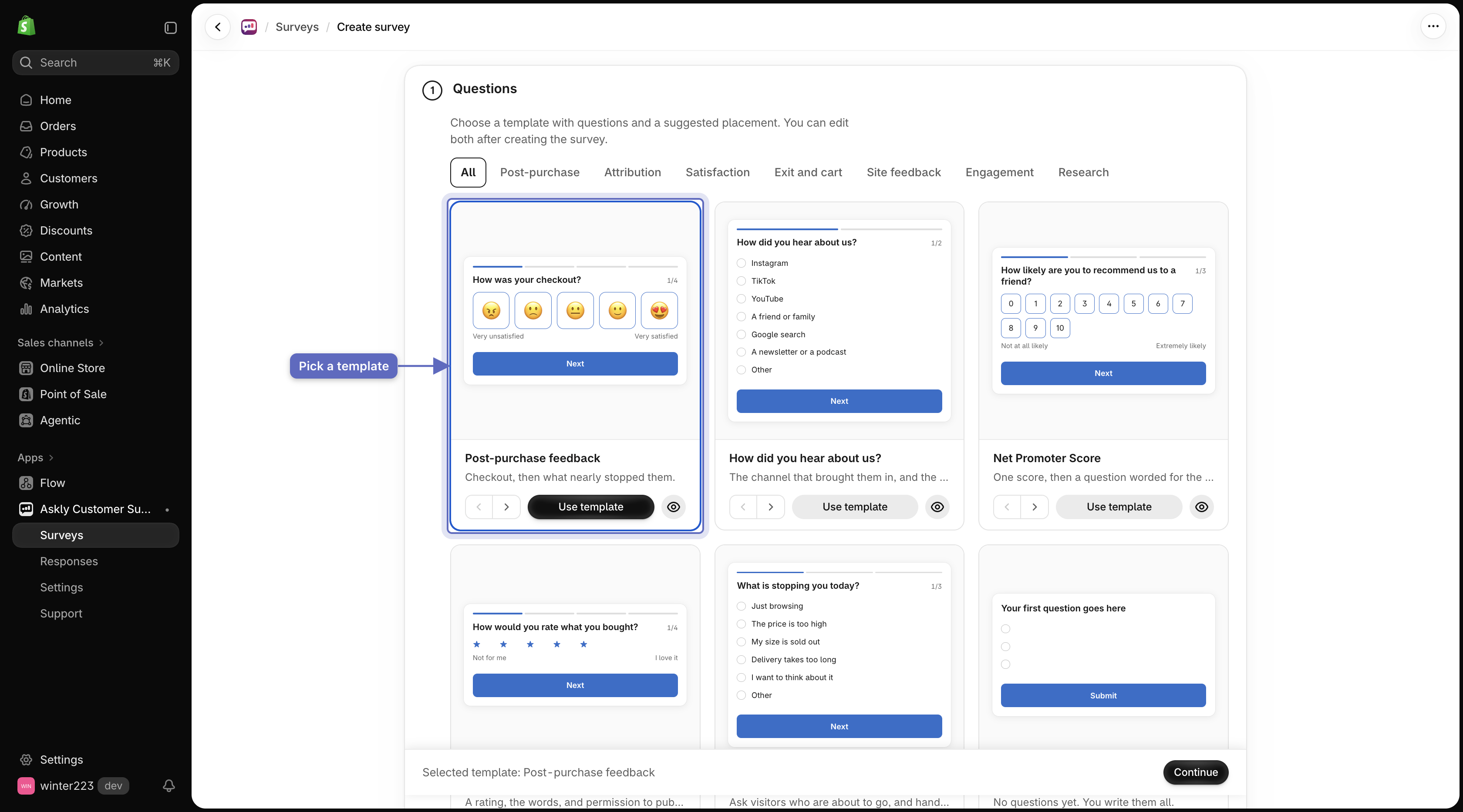
### Pick a template

Go to **Surveys** and select **Create survey**. Pick a template, then select **Continue**. To see more templates, select **Browse all templates**.

<figure><img src="https://609121677-files.gitbook.io/~/files/v0/b/gitbook-x-prod.appspot.com/o/spaces%2FZGBRJVX5BLagz6gFEmK1%2Fuploads%2Fgit-blob-67977d53bea9e56baca448b0f894ccdeae243c73%2Fscreenshot-quickstart-template-gallery.png?alt=media" alt="Survey template gallery with the Post-purchase feedback template selected"><figcaption><p>Select a starter template to load questions and jump-start your survey.</p></figcaption></figure>
{% endstep %}

{% step %}

### Choose where it shows

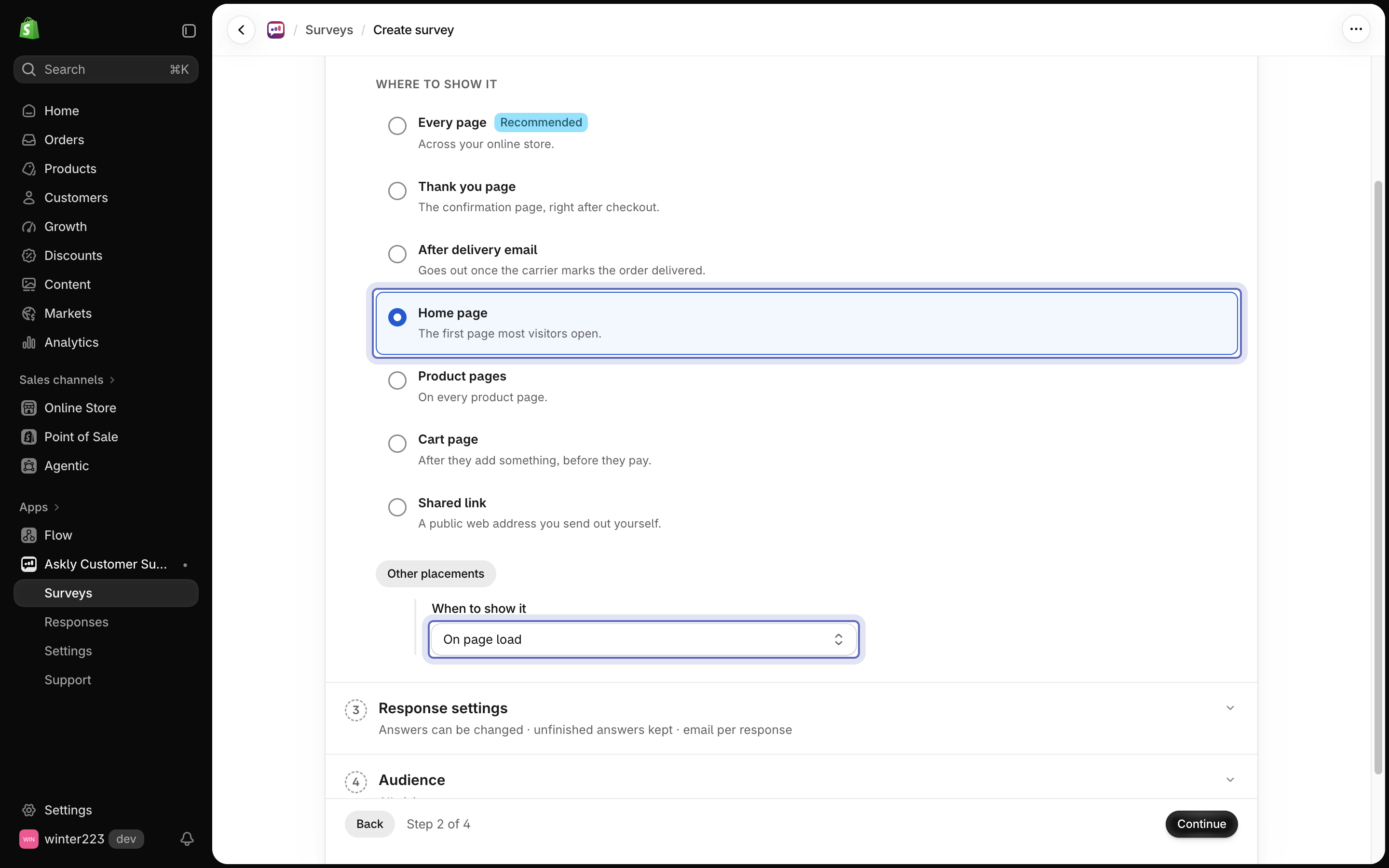
Pick a place on your store, such as **Home page** or **Product pages**, and when it opens. Select **Continue**.

Keep the other settings as they are — you can change them later. Select **Create survey**.

<figure><img src="https://609121677-files.gitbook.io/~/files/v0/b/gitbook-x-prod.appspot.com/o/spaces%2FZGBRJVX5BLagz6gFEmK1%2Fuploads%2Fgit-blob-10ecc8f7b4f5c5fa714012e5b9b0fbbed1487b5a%2Fscreenshot-quickstart-placement.png?alt=media" alt="Placement and timing step with Home page selected and the When to show it menu set to On page load"><figcaption><p>Choose where the survey appears and when it opens, then select Continue.</p></figcaption></figure>
{% endstep %}

{% step %}

### Change the questions

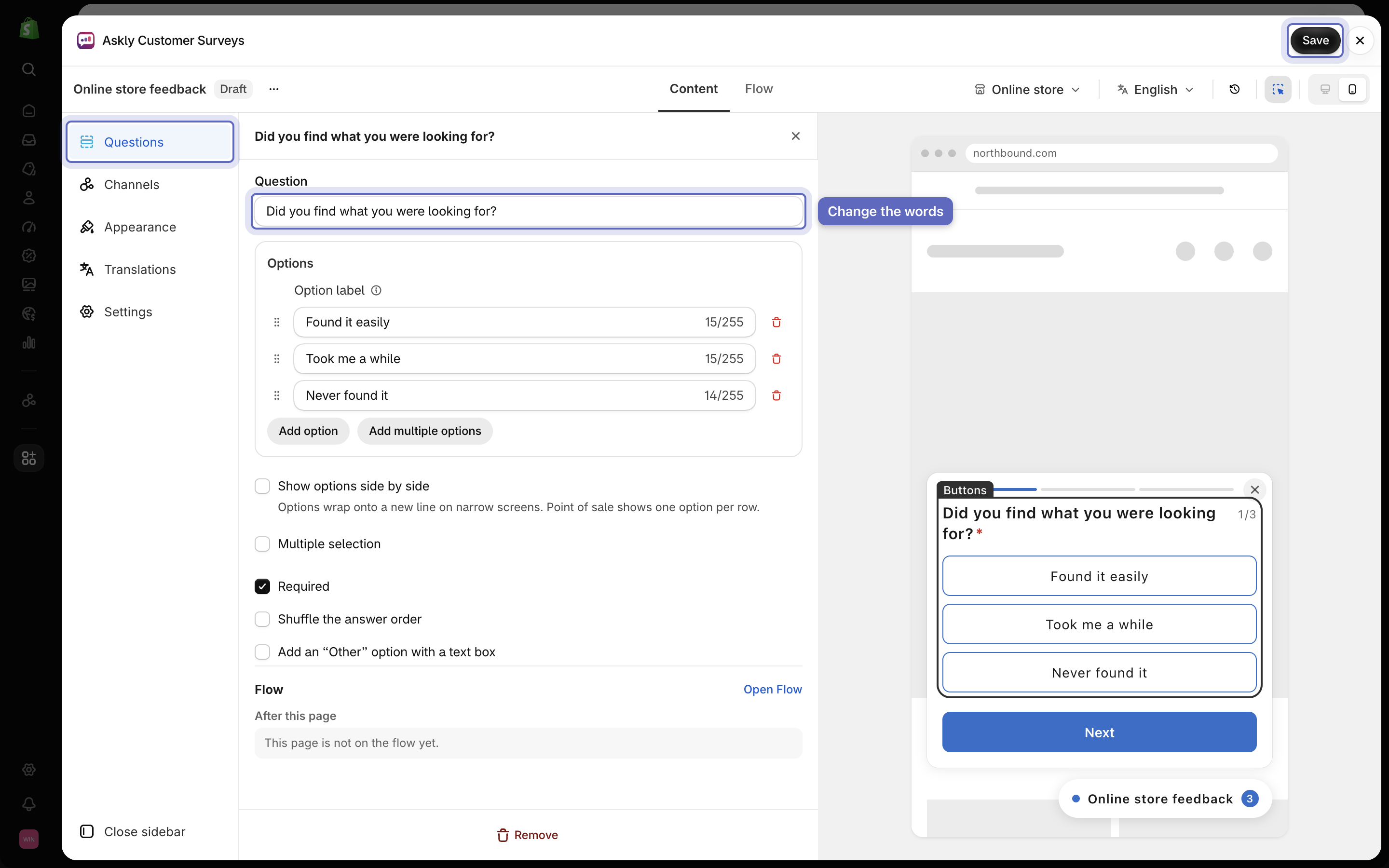
The survey opens in the editor as a **Draft**, so customers don't see it yet. Go to **Questions**, select a question to change its words, then select **Save**.

<figure><img src="https://609121677-files.gitbook.io/~/files/v0/b/gitbook-x-prod.appspot.com/o/spaces%2FZGBRJVX5BLagz6gFEmK1%2Fuploads%2Fgit-blob-0853ef886c681ff7ac8c1faf34ed7fdaf9a3fbff%2Fscreenshot-quickstart-edit-questions.png?alt=media" alt="Survey editor with the Questions section open, a question&#x27;s text changed, and the Save button highlighted"><figcaption><p>Select a question, change its words in the Question field, then select Save.</p></figcaption></figure>
{% endstep %}

{% step %}

### Publish it

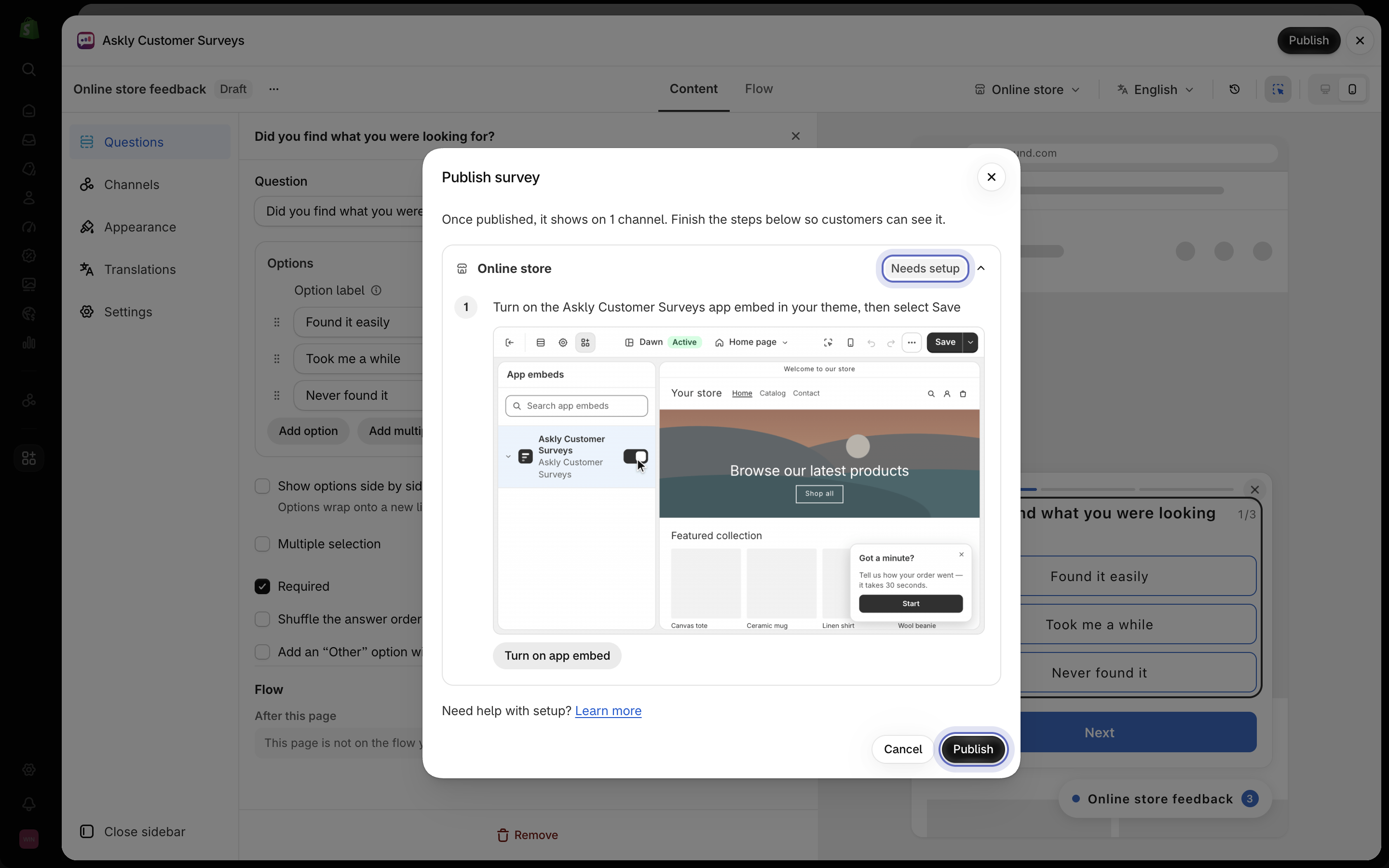
1. Select **Publish** at the top of the editor. You see it once all your changes are saved.
2. A window lists each place the survey will show. A place marked **Needs setup** has steps left, like turning on the app embed. Select it to see the steps and a short video.
3. Follow the steps, then select **Publish**.

<figure><img src="https://609121677-files.gitbook.io/~/files/v0/b/gitbook-x-prod.appspot.com/o/spaces%2FZGBRJVX5BLagz6gFEmK1%2Fuploads%2Fgit-blob-bb1ca014d7f97b2c5a1b07f6742bea944846d40e%2Fscreenshot-quickstart-publish-window.png?alt=media" alt="Publish window showing Online store marked as Needs setup, with the app embed step and the Publish button highlighted"><figcaption><p>A place marked Needs setup lists the steps left. Finish them, then select Publish.</p></figcaption></figure>

Your survey is now **Live**. From now on, when you select **Save**, your changes reach your store within a minute.
{% endstep %}

{% step %}

### See it on your store

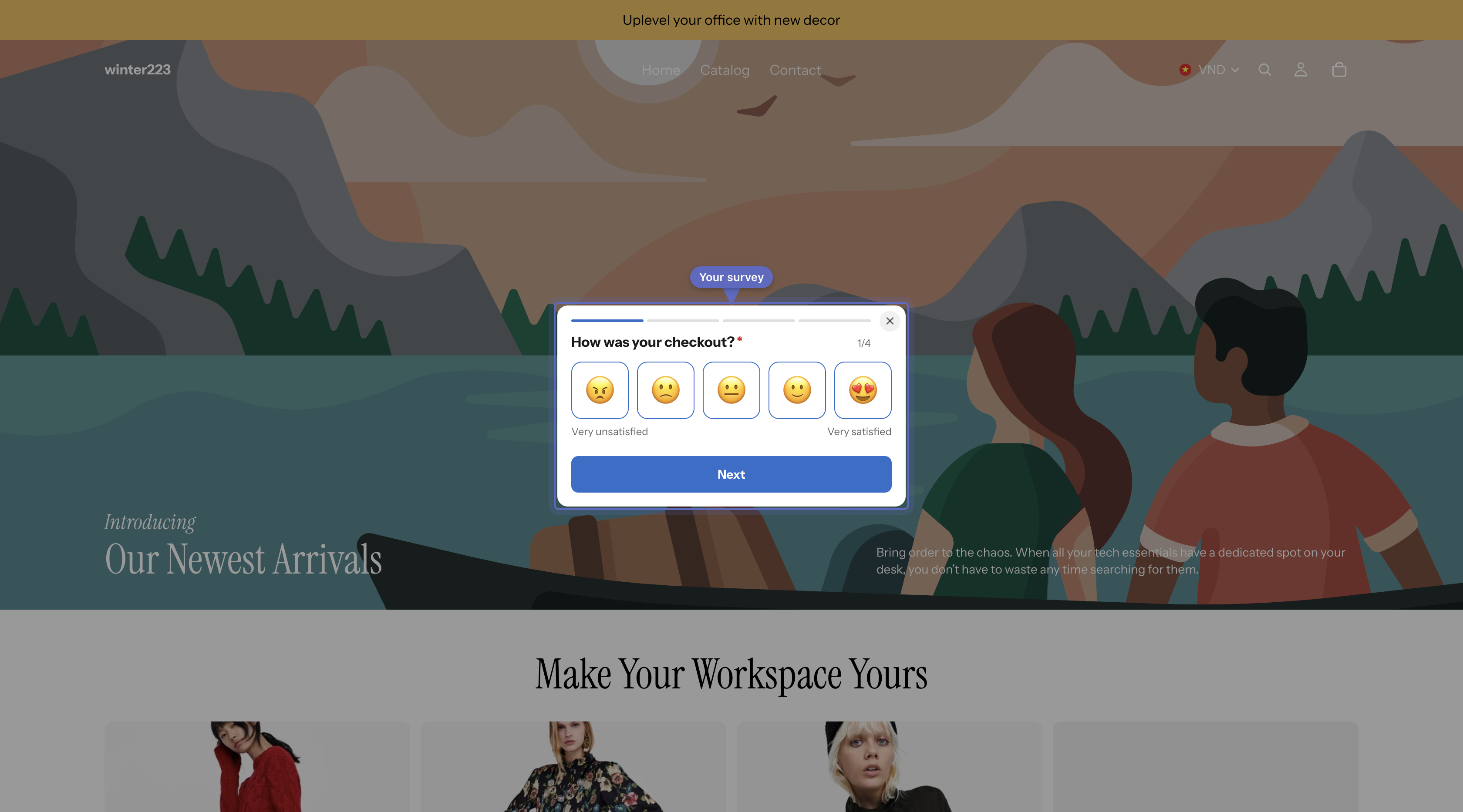
Open your store in a private (incognito) browser window and go to the page you chose. You should see the survey.

<figure><img src="https://609121677-files.gitbook.io/~/files/v0/b/gitbook-x-prod.appspot.com/o/spaces%2FZGBRJVX5BLagz6gFEmK1%2Fuploads%2Fgit-blob-ed828c7ea59aa56e415ee05650712af0d5cdb5d4%2Fscreenshot-quickstart-storefront-popup.png?alt=media" alt="Online storefront page displaying the survey popup modal in the center"><figcaption><p>Your published survey appears as a popup when visitors open your store.</p></figcaption></figure>

Answers show up in **Responses**.
{% endstep %}
{% endstepper %}

{% hint style="info" %}
Use a private window every time you check. Once you answer or close a survey, it stops showing to you.
{% endhint %}

Don't see it? Follow [Survey not showing?](/askly-customer-surveys/help/troubleshooting.md).