> For the complete documentation index, see [llms.txt](https://docs.globo.io/llms.txt). Markdown versions of documentation pages are available by appending `.md` to page URLs; this page is available as [Markdown](https://docs.globo.io/askly-customer-surveys/surveys/endings-and-discounts.md).

# Thank-you screens and discount codes

Change the screen customers see at the end, and thank them with a discount code.

Every survey ends on a thank-you screen. You can change what it says and give customers a discount code.

## Change the thank-you screen

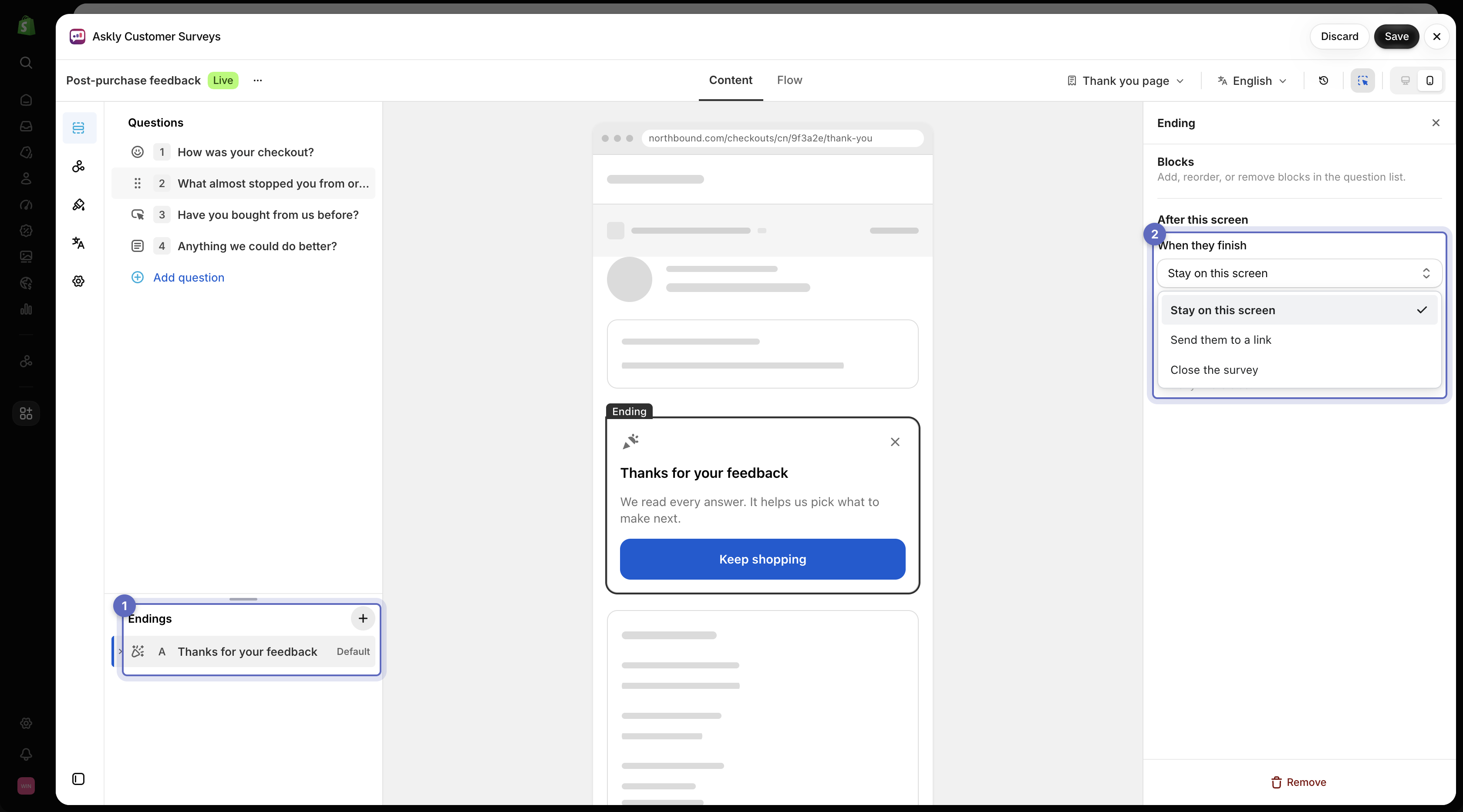
1. Open the survey and go to **Questions**. Your thank-you screens are at the bottom of the list, under **Endings**.
2. To change the words, select the heading or text inside the ending, or type straight into the preview.
3. To choose what happens next, select the ending itself. Under **When they finish**, choose **Stay on this screen**, **Send them to a link**, or **Close the survey**.
4. Select **Save**.

<figure><img src="https://609121677-files.gitbook.io/~/files/v0/b/gitbook-x-prod.appspot.com/o/spaces%2FZGBRJVX5BLagz6gFEmK1%2Fuploads%2Fgit-blob-eb2bf857cef7051d74759a3841bd8a201851fbca%2Fscreenshot-endings-list-when-finished.png?alt=media" alt="Ending selected in the Questions list with When they finish choices visible in settings"><figcaption><p>Select an ending from the list to preview it and choose whether respondents stay on the screen, follow a link, or close the survey.</p></figcaption></figure>

## Add a discount code

1. First, create the discount in Shopify under **Discounts**. Copy its code.
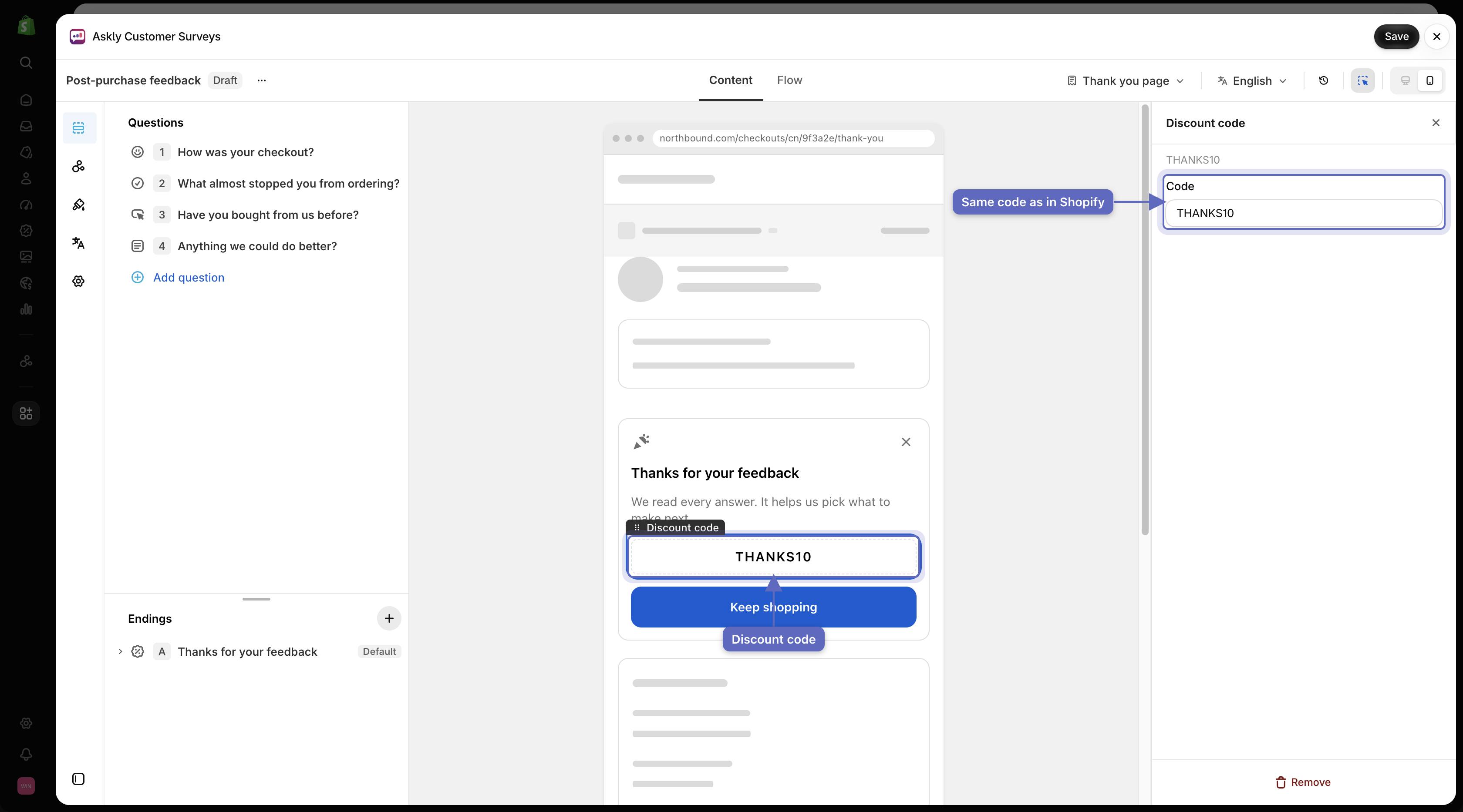
2. In Askly, select the **+** on the ending and pick **Discount code**.
3. Paste the same code into **Code**.
4. Select **Save**.

<figure><img src="https://609121677-files.gitbook.io/~/files/v0/b/gitbook-x-prod.appspot.com/o/spaces%2FZGBRJVX5BLagz6gFEmK1%2Fuploads%2Fgit-blob-fd8a052c720a4a46cbc16928265fc3550bd91a80%2Fscreenshot-ending-discount-code.png?alt=media" alt="Ending screen with discount code block in preview and Code setting on the right matching THANKS10"><figcaption><p>Add a discount code block to an ending and enter the matching code created in Shopify Discounts.</p></figcaption></figure>

{% hint style="info" %}
Askly shows the code but doesn't create it. Set the amount, end date, and usage limits on the discount in Shopify. Everyone who reaches this ending sees the same code. If you want only some customers to get it, use a separate ending for them and [send them there with a branch](/askly-customer-surveys/surveys/branching.md).
{% endhint %}

## More than one ending

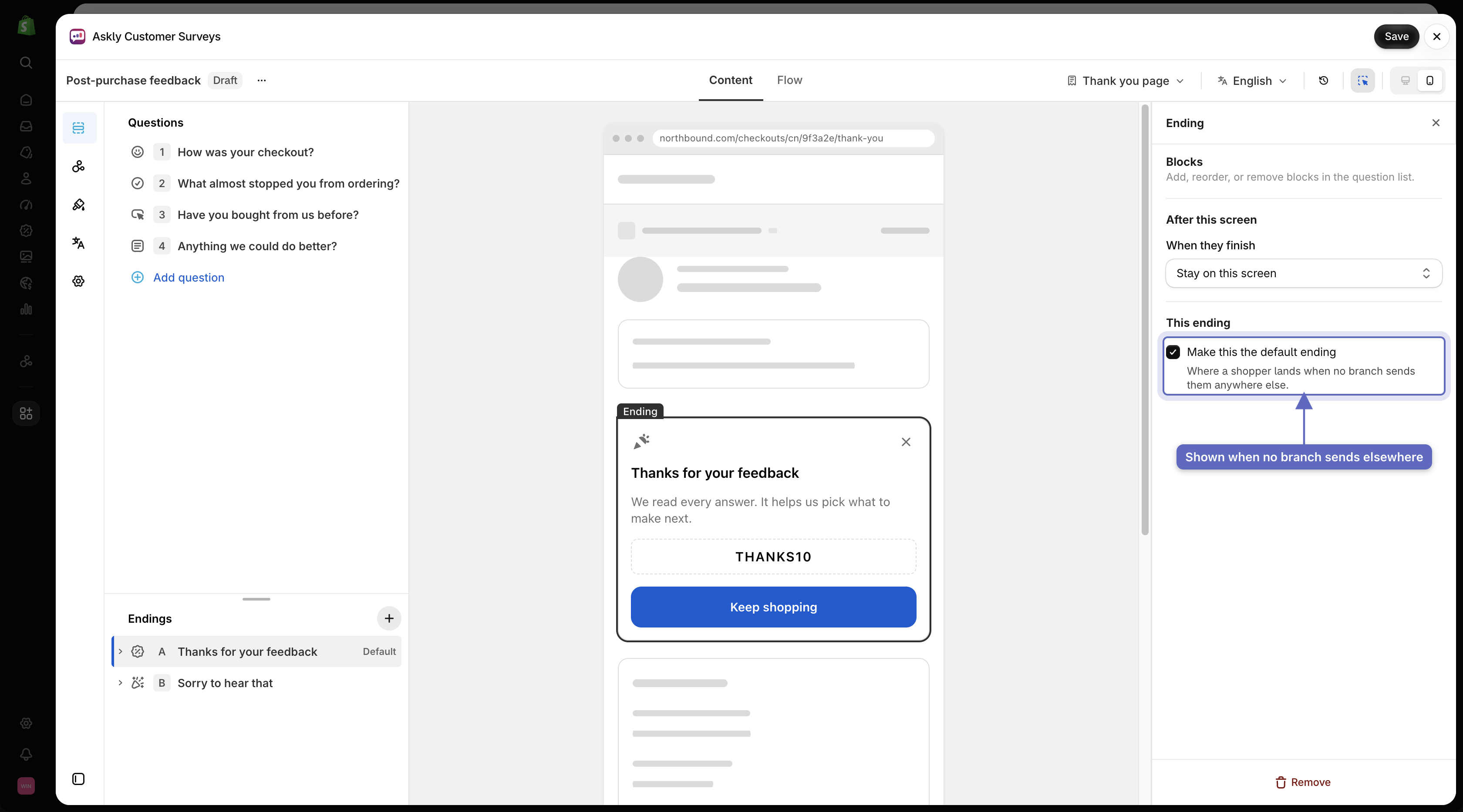
Select the **+** next to **Endings** to add another one, such as one for happy customers and one for unhappy ones.

To choose the screen for anyone no branch sends elsewhere, select that ending and check **Make this the default ending**.

<figure><img src="https://609121677-files.gitbook.io/~/files/v0/b/gitbook-x-prod.appspot.com/o/spaces%2FZGBRJVX5BLagz6gFEmK1%2Fuploads%2Fgit-blob-294dbaa3482e026644eb78c6e1f91f8089d0fcb5%2Fscreenshot-endings-default-ending.png?alt=media" alt="Two endings listed in the Questions rail with Make this the default ending checked on the selected ending"><figcaption><p>Create multiple endings and check Make this the default ending on the fallback screen.</p></figcaption></figure>

Next: [do something after each response](/askly-customer-surveys/surveys/automations.md).