> For the complete documentation index, see [llms.txt](https://docs.globo.io/llms.txt). Markdown versions of documentation pages are available by appending `.md` to page URLs; this page is available as [Markdown](https://docs.globo.io/askly-customer-surveys/surveys/manage.md).

# Pause, copy, and delete surveys

Pause, restart, copy, reorder, or delete surveys, and go back to an earlier version.

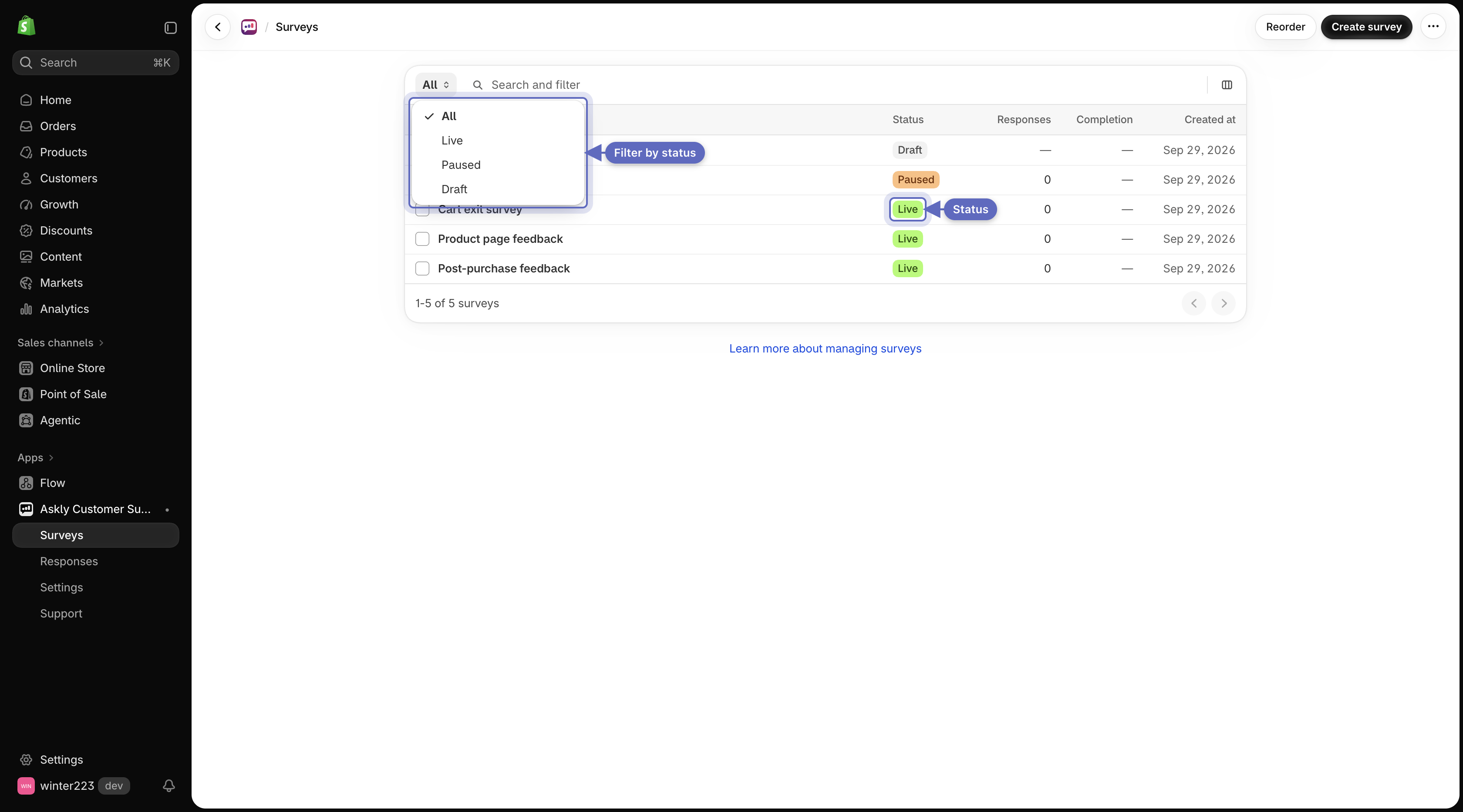
Go to **Surveys**. The list shows **All** surveys at first. Use the view menu to show only **Live**, **Paused**, or **Draft** ones.

<figure><img src="https://609121677-files.gitbook.io/~/files/v0/b/gitbook-x-prod.appspot.com/o/spaces%2FZGBRJVX5BLagz6gFEmK1%2Fuploads%2Fgit-blob-6189cddfc6fe3a723641c68d4bff34e0b27f1e44%2Fscreenshot-manage-surveys-list.png?alt=media" alt="Surveys list with the status view menu open and status badges on each row"><figcaption><p>Filter surveys by status using the view menu, or review each survey's current state.</p></figcaption></figure>

## What each status means

* **Live** — customers can see it.
* **Paused** — hidden from customers. Your answers are kept.
* **Draft** — not shown yet. New surveys and copies start as drafts.

## Pause or restart a survey

Open the survey's menu (**…**) and select **Pause**. To show it again, select **Resume**. For a draft, select **Publish**, or open it and select **Publish** at the top of the editor to see the setup steps first. See [Publish your survey](/askly-customer-surveys/surveys/publish.md).

To pause or resume several surveys at once, tick them and select **Pause** or **Resume**.

## Copy a survey

Open the survey's menu (**…**) and select **Duplicate**. The copy starts as a draft, without any answers, so you can change it before anyone sees it.

## Pick which survey shows first

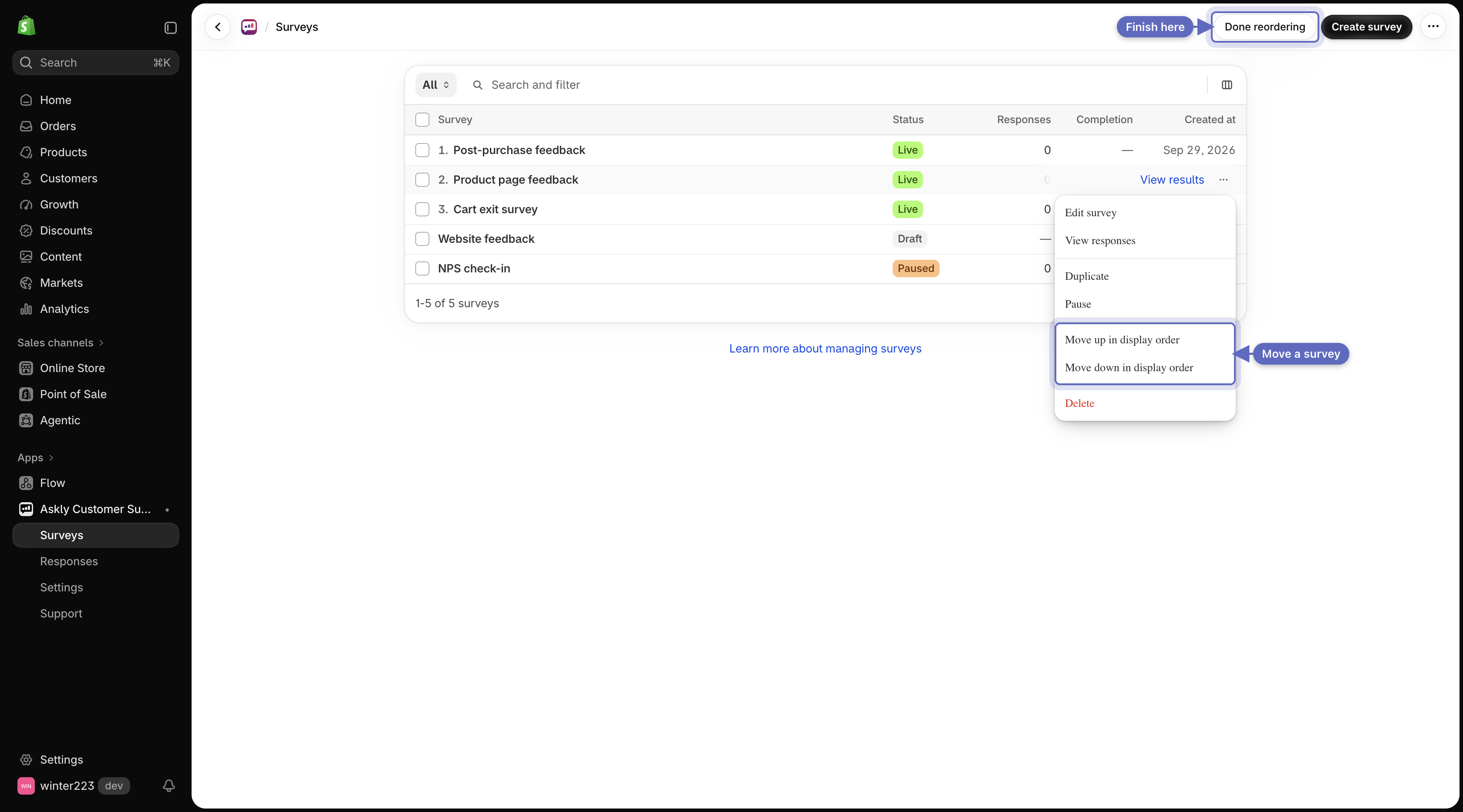
If two live surveys could show to the same customer in the same place, only one appears: the first one in display order that fits that customer.

1. Select **Reorder**. You see it once two or more surveys are live.
2. Open a survey's menu (**…**) and select **Move up in display order** or **Move down in display order**.
3. Select **Done reordering**.

   <figure><img src="https://609121677-files.gitbook.io/~/files/v0/b/gitbook-x-prod.appspot.com/o/spaces%2FZGBRJVX5BLagz6gFEmK1%2Fuploads%2Fgit-blob-84cc20d6196f7491f501b0526504c4e774666e3c%2Fscreenshot-manage-reorder-mode.png?alt=media" alt="Surveys list in reorder mode with row action menu showing move options and Done reordering button in top bar"><figcaption><p>Change display order by moving a survey up or down, then select Done reordering.</p></figcaption></figure>

In the survey editor, a place where another survey comes first shows a notice. Select **Change the display order** to go straight to this list. Save your changes first.

This applies to popups and slide-ins on your store, the thank you, order status, and checkout pages, customer accounts, and POS. Surveys placed inside a page, emails, and links each show their own survey.

## Undo changes

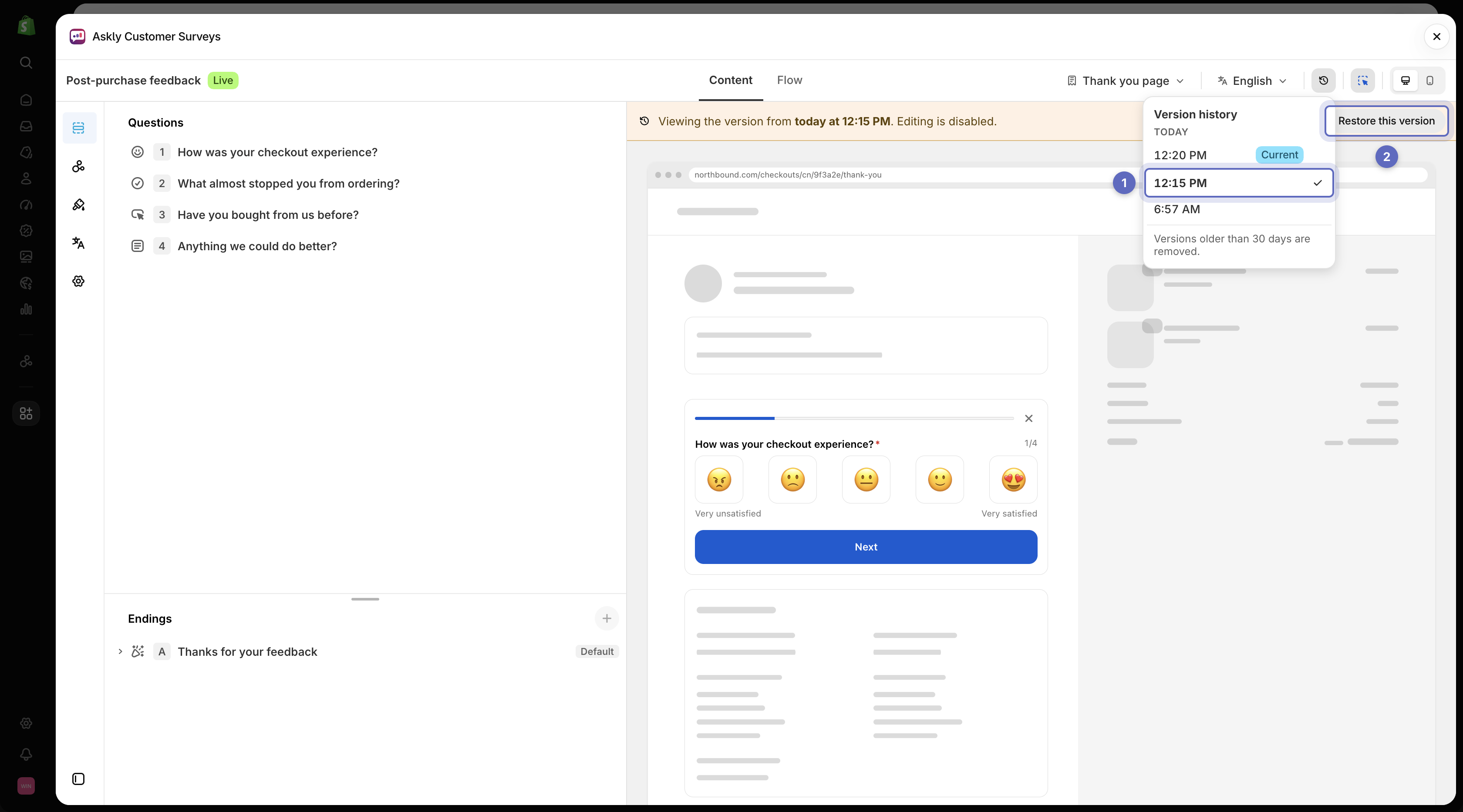
Each time you save a live survey, Askly keeps a version. In the survey editor, open **Version history**, pick an earlier version, and select **Restore this version**. Versions older than 30 days are removed, except the latest one.

<figure><img src="https://609121677-files.gitbook.io/~/files/v0/b/gitbook-x-prod.appspot.com/o/spaces%2FZGBRJVX5BLagz6gFEmK1%2Fuploads%2Fgit-blob-2afe4914d3f9bdcafa0f96a68f7b3744963f4e6d%2Fscreenshot-manage-version-history.png?alt=media" alt="Survey editor showing version history list with an earlier version selected and the Restore this version button"><figcaption><p>Pick an earlier version from the list to preview it, then select Restore this version to roll back.</p></figcaption></figure>

## Delete a survey

Tick the survey, then select **Delete**. You can also use **Delete** in the survey's menu (**…**). This deletes the survey **and all its answers** and can't be undone. To keep the answers, [export them](/askly-customer-surveys/results/responses.md) first, or pause the survey instead.

Next: [choose where a survey appears](/askly-customer-surveys/where-surveys-appear/channels.md).