> For the complete documentation index, see [llms.txt](https://docs.globo.io/llms.txt). Markdown versions of documentation pages are available by appending `.md` to page URLs; this page is available as [Markdown](https://docs.globo.io/askly-customer-surveys/surveys/publish.md).

# Publish your survey

Make a draft survey live, and see what each place still needs.

A new survey starts as a **Draft**, so customers don't see it until you publish it. [Test it](/askly-customer-surveys/surveys/test.md) first if you like.

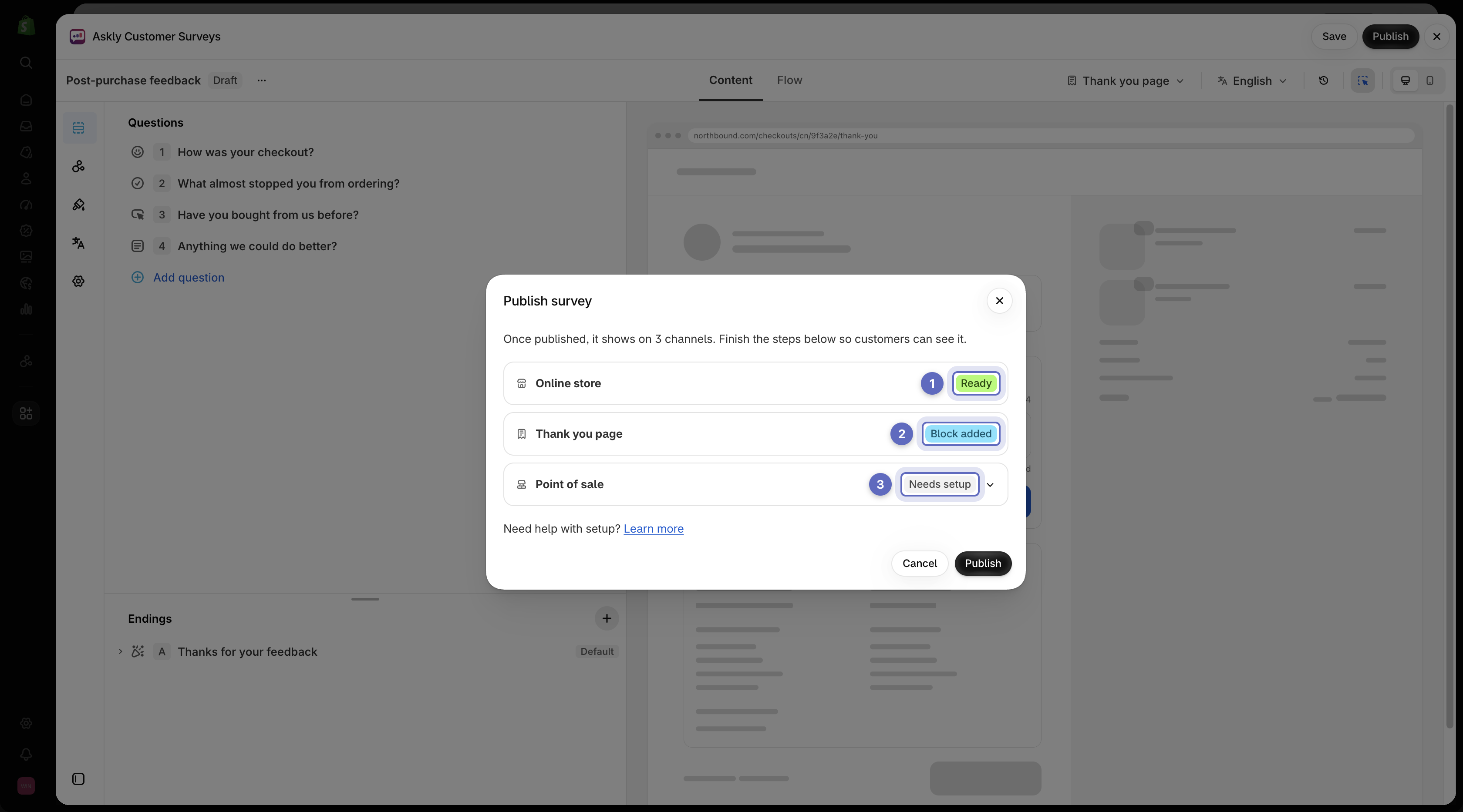
1. Save any changes. **Publish** shows at the top of the editor only when everything is saved.

   <figure><img src="https://609121677-files.gitbook.io/~/files/v0/b/gitbook-x-prod.appspot.com/o/spaces%2FZGBRJVX5BLagz6gFEmK1%2Fuploads%2Fgit-blob-2d97e68c888e7885f2fd298805159044cec6dac5%2Fscreenshot-publish-button.png?alt=media" alt="Survey editor showing the Draft badge and Publish button in the header"><figcaption><p>Save your changes to reveal the Publish button and launch your draft survey.</p></figcaption></figure>
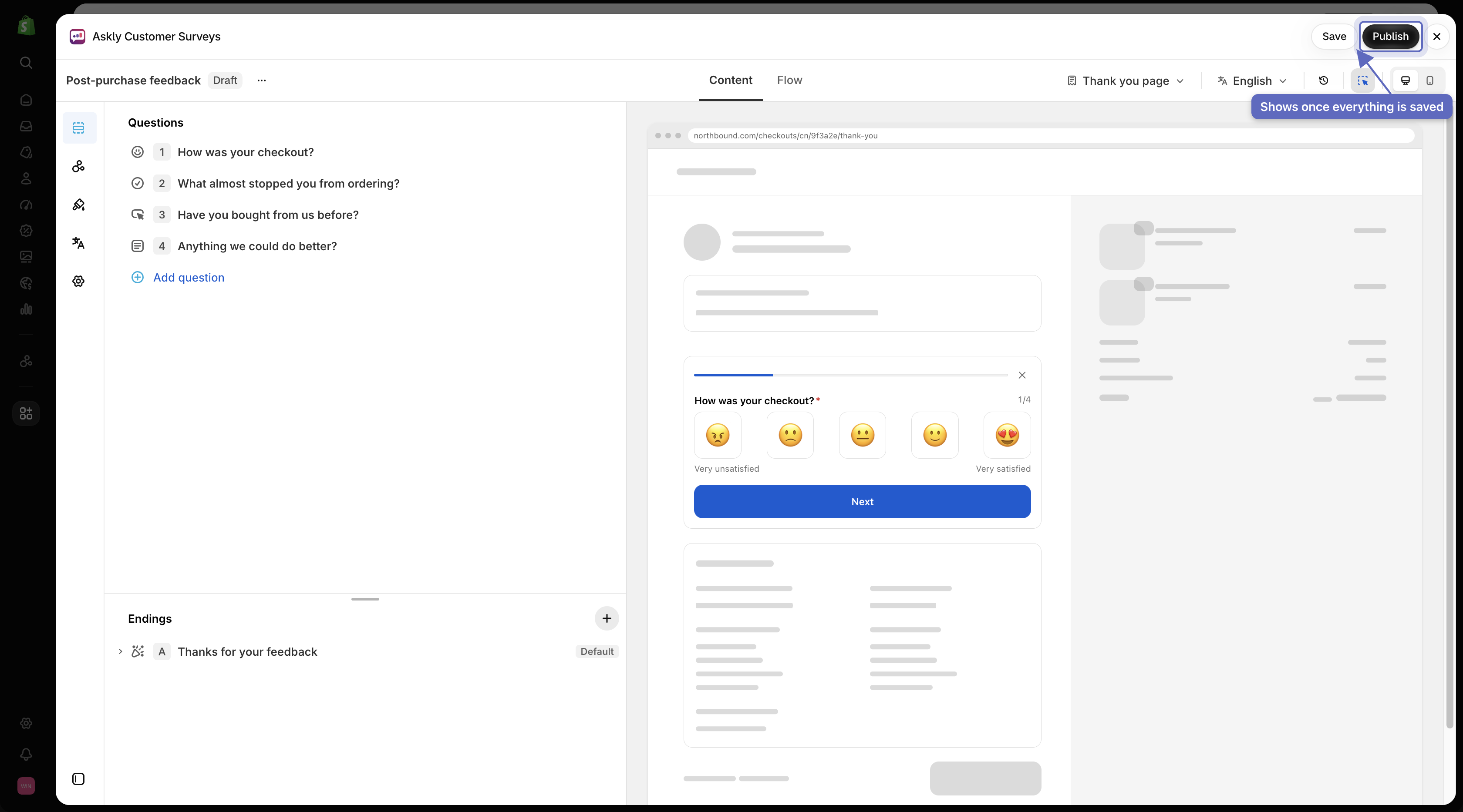
2. Select **Publish**. A window lists each place the survey will show:

   * **Ready** — nothing to do.
   * **Block added** — Askly's block is already on that page.
   * **Needs setup** — select it to see the steps and a short video, like turning on the [app in your theme](/askly-customer-surveys/getting-started/enable-theme-embed.md) or adding a block.

   <figure><img src="https://609121677-files.gitbook.io/~/files/v0/b/gitbook-x-prod.appspot.com/o/spaces%2FZGBRJVX5BLagz6gFEmK1%2Fuploads%2Fgit-blob-736975cf3e6f72db1fa8cfdb1c9ff5c96ee3104e%2Fscreenshot-publish-window-statuses.png?alt=media" alt="Publish survey window listing enabled channels with Ready, Block added, and Needs setup status badges"><figcaption><p>Review channel readiness before publishing to see which display locations are ready and which still need an embed or block added.</p></figcaption></figure>
3. Follow the steps, then select **Publish** in the window.

If no place is turned on yet, you can't publish. Select **Choose channels** and [turn one on](/askly-customer-surveys/where-surveys-appear/channels.md) first.

Once it's **Live**, changes you save reach your store within a minute.

Next: [pause, copy, and delete surveys](/askly-customer-surveys/surveys/manage.md).