> For the complete documentation index, see [llms.txt](https://docs.globo.io/llms.txt). Markdown versions of documentation pages are available by appending `.md` to page URLs; this page is available as [Markdown](https://docs.globo.io/askly-customer-surveys/surveys/question-types.md).

# Question types

Add, edit, and remove questions, and pick the right question type.

Open a survey and go to **Questions**.

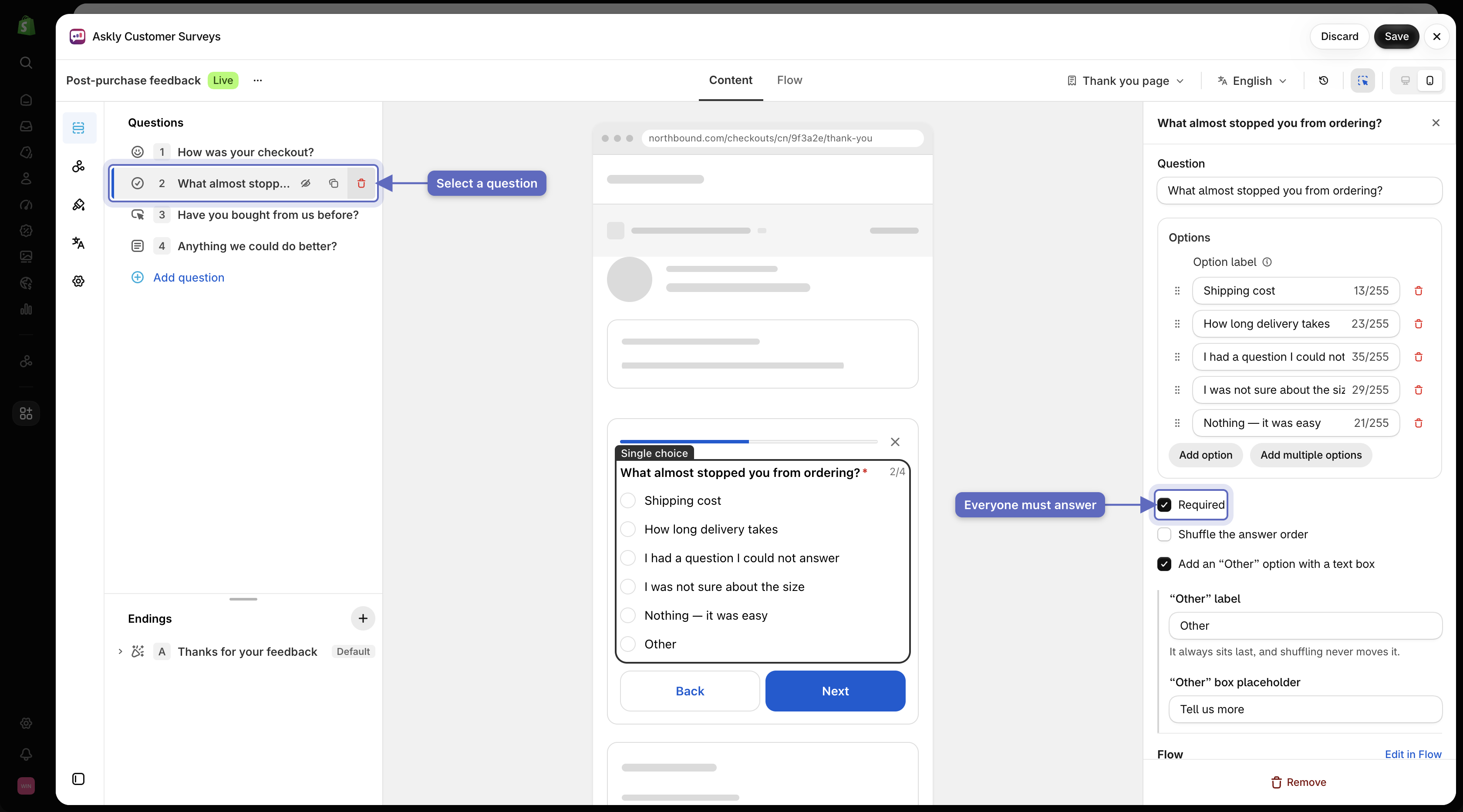
* **Change a question:** select it, then edit its text and answers. Check **Required** if everyone must answer it.

  <figure><img src="https://609121677-files.gitbook.io/~/files/v0/b/gitbook-x-prod.appspot.com/o/spaces%2FZGBRJVX5BLagz6gFEmK1%2Fuploads%2Fgit-blob-56cb8c3b2aa97ab3c0be25aa481364d96dfaba69%2Fscreenshot-questions-list-and-settings.png?alt=media" alt="Survey editor showing the Questions list on the left with a question selected and its settings panel on the right with Required enabled"><figcaption><p>Select a question from the list to preview it and adjust settings such as making it required.</p></figcaption></figure>
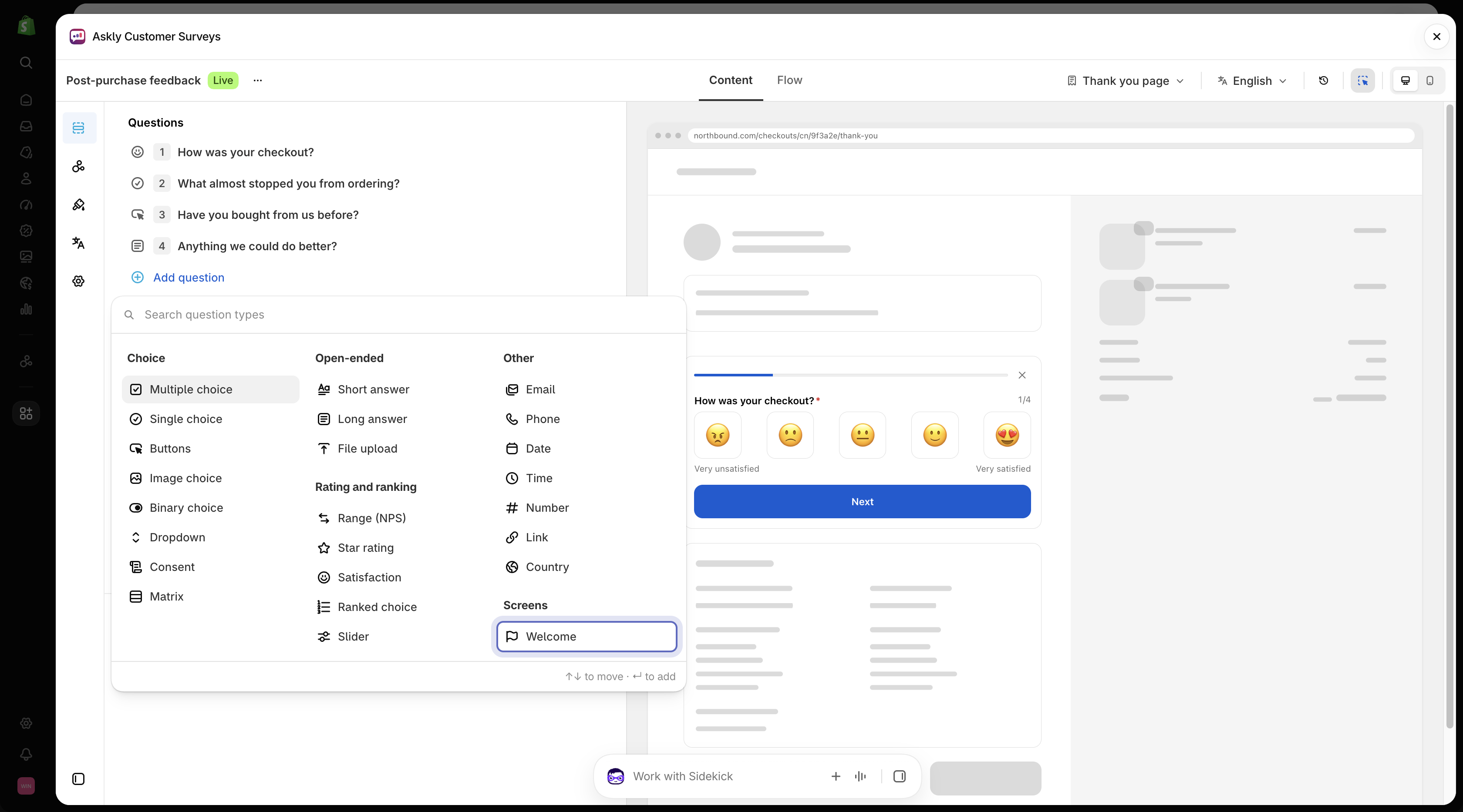
* **Add a question:** select **Add question** and pick a type.

  <figure><img src="https://609121677-files.gitbook.io/~/files/v0/b/gitbook-x-prod.appspot.com/o/spaces%2FZGBRJVX5BLagz6gFEmK1%2Fuploads%2Fgit-blob-030637be59d26bf33a009c454cf2a5c7f00e79f7%2Fscreenshot-questions-add-menu.png?alt=media" alt="Add question menu showing question categories and Welcome under Screens"><figcaption><p>Select Add question to pick a question type or add a Welcome screen.</p></figcaption></figure>
* **Save** when you're done.

## Which type to use

| Type                                         | Use it for                                    |
| -------------------------------------------- | --------------------------------------------- |
| **Single choice**, **Buttons**, **Dropdown** | Pick one answer.                              |
| **Multiple choice**                          | Pick any number of answers.                   |
| **Image choice**                             | Pick a picture, such as a product.            |
| **Binary choice**                            | A simple yes or no.                           |
| **Star rating**, **Satisfaction**            | A quick rating with stars or faces.           |
| **Range (NPS)**                              | A score from low to high, such as 0–10.       |
| **Slider**                                   | Drag to pick a number.                        |
| **Ranked choice**                            | Put options in order of preference.           |
| **Matrix**                                   | Rate several things on the same scale.        |
| **Short answer**, **Long answer**            | Let people write in their own words.          |
| **Email**, **Phone**, **Country**            | Collect contact details.                      |
| **Date**, **Time**, **Number**, **Link**     | Collect a specific value.                     |
| **File upload**                              | Let people send a photo or file.              |
| **Consent**                                  | Ask permission, such as "May we contact you?" |

To add a **Welcome** screen before the first question, select **Add question** and pick **Welcome** under **Screens**.

{% hint style="info" %}
Checkout, customer accounts, and POS show some types in a simpler way. To check, pick that place under **Preview channel** above the preview. A question that looks different there shows a warning in its settings.
{% endhint %}

Next: [show different questions based on answers](/askly-customer-surveys/surveys/branching.md).