Test your survey
Try your survey like a customer before anyone sees it.
You can answer your own survey inside the editor. Nothing you enter is saved.
Open the survey and stay on Content (not Flow).
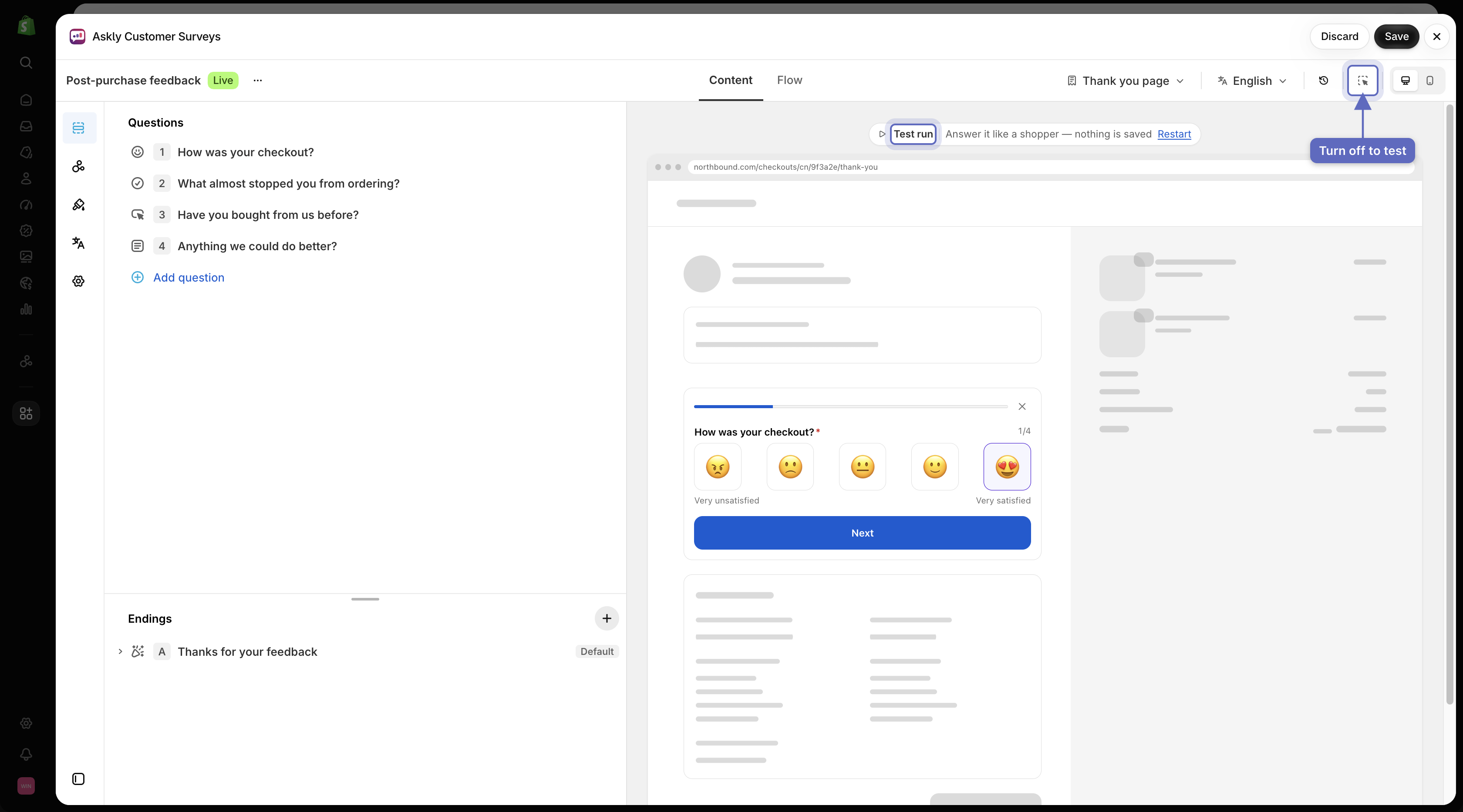
In the bar above the preview, turn off Inspector. The preview now says Test run.
Answer the survey like a customer would. Select Restart to go again.
Turn Inspector back on to edit.

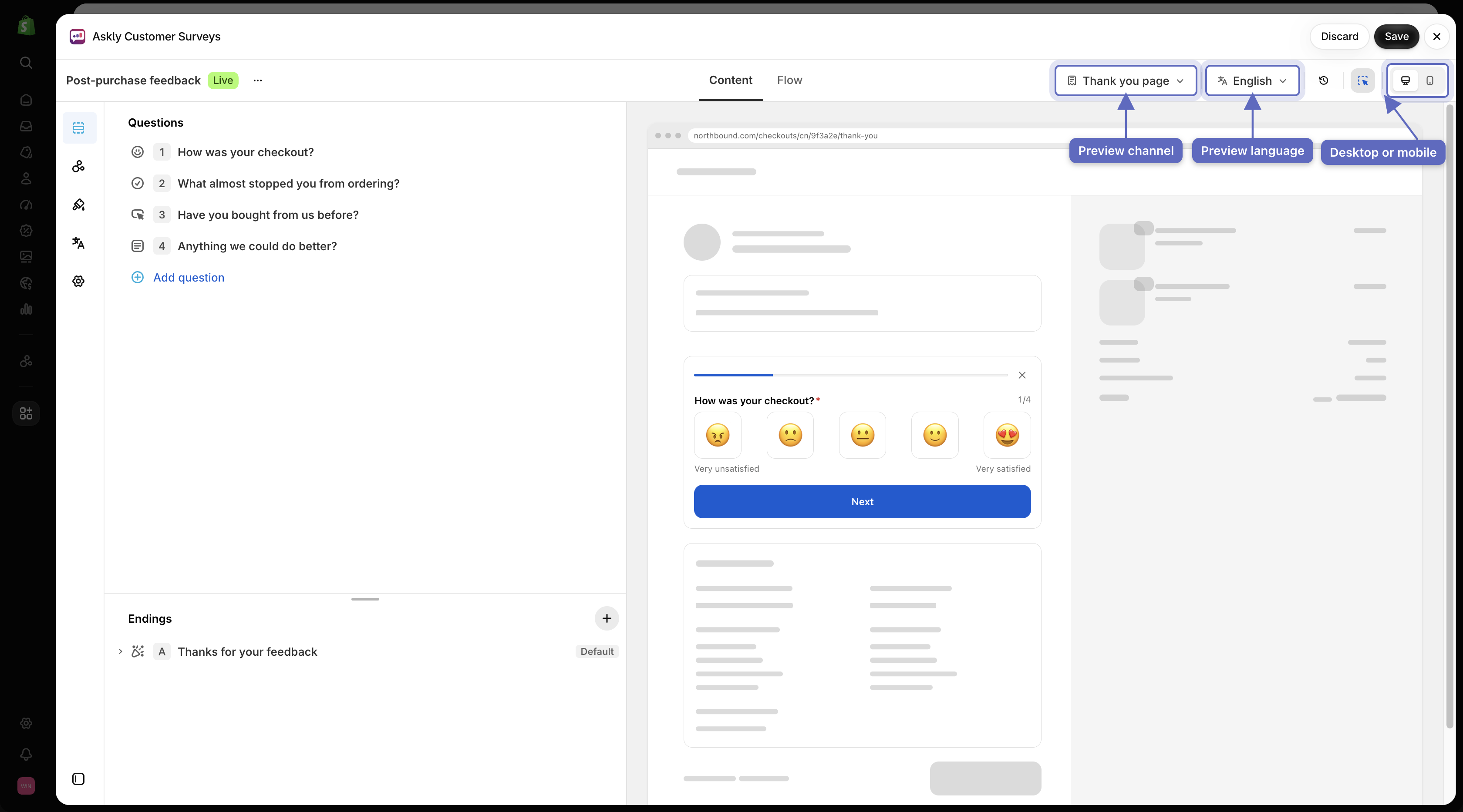
Check each place and language
In the same bar you can switch:
Preview channel — see how it looks on the thank you page, in an email, on POS, and so on.

Select different preview channels from the toolbar to verify how your survey renders across each surface. The desktop or mobile view.
Preview language — see a translated version.

Next: publish your survey.
Last updated
Was this helpful?