> For the complete documentation index, see [llms.txt](https://docs.globo.io/llms.txt). Markdown versions of documentation pages are available by appending `.md` to page URLs; this page is available as [Markdown](https://docs.globo.io/askly-customer-surveys/where-surveys-appear/channels/online-store.md).
# Online store
Show a survey on your online store as a popup, a corner box, or inside a page.
Before you start, [turn on the app in your theme](/askly-customer-surveys/getting-started/enable-theme-embed.md).
1. Open the survey and go to **Channels → Online store**.
2. At the top, turn on **Show on the online store**.
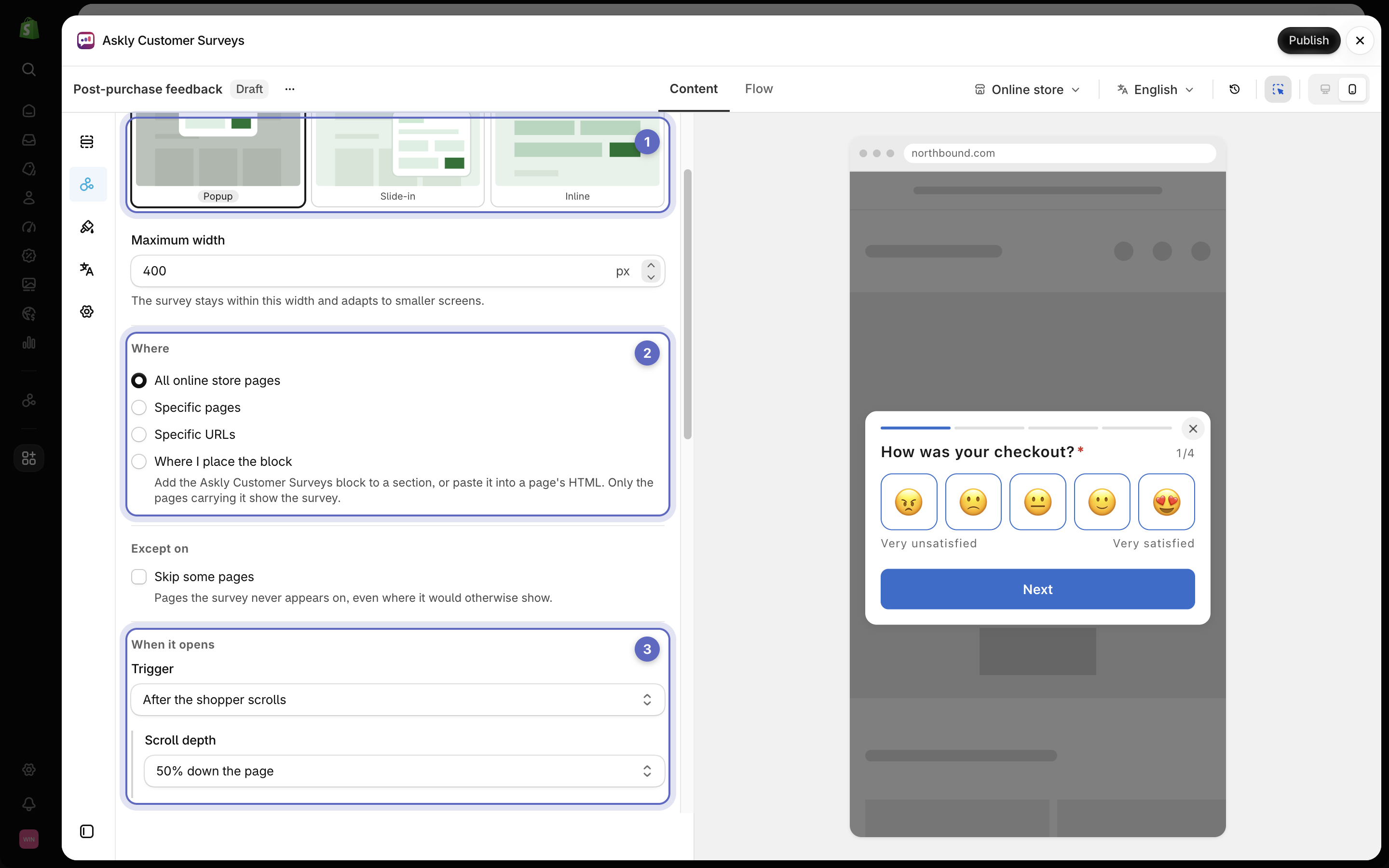
3. Under **How it shows**, pick one:
* **Popup** — in the middle of the screen.
* **Slide-in** — a small box in the corner.
* **Inline** — inside the page, where you put it. [See below](#show-it-inside-a-page).
4. Under **Where**, keep **All online store pages**, or pick **Specific pages** such as **Product pages** or **Cart**. To leave some pages out, use **Skip some pages**.
5. Under **When it opens**, pick a **Trigger**, such as **As soon as the page loads**, **After a delay**, or **After the shopper scrolls**.
6. Under **Devices**, pick **Desktop**, **Mobile**, or both.
7. Select **Save**.
Pick how it shows (1), where it shows (2), and when it opens (3).
## Show it inside a page
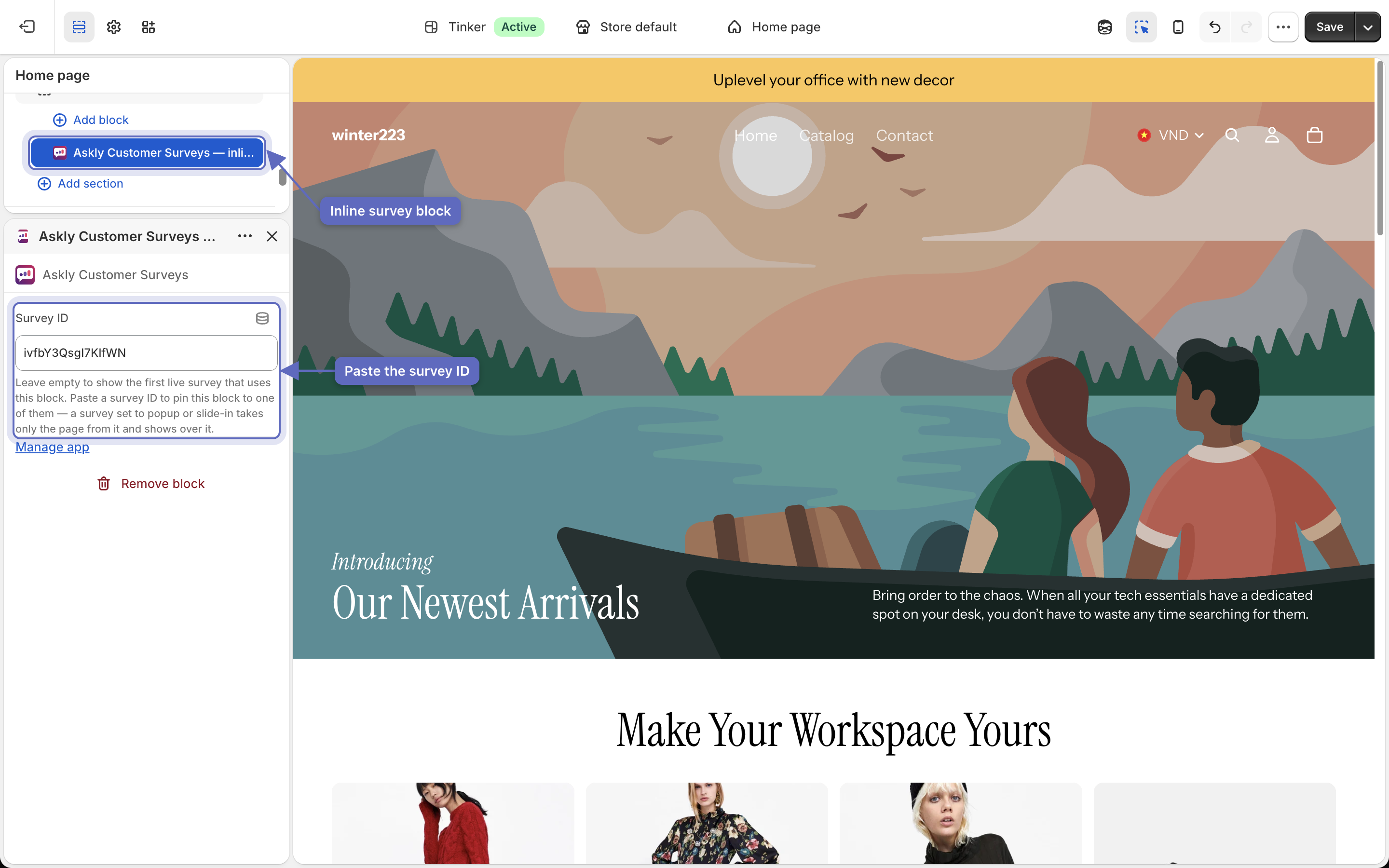
1. Under **How it shows**, pick **Inline**, then select **Add block to theme**. The theme editor opens with the **Askly Customer Surveys — inline survey** block added.
2. Drag the block where you want it, and save the theme.
3. Have more than one inline survey? Back in Askly, select **Copy survey ID**. Paste it into the block's **Survey ID** setting, and save the theme again.
Select the block in the section list, then paste the survey ID into Survey ID to show that survey here.
The survey shows exactly where the block is. Nothing shows until you place it.
{% hint style="info" %}
**When they move to leave the page** only works with a mouse. On phones and tablets, the survey shows after 20 seconds instead.
{% endhint %}
Can't see it? Open your store in a private window, then follow [Survey not showing?](/askly-customer-surveys/help/troubleshooting.md).