> For the complete documentation index, see [llms.txt](https://docs.globo.io/llms.txt). Markdown versions of documentation pages are available by appending `.md` to page URLs; this page is available as [Markdown](https://docs.globo.io/askly-customer-surveys/where-surveys-appear/channels/point-of-sale.md).

# Point of sale

Ask customers for feedback on your POS device after an in-store sale.

Use this when staff can hand the POS device to a customer, or read the questions aloud.

1. Open the survey and go to **Channels → Point of sale**.
2. At the top, turn on **Show on POS**.
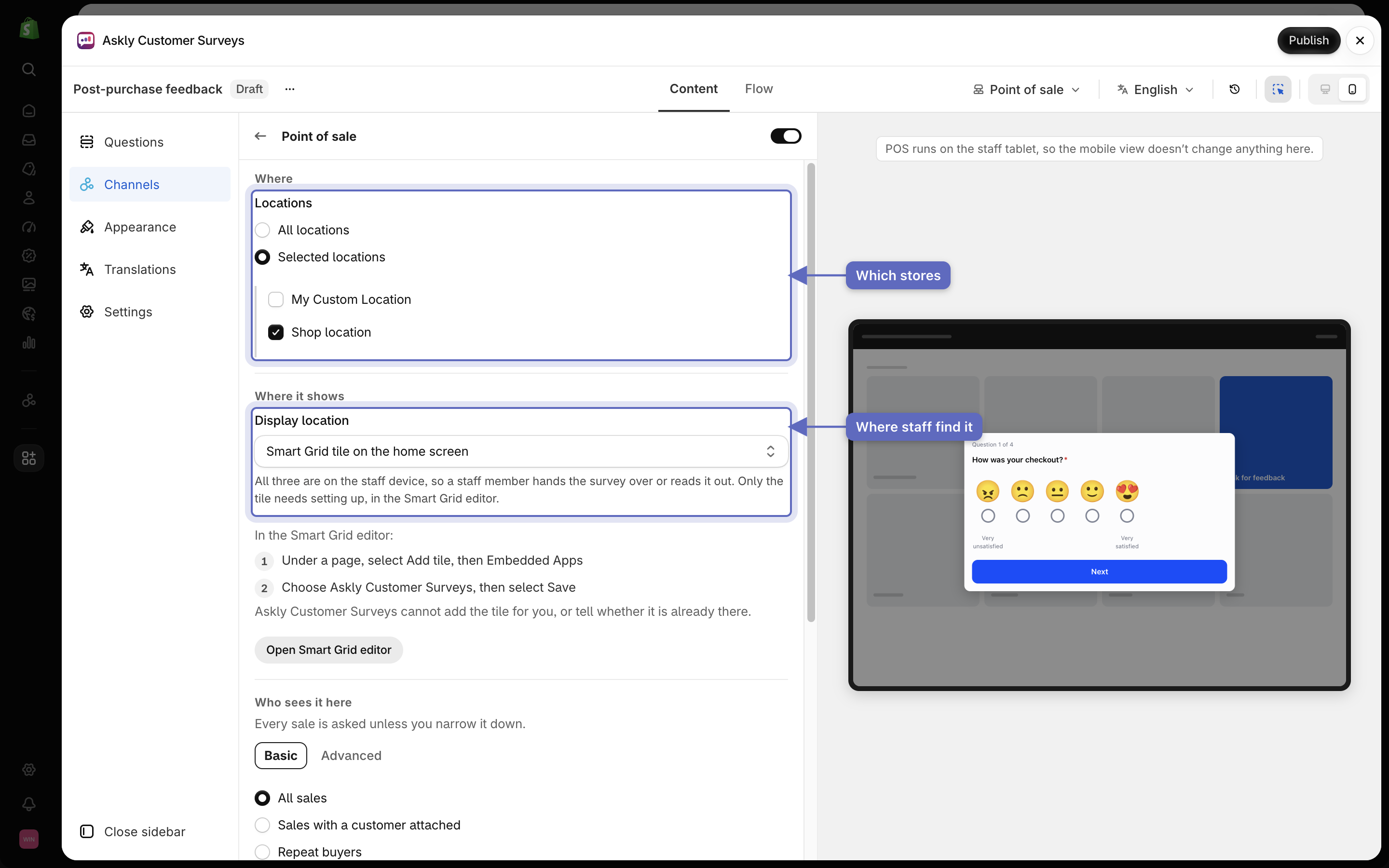
3. Under **Locations**, pick **All locations** or **Selected locations**. For selected locations, allow Askly to see your locations if Shopify asks, then tick each location.
4. Under **Display location**, pick where staff find the survey:
   * **Block on the post-purchase screen** — a button after each sale.
   * **Full screen, from the actions menu**.
   * **Smart Grid tile on the home screen** — needs one more step, below.
5. Select **Save**.

<figure><img src="https://609121677-files.gitbook.io/~/files/v0/b/gitbook-x-prod.appspot.com/o/spaces%2FZGBRJVX5BLagz6gFEmK1%2Fuploads%2Fgit-blob-787e81f03b7e1915289de9b5c2e5be94b783124c%2Fscreenshot-pos-settings.png?alt=media" alt="Point of sale settings with Selected locations, Shop location ticked, and Display location set to Smart Grid tile on the home screen"><figcaption><p>Pick which stores show the survey, then where staff find it on the POS device.</p></figcaption></figure>

## Add the tile to your home screen

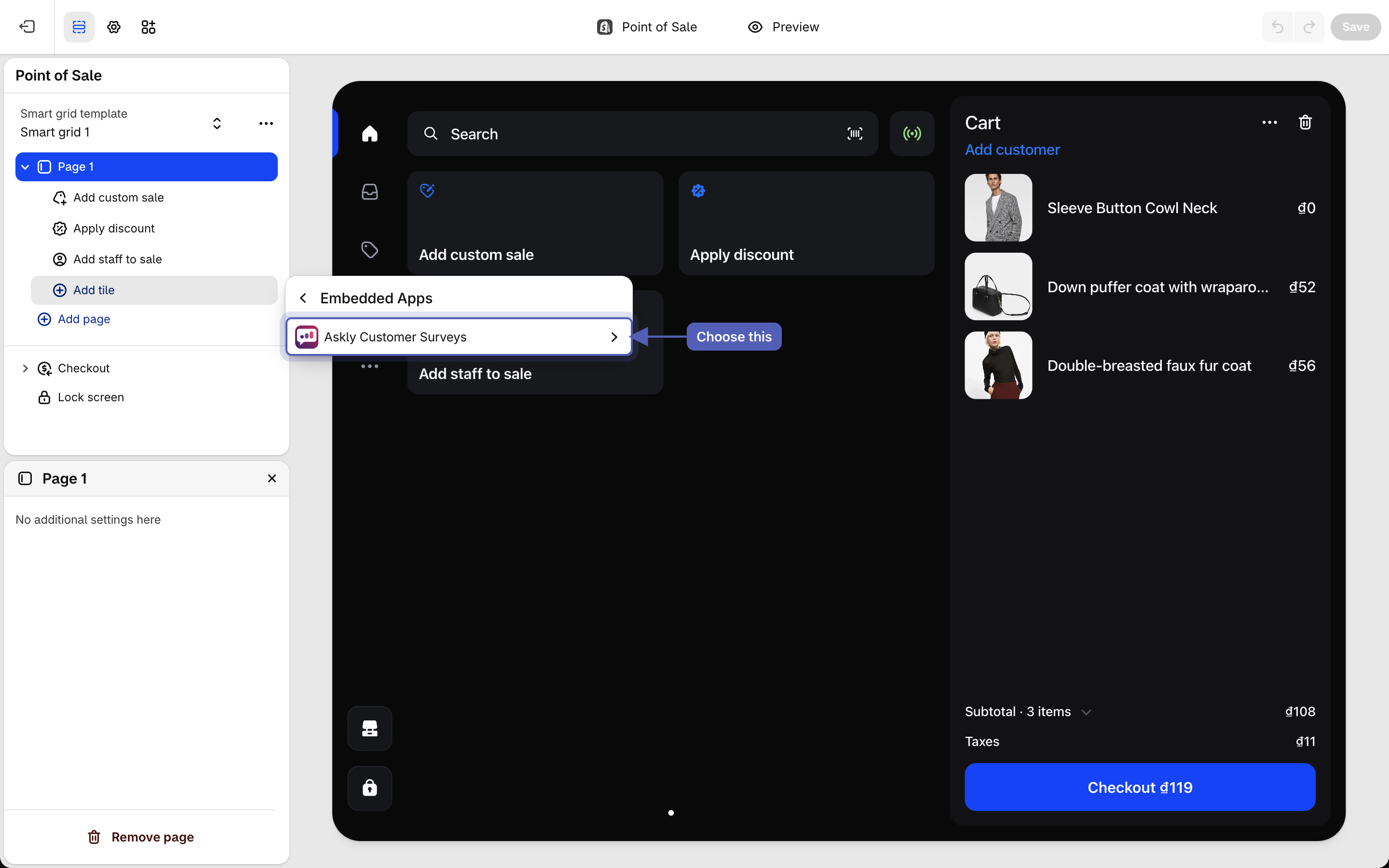
Askly can't add the tile for you. You add it once, in Shopify's Smart Grid editor:

1. In the POS settings, under **Smart Grid tile on the home screen**, select **Open Smart Grid editor**.
2. Under a page, select **Add tile**, then **Embedded Apps**.
3. Choose **Askly Customer Surveys**, then select **Save**.

<figure><img src="https://609121677-files.gitbook.io/~/files/v0/b/gitbook-x-prod.appspot.com/o/spaces%2FZGBRJVX5BLagz6gFEmK1%2Fuploads%2Fgit-blob-bfb67a9461ac07e5bc7fbbe0531387b0b1c5aeb4%2Fscreenshot-pos-smart-grid-editor.png?alt=media" alt="Shopify Smart Grid editor with Add tile, then Embedded Apps open, listing Askly Customer Surveys"><figcaption><p>In the Smart Grid editor, add a tile from Embedded Apps and choose Askly Customer Surveys.</p></figcaption></figure>

{% hint style="info" %}
Answers come in without a name when the sale has no customer attached, and every time they're given through the home screen tile.
{% endhint %}

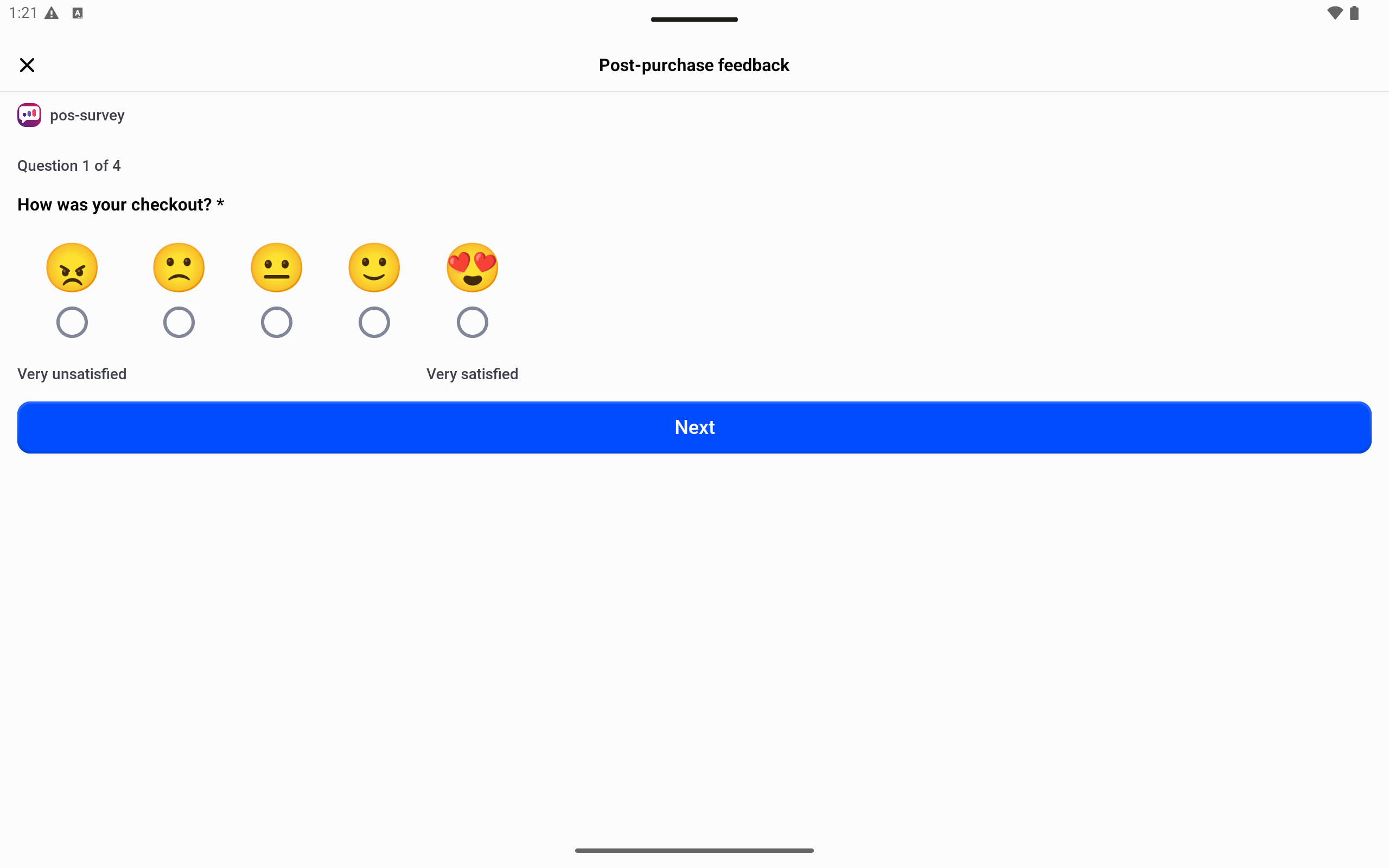
<figure><img src="https://609121677-files.gitbook.io/~/files/v0/b/gitbook-x-prod.appspot.com/o/spaces%2FZGBRJVX5BLagz6gFEmK1%2Fuploads%2Fgit-blob-3dc52ab13ea02204ba00cc5a1d80fa9e7c28d9c7%2Fscreenshot-pos-survey-on-device.png?alt=media" alt="POS tablet showing the Post-purchase feedback survey, question 1 of 4, How was your checkout, with five face ratings and a Next button"><figcaption><p>Staff open the tile and hand the device to the customer, who answers one question at a time.</p></figcaption></figure>

Next: [see survey results](/askly-customer-surveys/results/survey-results.md).