> For the complete documentation index, see [llms.txt](https://docs.globo.io/llms.txt). Markdown versions of documentation pages are available by appending `.md` to page URLs; this page is available as [Markdown](https://docs.globo.io/askly-customer-surveys/where-surveys-appear/channels/shopify-pages.md).
# Thank you, checkout, and account pages
Show a survey on the thank you page, the order status page, checkout, or customer accounts.
These pages are built by Shopify. To show a survey there, you turn the place on in Askly **and** add Askly's block in Shopify's editor. One without the other isn't enough.
## Thank you page, order status page, or checkout
1. Open the survey and go to **Channels**. Pick **Thank you page**, **Order status page**, or **Checkout**.
2. At the top, turn on the switch, such as **Show on the thank you page**. Select **Save**.
3. Select **Open checkout editor**. Shopify's editor opens on that page, with the **Apps** list showing.
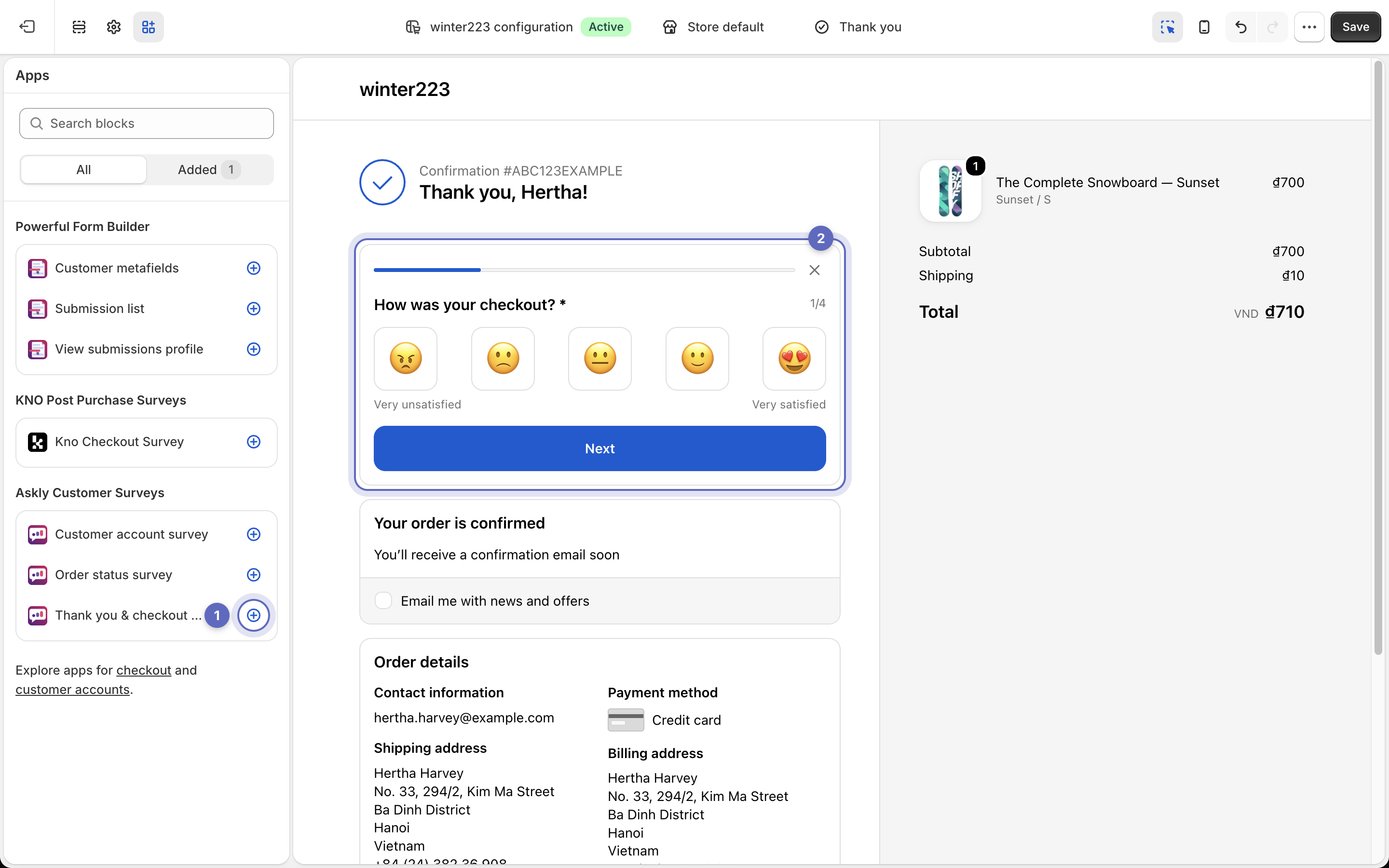
4. Under **Askly Customer Surveys**, select **Add block** next to the block for your page:
| Page | Block to add |
| -------------------------- | ------------------------------- |
| Thank you page or checkout | **Thank you & checkout survey** |
| Order status page | **Order status survey** |
5. Drag the block where you want it, then select **Save**.
Add the block from the Apps list (1), and it appears on the thank you page (2).
**Done?** Back in Askly, the place's panel shows **Live** at the top. If the list still says **Needs activation**, the block isn't on that page yet.
{% hint style="info" %}
**Checkout** is only on Shopify Plus stores. Keep checkout surveys to one or two questions so customers can still pay quickly.
{% endhint %}
## Customer account
1. Go to **Channels → Customer account** and turn on **Show in customer accounts**. Select **Save**.
2. Select **Open accounts editor**. Shopify's editor opens on the **Orders** page.
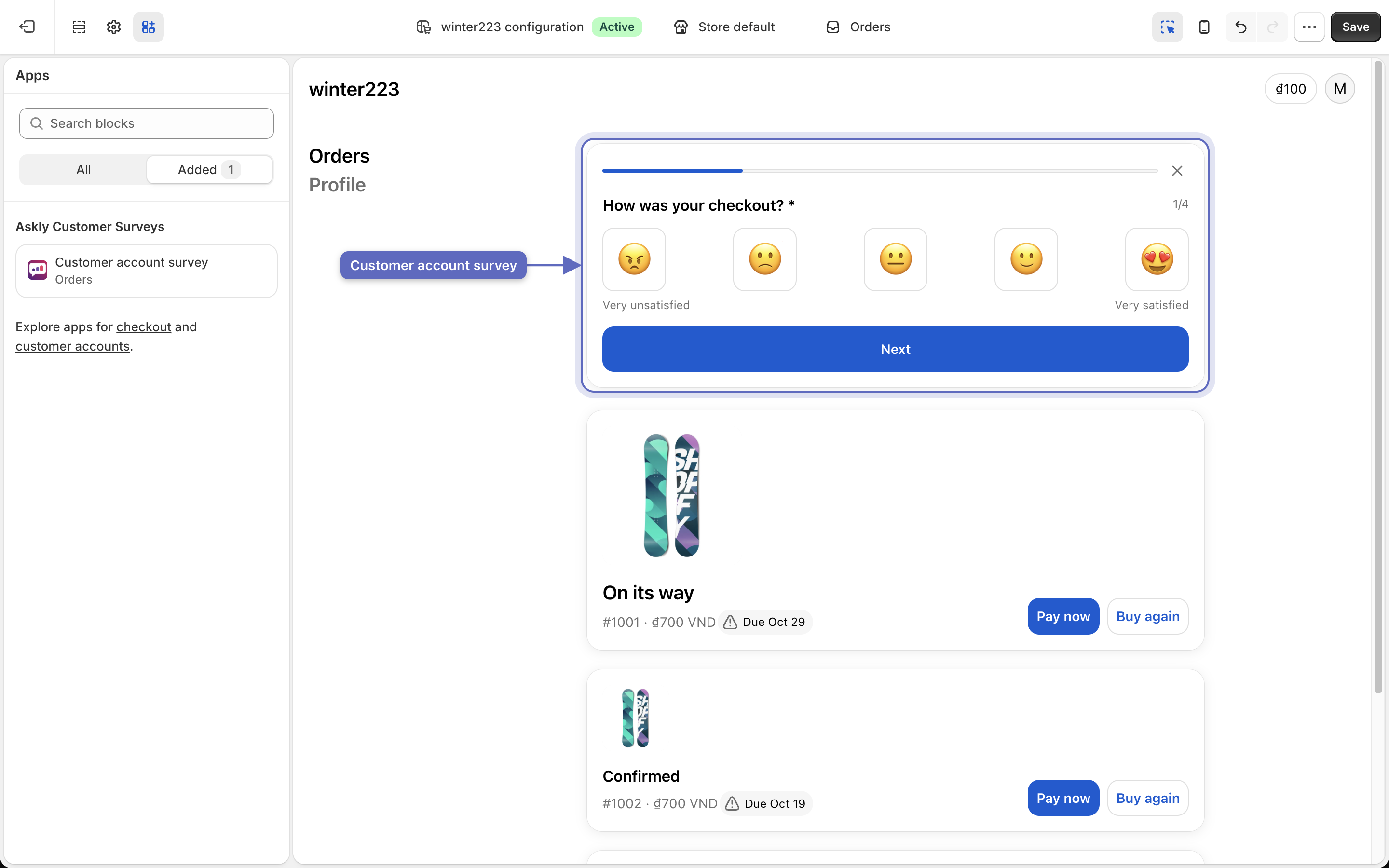
3. Under **Askly Customer Surveys**, select **Add block** next to **Customer account survey**. Drag it where you want it.
4. Want it on the profile page too? Switch the editor to **Profile** and add the block there as well.
5. Select **Save**.
The Customer account survey block sits on the Orders page, above the list of orders.
## Colors and fonts
Shopify draws these pages with its own style. Your **Appearance** colors and fonts don't apply here.
Next: [see survey results](/askly-customer-surveys/results/survey-results.md).