> For the complete documentation index, see [llms.txt](https://docs.globo.io/llms.txt). Markdown versions of documentation pages are available by appending `.md` to page URLs; this page is available as [Markdown](https://docs.globo.io/globo-combined-listings/readme.md).
# Welcome to Globo Combined Listings
Globo Combined Listings groups separate Shopify products into one listing with selectable options like color and size on your storefront.
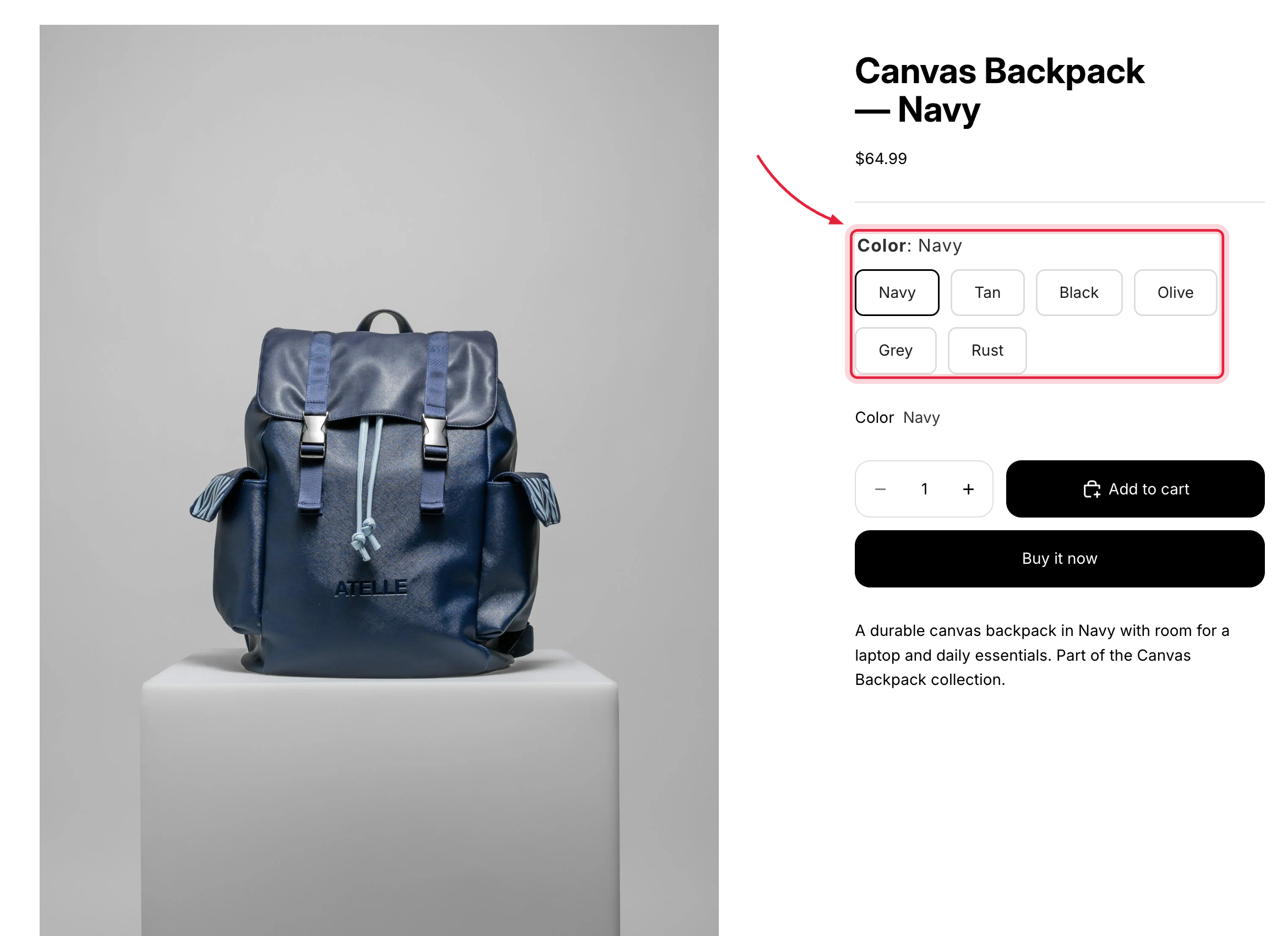
Globo Combined Listings links separate Shopify products — for example one product per color — so they appear on your storefront as **one listing with switchable options**: swatches, buttons, tabs, dropdowns, tiles, or cards.
One listing, switchable options — the storefront swatch widget in action.
## Why combine products?
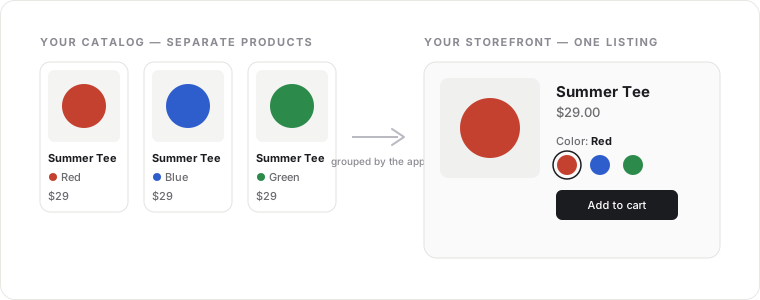
Many stores publish each color or size as its own product to get separate SEO pages, dedicated media galleries, and simpler inventory. The trade-off is that shoppers can't see the other variations. Combined Listings gives you both: keep separate products, present one listing.
Keep separate products in your catalog — shoppers see one listing.
## What you can do
* **Group products** by a single option (Color), multiple options (Color + Size), or as a single choice per bundle. See [Group types](/globo-combined-listings/product-groups/group-types.md).
* **Auto-detect groups** from product titles like `Tecton X 3 - Red`. See [Group by title pattern](/globo-combined-listings/product-groups/group-by-title-pattern.md).
* **Style the option widgets** with 9 templates and ready-made presets, per surface (product page and collection cards). See [Styles](/globo-combined-listings/styles/styles.md).
* **Show options everywhere** — product pages, collection cards, and quick-view modals. See [Where widgets appear](/globo-combined-listings/storefront/storefront.md).
* **Bulk import** groups from a CSV file. See [Import and export with CSV](/globo-combined-listings/product-groups/import-export-csv.md).
## Start here
1. [Turn on the app in your theme](/globo-combined-listings/getting-started/enable-the-app.md)
2. [Quickstart: your first combined listing](/globo-combined-listings/getting-started/quickstart.md)
{% hint style="success" %}
The app is **free**. There are no plans, charges, or usage limits tied to billing.
{% endhint %}