> For the complete documentation index, see [llms.txt](https://docs.globo.io/llms.txt). Markdown versions of documentation pages are available by appending `.md` to page URLs; this page is available as [Markdown](https://docs.globo.io/globo-mega-menu/faqs/why-menu-item-not-redirecting-on-mobile.md).
# A Menu Item Doesn't Redirect on Mobile
Tapping a parent item on mobile opens its submenu instead of the page.
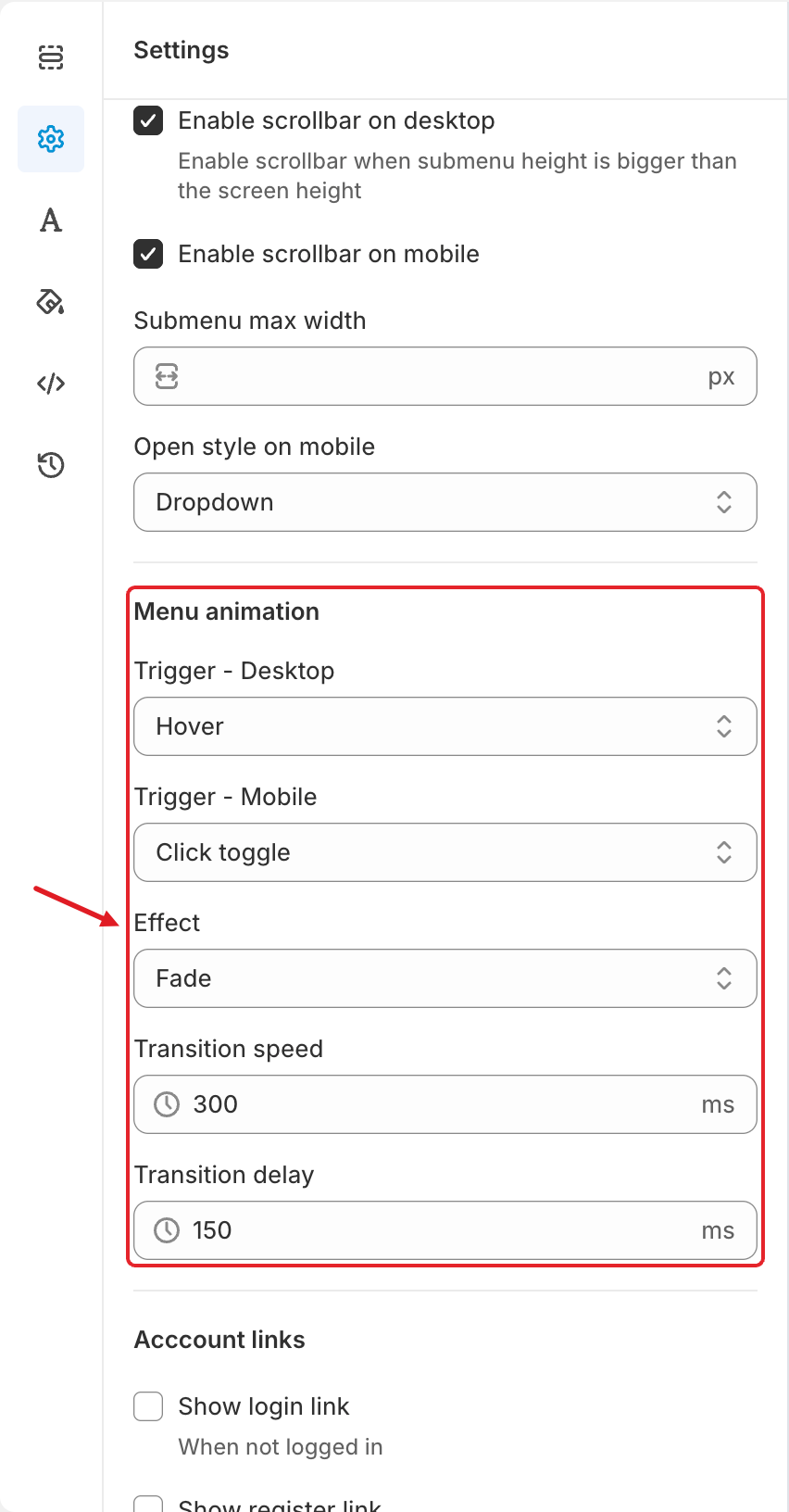
This is usually expected behaviour. When an item has a submenu, the first tap has to open the submenu — otherwise shoppers could never reach it. What happens next depends on **Trigger - Mobile**:
* **Click toggle** — every tap opens or closes the submenu. The item **never** goes to its own link.
* **Click** — the first tap opens the submenu; tapping the item **again** goes to its link.
## Fix It
Choose one of these options.
### Option A: change the trigger
Open the menu > **Settings** (⚙️) > **Menu animation** and set **Trigger - Mobile** to **Click**. Click **Save**, then **Publish**.
Trigger - Mobile is in the Menu animation section
### Option B: add the page inside the submenu
Keep **Click toggle** and add the parent page as the first link inside its submenu (for example "Shop all Women"). Shoppers then tap once to open the submenu and once more on that link.
{% hint style="info" %}
**The item has no submenu and still doesn't redirect?** Check that the item has a **Link** in its settings. If it does, test on a default theme such as Dawn and temporarily disable custom scripts or other navigation apps to find a conflict — or contact us.
{% endhint %}
See all animation settings: [Menu Settings](/globo-mega-menu/adjust-menu-styling/menu-settings.md).
***
**💬 Need help?**
Email us at **📧** [**contact@globo.io**](mailto:contact@globo.io) - we’re happy to assist!