> For the complete documentation index, see [llms.txt](https://docs.globo.io/llms.txt). Markdown versions of documentation pages are available by appending `.md` to page URLs; this page is available as [Markdown](https://docs.globo.io/mega-menu/manage-menus/version-history.md).
# Version History
Bring back an earlier saved version of your menu — load it into the editor and click Save.
**Version history** keeps earlier saved versions of a menu, so you can undo a change you regret. For example, you can bring back yesterday's layout after a redesign that didn't work out.
{% hint style="info" %}
Version history is available on the **Pro Navigation** plan. On other plans, the tab shows *This option is only available to PRO plan*.
{% endhint %}
## 🕘 How Versions Are Kept
* Each time you click **Save** in the editor, the app stores the menu as it was **before** that save, as a new version (*Version 1*, *Version 2*, …).
* If nothing changed since the last version, no duplicate version is created.
* The app keeps the **25 most recent versions** of each menu. Older ones are removed automatically.
* A version holds the menu's items, blocks and settings (including fonts, colors, position and schedule). It doesn't include the menu's name.
## Restore an Earlier Version
{% stepper %}
{% step %}
### Open Version history
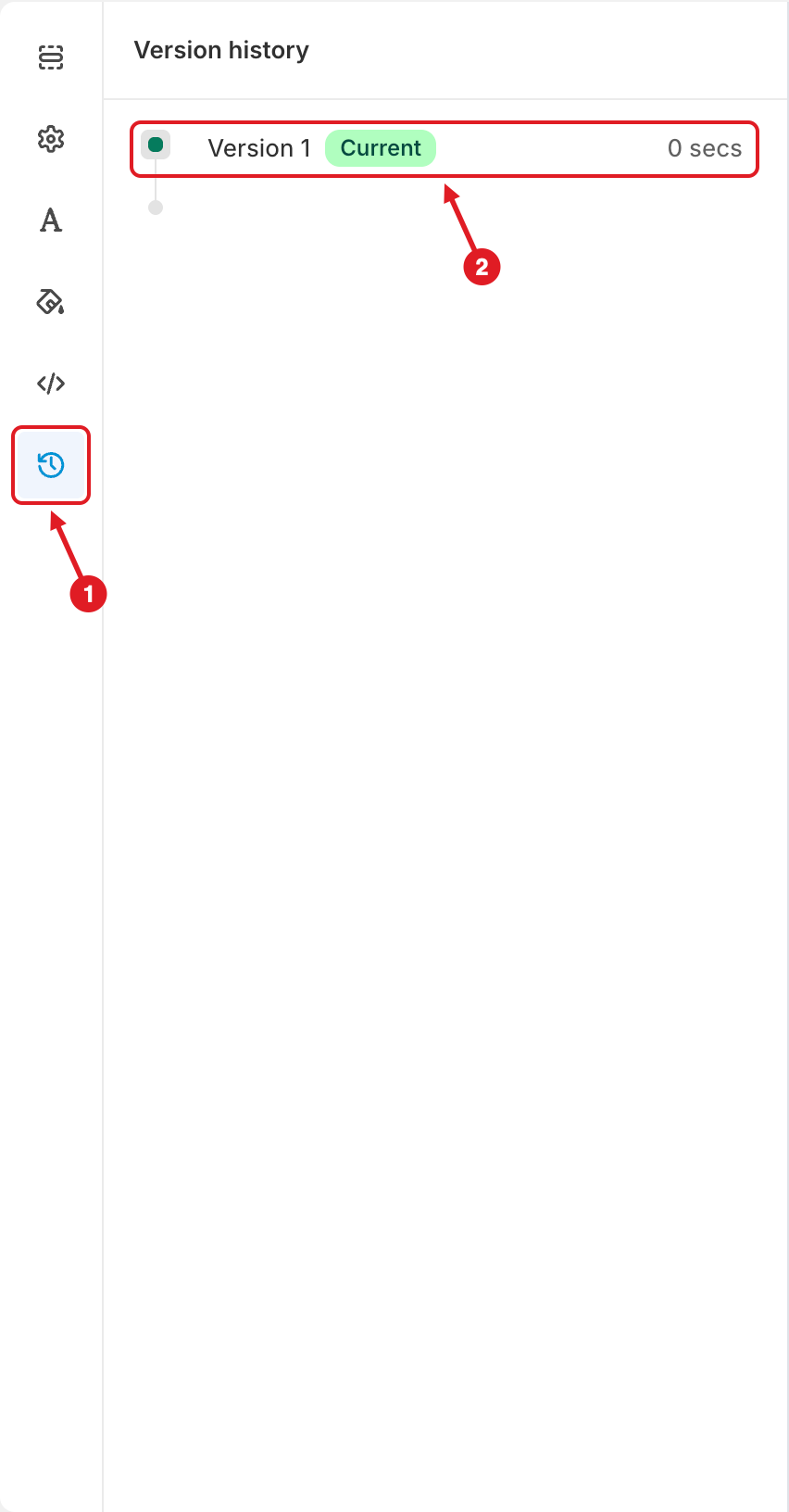
In the menu editor, click the **Version history** icon (🕘) **(1)**, the last icon in the left bar.
(1) Version history tab, (2) the version currently in the editor
{% endstep %}
{% step %}
### Find the version you want
The top row **(2)**, marked **Current**, is what's in the editor right now. Older versions are listed below it, newest first. Each one shows how long ago it was saved. Hover over the time to see the exact date and time.
{% endstep %}
{% step %}
### Preview it
Click a version. It loads into the editor and the live preview, so you can check it before you commit. If you have unsaved changes, the app first asks whether to discard them.
{% endstep %}
{% step %}
### Keep it, or go back
* To **keep** the version, click **Save**. The menu as it was before is stored as a new version first, so you can switch back later.
* To **cancel**, click **Discard**. The editor returns to your current menu.
{% endstep %}
{% step %}
### Publish again
If the menu is **Active**, click **Publish** so the storefront gets the restored version.
{% endstep %}
{% endstepper %}
{% hint style="warning" %}
**Version history works per menu, and only inside the editor.** It can't bring back a menu you **deleted**. If that happened, contact us: we may be able to restore it as a draft. See [I Deleted a Menu or an Item by Mistake](/mega-menu/faqs/i-deleted-a-menu-or-an-item-by-mistake.md).
{% endhint %}
{% hint style="success" %}
**Tip:** before a big redesign, also **Export** the menu ([Import/Export Menu](/mega-menu/basic-knowledge/import-export-menu.md)) or **Duplicate** it in [Menu Manager](/mega-menu/manage-menus/menu-manager.md). A backup file or a copy stays available even after 25 more saves.
{% endhint %}
***
### Related Articles
{% content-ref url="/pages/rb0UuspGr9ZweviZCVJl" %}
[Import/Export Menu](/mega-menu/basic-knowledge/import-export-menu.md)
{% endcontent-ref %}
{% content-ref url="/pages/2emGhof9opxewBZhmMTJ" %}
[Menu Editor Overview](/mega-menu/manage-menus/menu-editor-overview.md)
{% endcontent-ref %}
{% content-ref url="/pages/EVCfhZEFPr0tdEE4SYfm" %}
[I Deleted a Menu or an Item by Mistake](/mega-menu/faqs/i-deleted-a-menu-or-an-item-by-mistake.md)
{% endcontent-ref %}
***
**💬 Need help?**
Email us at **📧** [**contact@globo.io**](mailto:contact@globo.io) - we’re happy to assist!