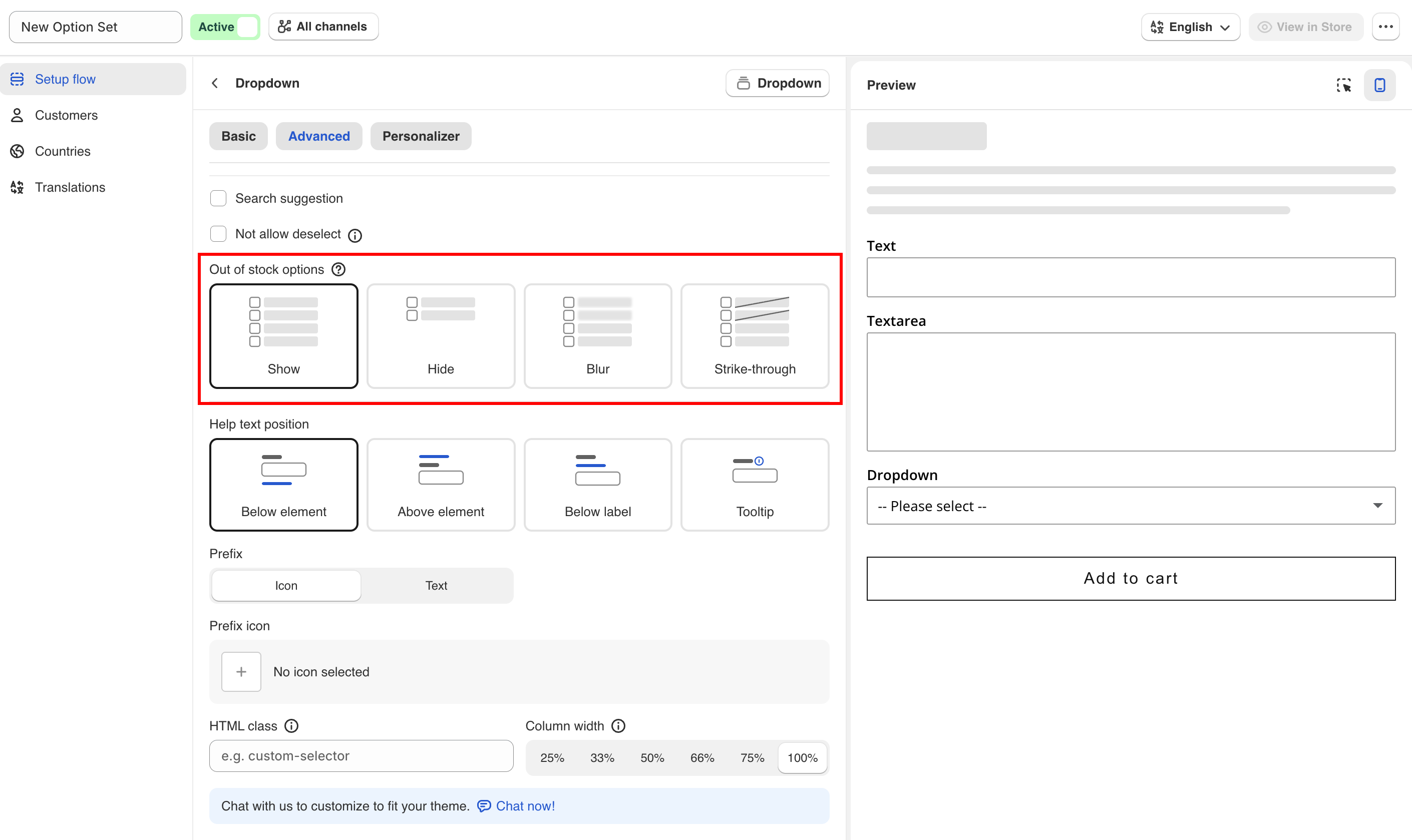
Out of stock options
Control how an option value is displayed when its add-on product is out of stock.
Sets how an option value is displayed when the add-on product linked to it is out of stock. Available on the Advanced tab.
Show (default)
The value is displayed normally and can still be selected.
Hide
The value is removed from the list.
Blur
The value is displayed faded and cannot be selected.
Strike-through
The value is displayed with a line through it and cannot be selected.
Use Blur for color and image swatches, so customers can still see the color or image. Use Strike-through for short text lists and Hide for long ones. Use Show for made-to-order products, where inventory is only a record.
How stock is determined
Stock is read from the linked product's inventory in Shopify. There is nothing to configure in the app. Set the inventory on the add-on product in Shopify admin as you would for any other product.
The availability check runs when the product page loads. If an option value is linked to a specific variant, the check applies to that variant only.
See Stock and inventory.
Notes
This setting may not be available on all plans. See Compare plans.
The setting applies to the whole option. All option values use the same display.
The setting controls display and selection only. It does not prevent the customer from buying the main product.

Last updated
Was this helpful?