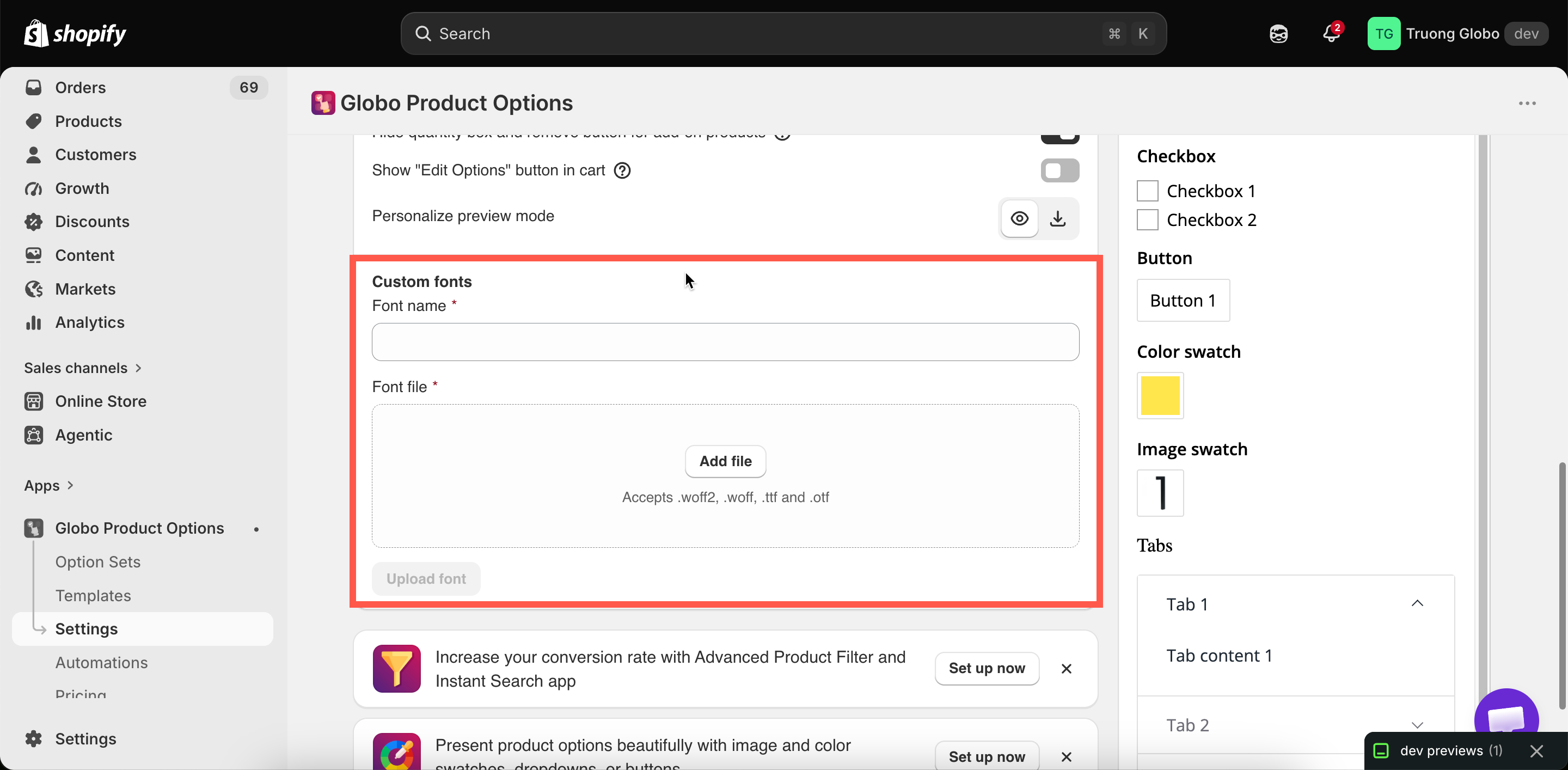
Custom fonts, in the General section of Settings.
Custom fonts, in the General section of Settings.
| Format | Notes |
|---|---|
| .woff2 | The best choice where you have it. Smallest, so pages load faster |
| .woff | Also web-optimized |
| .ttf | Common desktop format. Works, but larger than the web formats |
| .otf | The same |
| Use | Why |
|---|---|
| The Personalizer, matching your production font | The customer's preview is then genuinely accurate. This is the strongest reason to use custom fonts at all |
| A Font picker offering your real engraving fonts | Customers choose from what you can actually cut |
| Widget typography matching a brand font | Where your theme uses a font the app's list does not have |
| Do | Avoid |
|---|---|
| Upload only the fonts you use | A library of twenty fonts, most of them unused. Each one in a Font picker is loaded when previewing |
| Upload the specific weight you need | Relying on the bold or italic setting. Many fonts have no real bold or italic cut, and the result looks distorted |
| Name them recognizably | Names like final-2 that mean nothing in six months |
| Check licensing for web use | Assuming a desktop license covers your storefront |
| Test with real customer names | Testing with the word "test", which uses four very ordinary characters |