> For the complete documentation index, see [llms.txt](https://docs.globo.io/llms.txt). Markdown versions of documentation pages are available by appending `.md` to page URLs; this page is available as [Markdown](https://docs.globo.io/options/storefront-display-and-design/ajax-cart-and-redirect.md).

# Ajax cart and redirect to cart

What happens after Add to cart, and why the behavior depends on your theme.

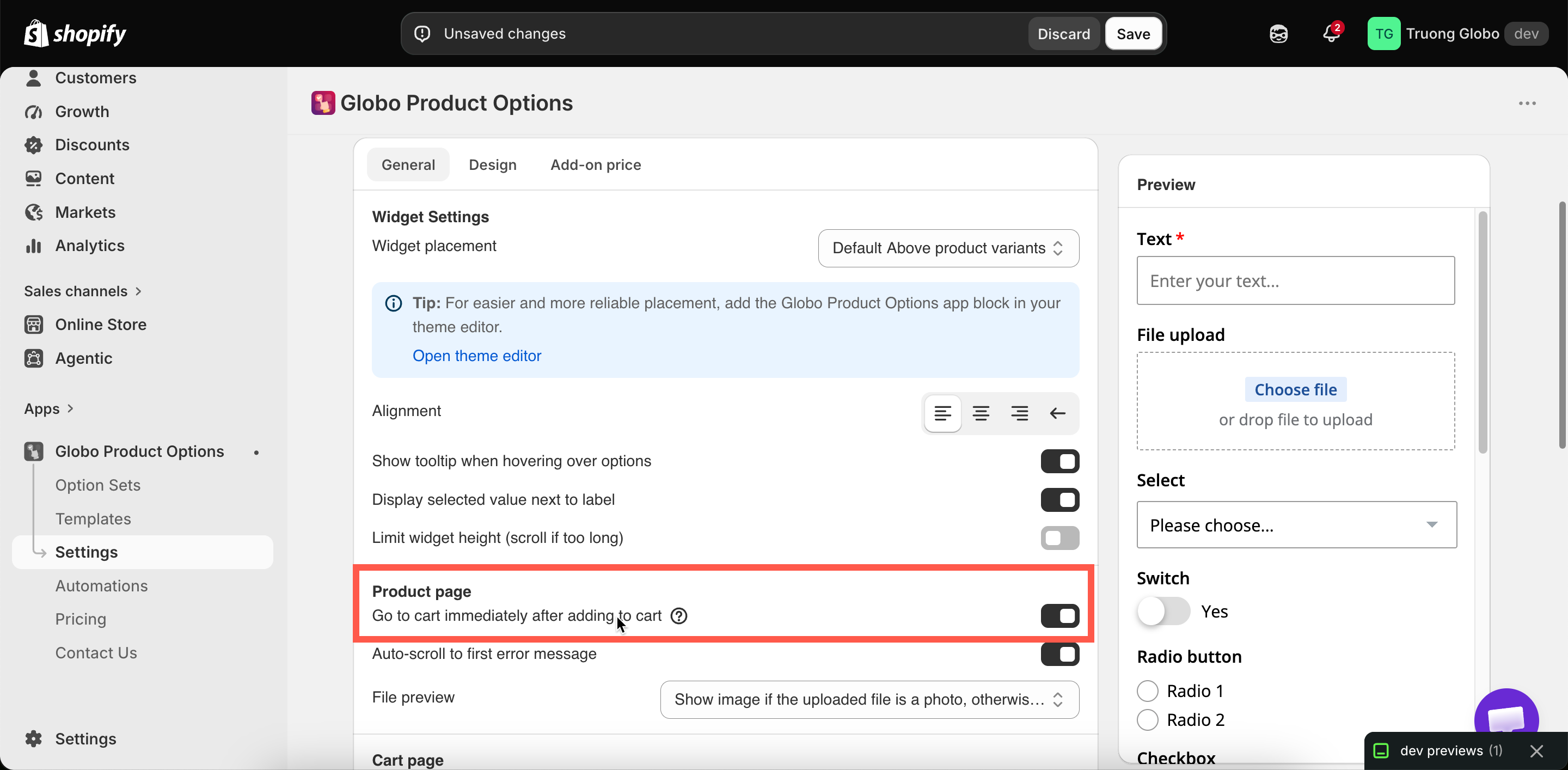
One setting controls this, and its behavior depends on your theme. **Settings** > **Settings** > **General** > **Product page** > **Go to cart immediately after adding to cart**.

<figure><img src="https://3141646361-files.gitbook.io/~/files/v0/b/gitbook-x-prod.appspot.com/o/spaces%2FkMyxhAk2ZlJa4wZQGfBI%2Fuploads%2Fgit-blob-a85575f485e1cb7d249c7b69d30f9f921bbc5581%2F2026-09-07_11-24-24.png?alt=media" alt="The Product page group in General settings, with the go-to-cart setting"><figcaption><p>Go to cart immediately after adding to cart, in the Product page group.</p></figcaption></figure>

## What it does

| Default | On |
| ------- | -- |

With this on, adding a product with add-ons sends the customer to the cart page instead of leaving them on the product page.

## Why it exists

A personalized product with add-ons is not a single item being added to the cart. It is the main item plus its add-on products, linked to each other.

Most themes have a cart drawer or a cart notification that expects a single item to be added. Sending the customer to the full cart page instead shows them the complete result: the item, its options, and its add-on lines, all priced correctly.

## When to turn it off

<table><thead><tr><th width="290">Turn it off when</th><th>Leave it on when</th></tr></thead><tbody><tr><td>You use a cart drawer app such as UpCart, Monster Cart, or Kaching. Its drawer cannot open if the customer is redirected away. See <a href="/options/integrations/cart-drawer-apps.md">Cart drawer apps</a></td><td>Anything looks wrong in the drawer after adding a product with add-ons</td></tr><tr><td>Your theme's cart drawer handles the addition correctly, and you would rather customers kept browsing</td><td>Anything looks wrong in the drawer after adding a product with add-ons</td></tr><tr><td>You have tested it thoroughly with add-ons, on desktop and mobile</td><td>You are not sure. This is the safe setting</td></tr></tbody></table>

If you turn it off, test it. Add a product with two add-ons and check that the drawer displays every line at the correct price.

## Cart drawer apps

If a separate app provides your cart drawer rather than your theme, this setting has to be off. The customer is otherwise sent to the cart page before the drawer can open.

The app recognizes the [UpCart, Monster Cart, and Kaching](/options/integrations/cart-drawer-apps.md) drawers automatically and manages add-on lines inside them.

## Theme dependency

Whether the cart can be updated without a page reload, and whether the drawer displays the result correctly, depends on how your theme builds its cart.

The app supports this on a wide range of themes. On other themes, the redirect is more reliable, which is why it is on by default.

{% hint style="info" %}
The setting includes a link to the list of themes where this is supported. The list is updated as themes are tested, so check it there. If your theme is not listed, [contact support](/options/help/contact-support.md).
{% endhint %}

## Related settings

<table><thead><tr><th width="330">Setting</th><th>What it does</th></tr></thead><tbody><tr><td><strong>Auto-scroll to first error message</strong></td><td>Same settings group. On by default. When add to cart is blocked, scrolls to the first problem. Keep it on — otherwise a customer sees nothing happen and assumes the button is broken</td></tr><tr><td><strong>Hide quantity box and remove button for add-on products</strong></td><td>Protects add-on lines once they are in the cart. See <a href="/options/storefront-display-and-design/cart-page.md">Cart page</a></td></tr><tr><td><strong>Merge Main product &#x26; Add-on products</strong></td><td>Presents add-ons as part of the item. See <a href="/options/add-on-pricing/merge-as-bundle.md">Merge main product and add-ons</a></td></tr></tbody></table>

## Dynamic checkout buttons

Shopify's accelerated payment buttons skip the cart, which would let a customer buy a product with options without completing the form.

The app hides those buttons on products that have options. On products **without** options, they continue to work as usual.

## Notes

* This setting is store-wide.
* It applies to products with add-ons. A product with options but no add-ons behaves the way your theme normally does.
* It does not affect what is charged or what is stored in the order. It only changes where the customer goes after adding to cart.
