> For the complete documentation index, see [llms.txt](https://docs.globo.io/llms.txt). Markdown versions of documentation pages are available by appending `.md` to page URLs; this page is available as [Markdown](https://docs.globo.io/options/storefront-display-and-design/show-options-on-orders/order-confirmation-email.md).
# Display options in confirmation email
Add option details to the order confirmation email your customer receives.
This is the email your customer receives right after placing an order. By default, Shopify's order confirmation email doesn't include custom option details — but you can change that!
{% hint style="warning" %}
🔔 **Note:** If you've already customized your email templates, **do not** copy and paste the full code below. Instead, review and merge it carefully.
{% endhint %}
## 📌 Follow these steps
{% stepper %}
{% step %}
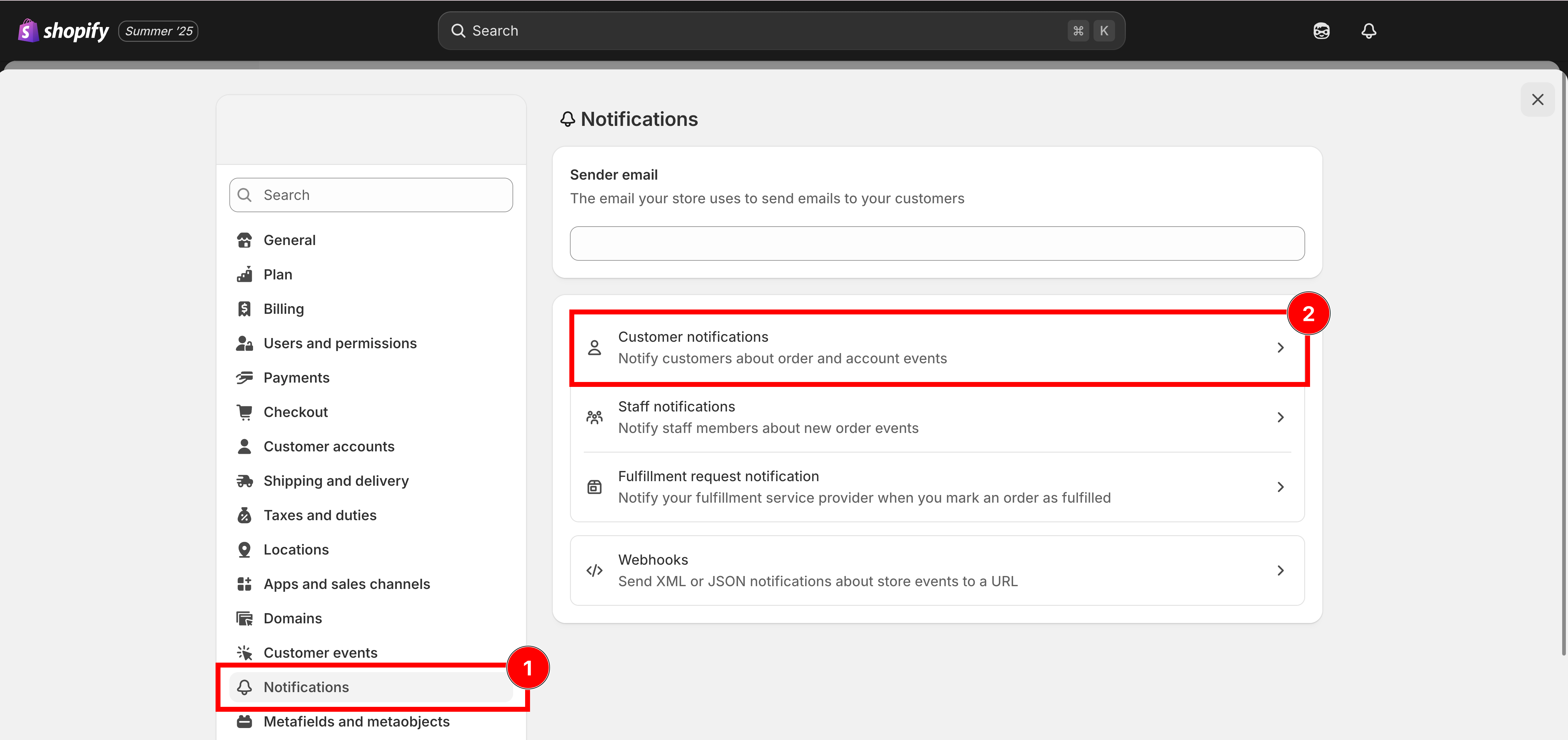
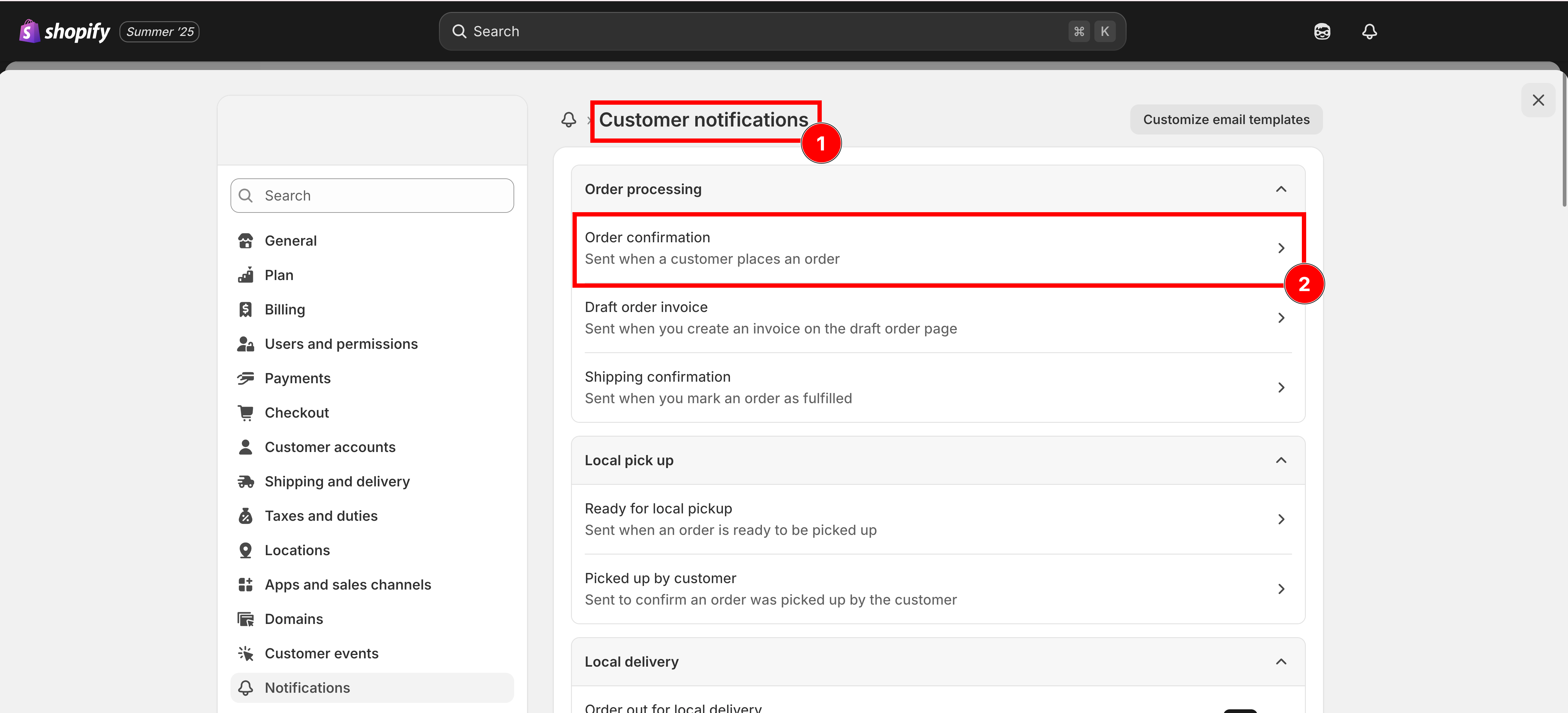
### From your **Shopify admin**, click on **Settings**, Select **Notifications**
{% endstep %}
{% step %}
### **Download the Order Confirmation template**
[Click this button to download](https://github.com/globo-software/display-cart-line-item-in-notification/blob/main/gpo-order-confirmation.liquid)
{% endstep %}
{% step %}
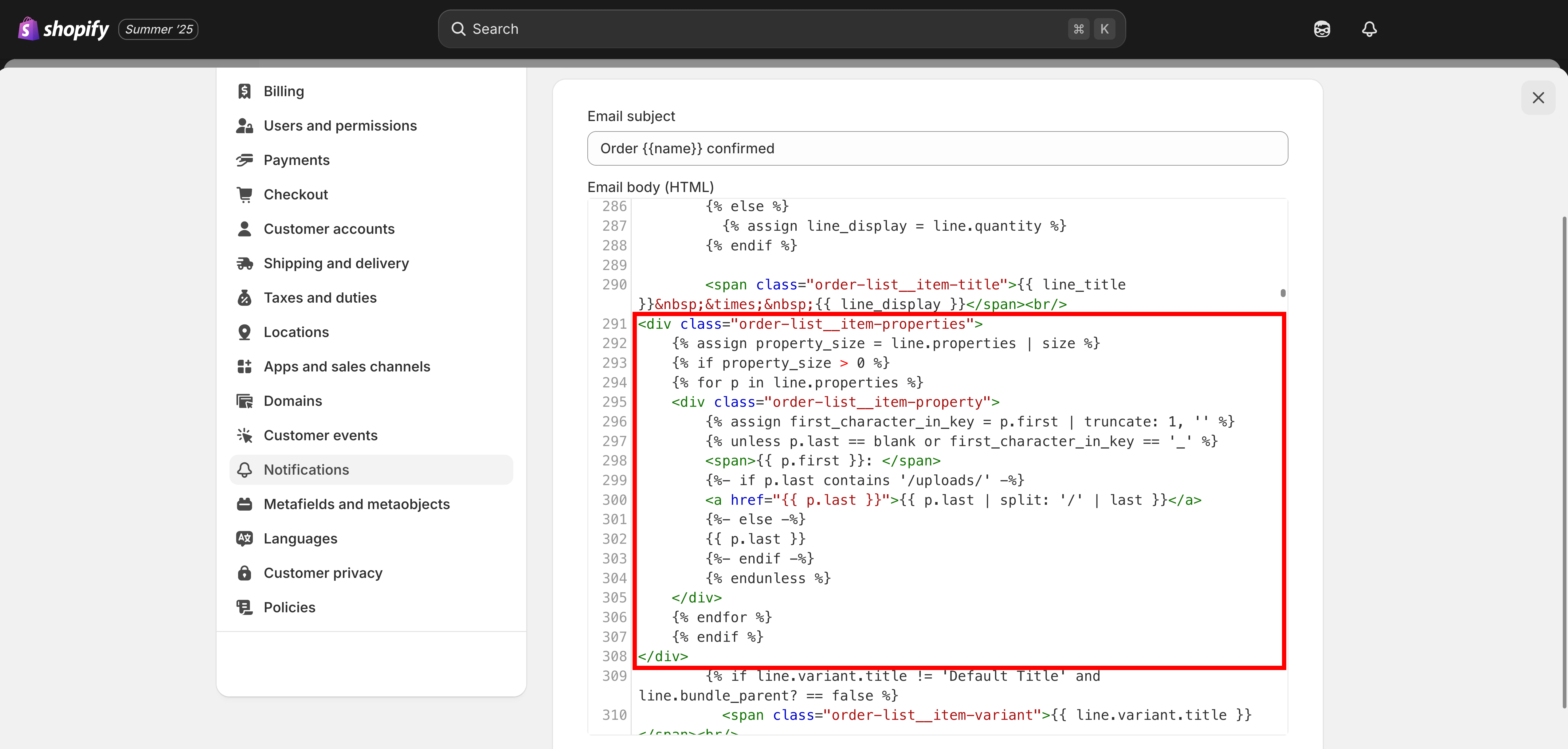
### **Copy the code** and Paste to Email body (HTML) box
```liquid
{% assign property_size = line.properties | size %}
{% if property_size > 0 %}
{% for p in line.properties %}
{% endstep %}
{% step %}
### **Save**
{% endstep %}
{% endstepper %}
{% hint style="info" %}
📧 **Need Help?**
If you run into any issues while setting up your option set, feel free to reach out at **Chat** or email .
See [Contact support](/options/help/contact-support.md).
{% endhint %}