> For the complete documentation index, see [llms.txt](https://docs.globo.io/llms.txt). Markdown versions of documentation pages are available by appending `.md` to page URLs; this page is available as [Markdown](https://docs.globo.io/options/storefront-display-and-design/show-options-on-orders/staff-order-notification.md).
# Display option in staff order notification
Add option details to the New order email your store owner and staff receive.
This is the email the **store owner or staff** receives when a customer places a new order. To include product option details, you can customize the notification template by following these steps:
{% stepper %}
{% step %}
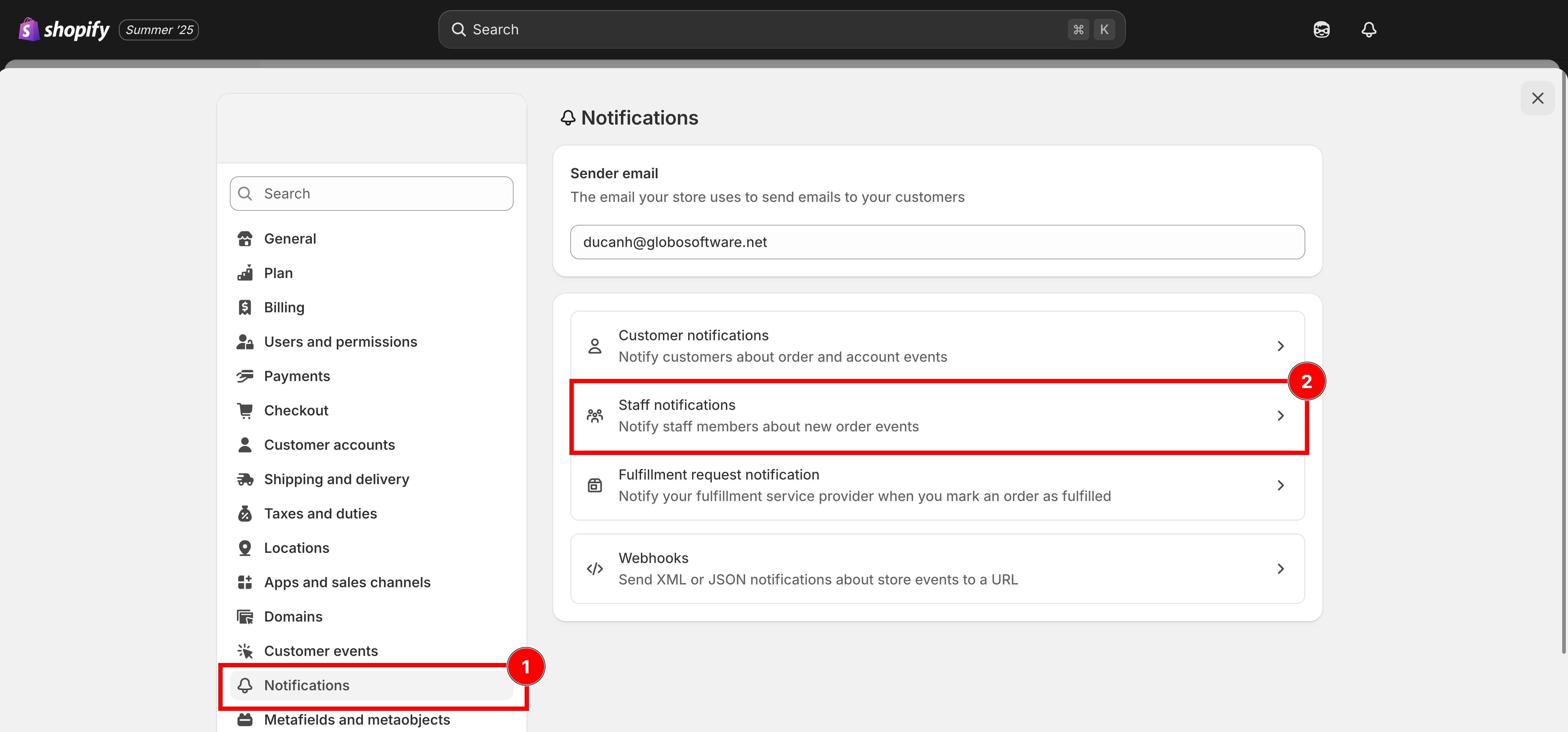
### From your **Shopify admin**, click **Settings**, Select **Notifications**
Scroll down to the **Staff Order Notifications** section
Settings, Notifications, then Staff order notifications.
{% endstep %}
{% step %}
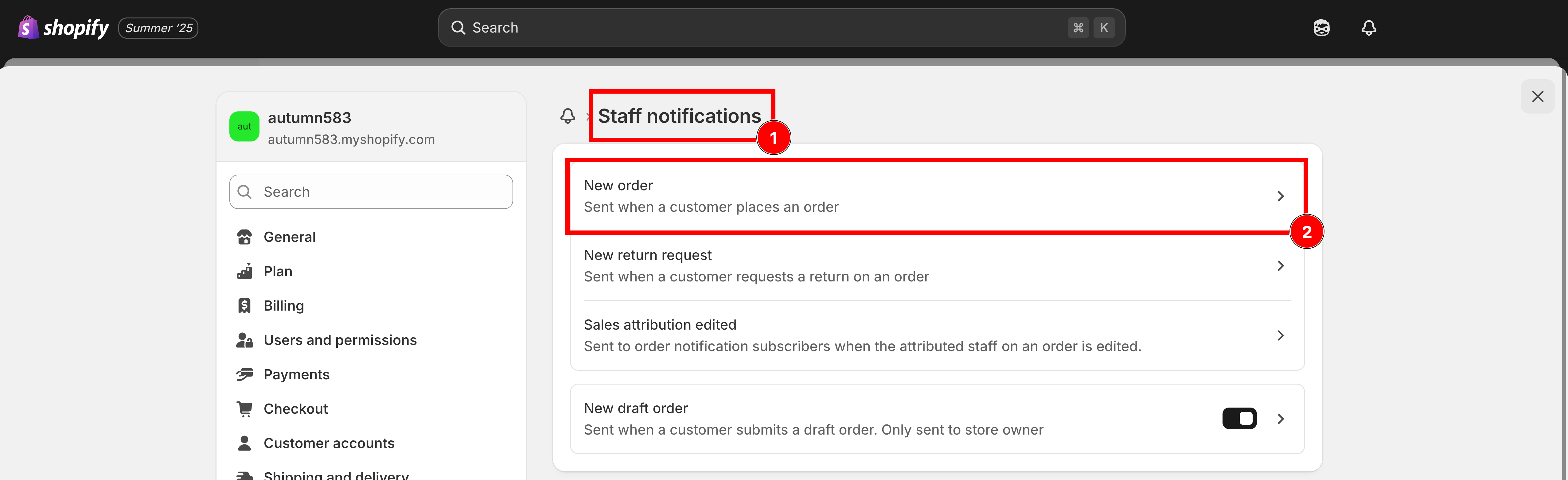
### Click **New order**
Open the New order notification.
{% endstep %}
{% step %}
### **Download the New Order template** ([click this button to download](https://github.com/globo-software/display-cart-line-item-in-notification/blob/main/gpo-new-order-notification.liquid))
{% endstep %}
{% step %}
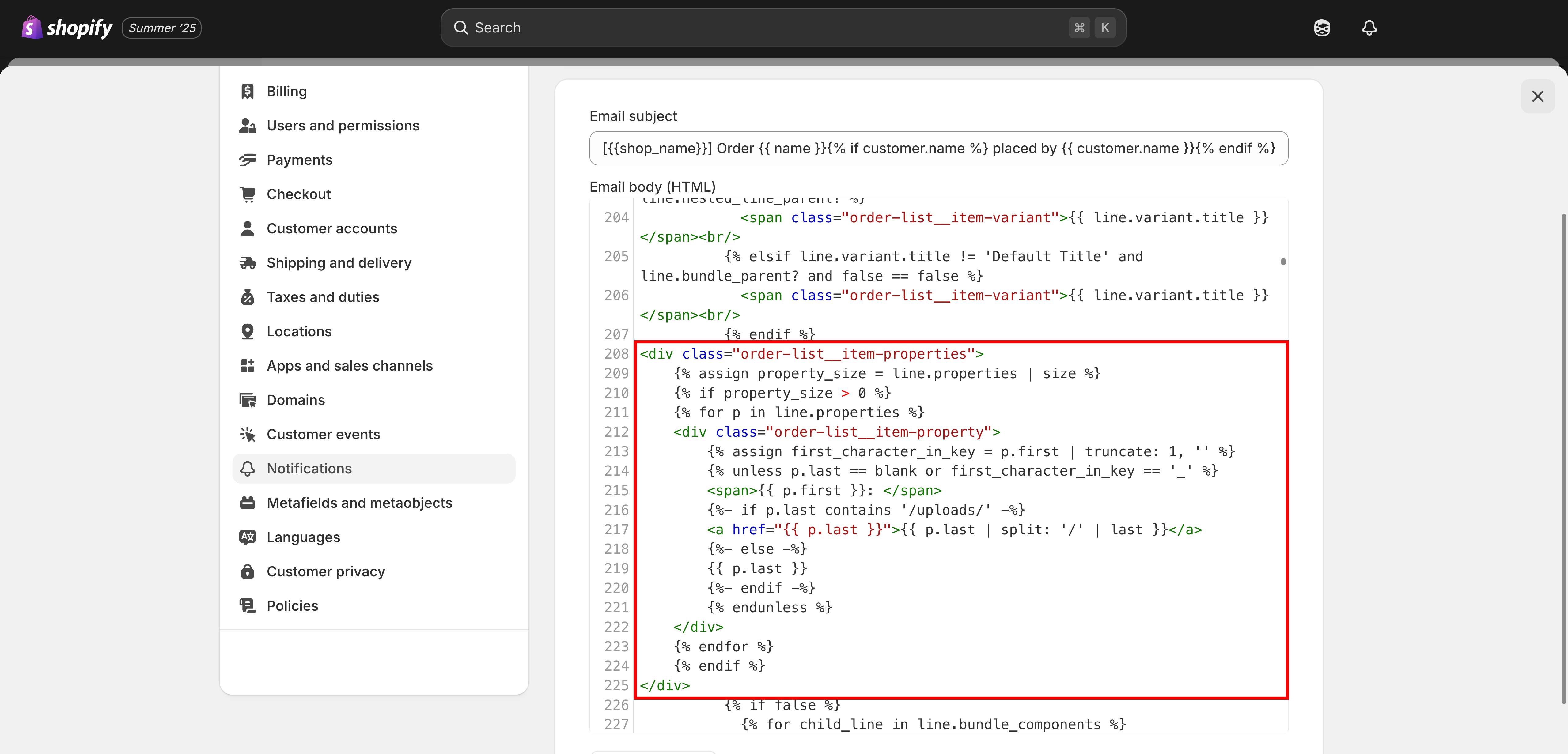
### Open the downloaded file and **copy the code**
```liquid
{% assign property_size = line.properties | size %}
{% if property_size > 0 %}
{% for p in line.properties %}
{% endstep %}
{% step %}
### **Save**
{% endstep %}
{% endstepper %}
{% hint style="info" %}
📧 **Need Help?**
If you run into any issues while setting up your option set, feel free to reach out to us at **Chat** or email [**contact@globo.io**](mailto:contact@globo.io).
See [Contact support](/options/help/contact-support.md).
{% endhint %}