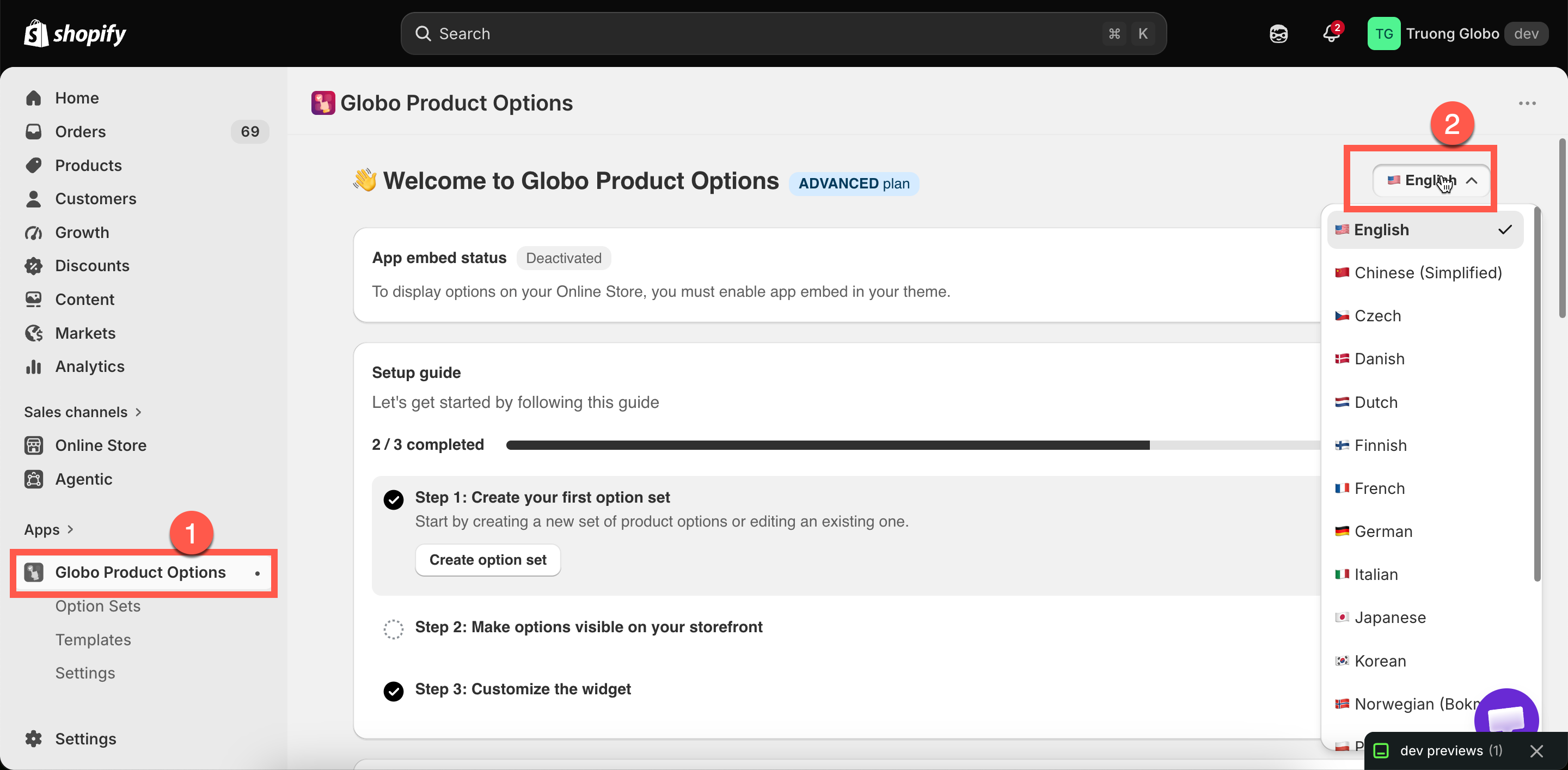
The admin language control is on the Dashboard, top right.
The admin language control is on the Dashboard, top right.
| Language | Language | Language |
|---|---|---|
| English | German | Portuguese (Brazil) |
| Chinese (Simplified) | Italian | Portuguese (Portugal) |
| Czech | Japanese | Spanish |
| Danish | Korean | Swedish |
| Dutch | Norwegian (Bokmål) | Turkish |
| Finnish | Polish | French |
| Changes | Does not change |
|---|---|
| Menu names, page titles, setting labels, buttons | Anything on your storefront |
| Help text and tooltips inside the app | Your option labels and values — those are option content |
| Validation messages you see while building | The messages customers see — those are widget text |
| Your view of the app | What your colleagues see. It is per user |