# Setup automate image variant product
## Prerequisites \*
* You need to add main image for variant group in shopify admin before changing variant style to automatic image
## Guide
### 1. Go to the Shopify admin product detail
#### Add variant color/model
E.g: White, Pink, Black, Green
Add variant color/model
#### Sort group variant by color/model
The variant displayed as a color/image must appear before the variant displayed as a button
Sort group variant
#### Add main image for variant group
Add main image variants
#### Click the **save** button to save the changes.
### 2. Sync data agian in GLOBO Color Swatch
Go to **Dashboard** GLOBO Color Swatch, click button **Update data**
Update data
### 3. Setup style for variant option is color swatch
* In Dashboard -> **Options list**
* Select your product variations to display as swatches
### 4. Change display style to image
* Choose style image
{% hint style="info" %}
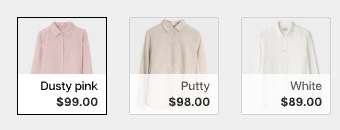
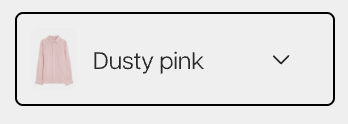
Types variant support setup automatic image variant product
✅ Automated swatch
✅ Image swatch with price
✅ Image dropdown
{% endhint %}