> For the complete documentation index, see [llms.txt](https://docs.globo.io/llms.txt). Markdown versions of documentation pages are available by appending `.md` to page URLs; this page is available as [Markdown](https://docs.globo.io/swatch/bundles/customize-the-bundle-widget.md).
# Customize the bundle widget
Match the bundle widget's typography, images and buttons to your theme.
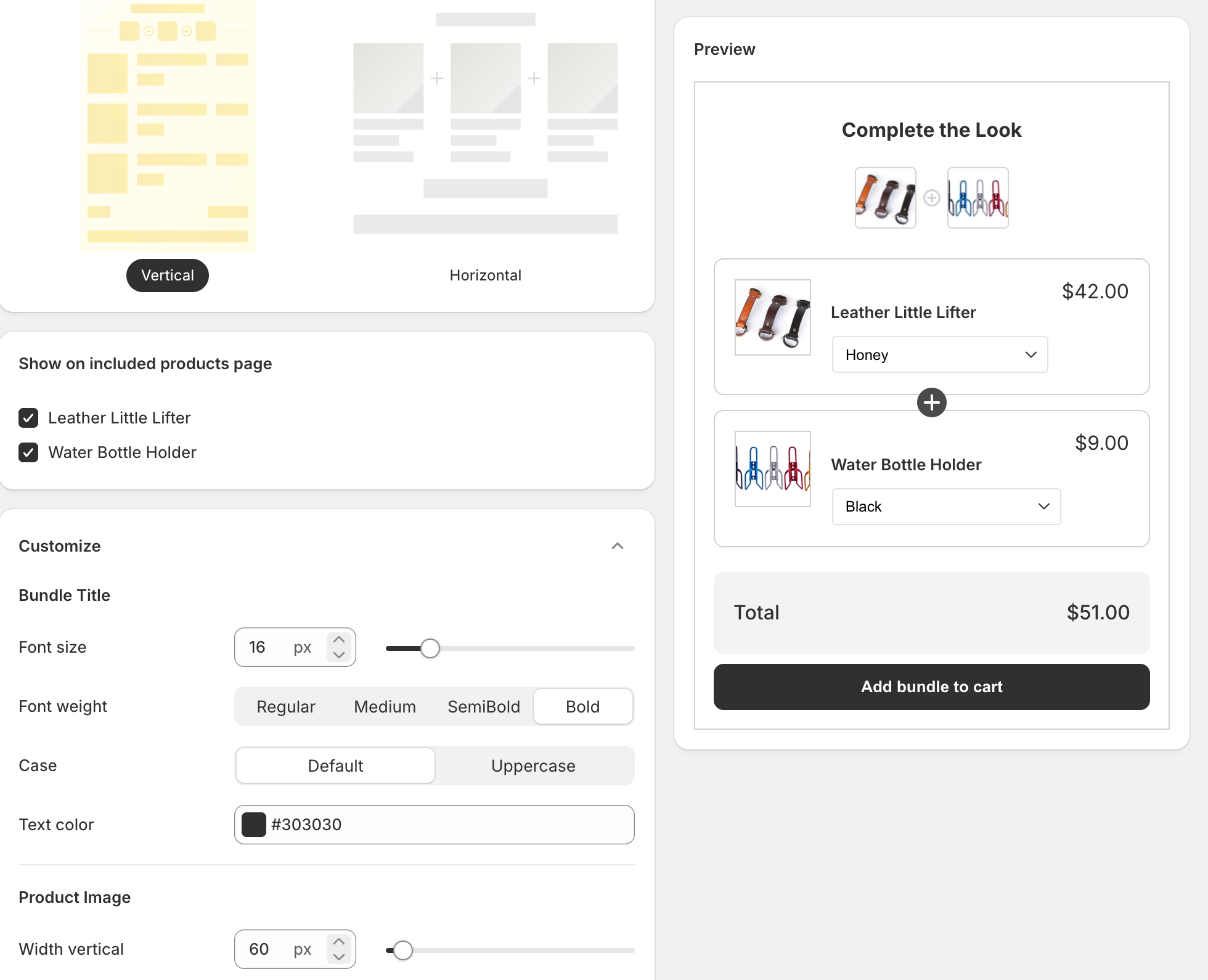
Open a bundle and expand the **Customize** section at the bottom. The **Preview** panel on the right updates as you go.
Every change in Customize is reflected in the preview on the right.
## What you can change
| Group | Settings |
| ------------------------- | ------------------------------------------------------------------------------------------------------------------- |
| **Bundle Title** | **Font size**, **Font weight**, **Case**, **Text color** |
| **Product Image** | **Width vertical**, **Height vertical**, **Width horizontal**, **Height horizontal** |
| **Product Name** | **Font size**, **Font weight**, **Case**, **Text color** |
| **Product Price** | **Font size**, **Font weight**, **Case**, **Text color** |
| **Product Compare Price** | **Font size**, **Font weight**, **Text color** |
| **Bottom** | **Font size**, **Font weight**, **Case**, **Text color** |
| **Total Price** | **Font size**, **Font weight**, **Text color** |
| **Button** | **Font size**, **Font weight**, **Case**, **Border radius**, **Text color**, **Border color**, **Background color** |
| **Box Combo** | **Border radius**, **Border color** |
**Font weight** offers **Regular**, **Medium**, **SemiBold** and **Bold**; **Case** offers **Default** and **Uppercase**.
## Image sizes and layout
**Product Image** has two pairs of dimensions because the widget's layout changes the shape of the image slot. Set **Width vertical** / **Height vertical** for the **Vertical** layout, and **Width horizontal** / **Height horizontal** for **Horizontal**. If you switch layout later, check the sizes again.
## Change the Bundle position on Product Page
From the Theme Customize > Select the Product page template > add App's block **Product Bundles Combo**
Drag & drop the bundle block to move its position
Press **Save** to finish!
## A quick way to match your theme
Rather than eyeballing it, copy the values your theme already uses: the product title's font size and weight for **Product Name**, your add-to-cart button's colours and radius for **Button**, and your card border colour for **Box Combo**. The widget then reads as part of the page rather than as an add-on.
{% hint style="info" %}
Customize settings are per bundle. If you run several bundles, set the first one the way you want it and use the same values on the others.
{% endhint %}
## Related pages
* [Product bundles overview](/swatch/bundles/overview.md)
* [Create a product bundle](/swatch/bundles/create-a-product-bundle.md)