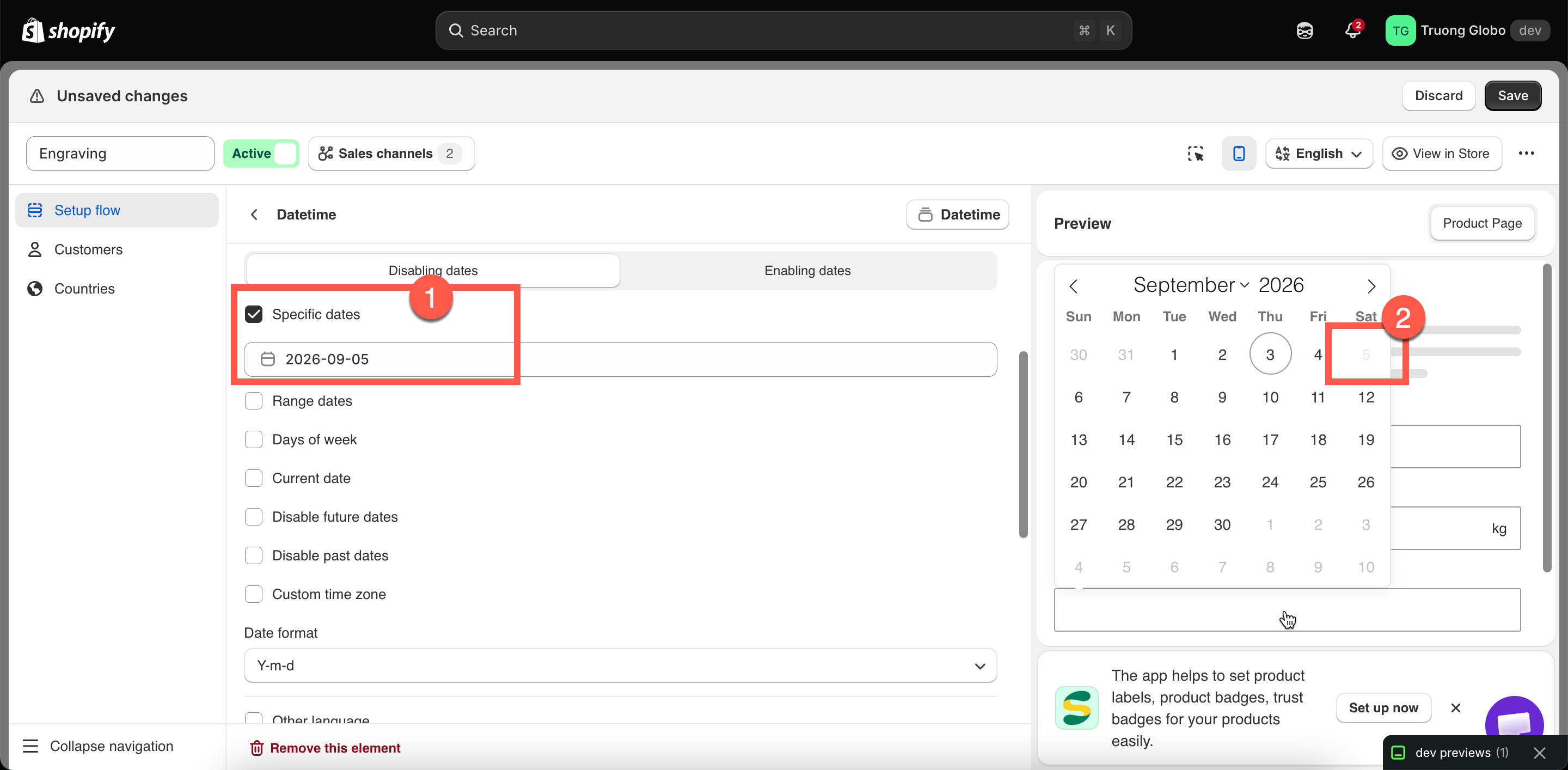
Blocked dates are visibly unselectable, so customers cannot choose a day you cannot deliver.
Blocked dates are visibly unselectable, so customers cannot choose a day you cannot deliver.
| Setting | What it does |
|---|---|
| Label / Name | Customer-facing text, and the name on the order. |
| Required field | Blocks add to cart until a date is chosen. |
| Hidden label | Hides the label. |
| Placeholder | Text in the empty field — worth using to show the format. |
| Help text | Guidance that stays visible, such as your cut-off time. |
| Conditional logic | Show or hide based on other choices. |
| Setting | Choices | Notes |
|---|---|---|
| Format | Date, Time, Date & time | Default Date. Decides what the picker offers, and which settings below apply. |
| Mode | Single, Range | Default Single. Range lets the customer pick a start and end date — for hire periods or holiday cover. Only for Date and Date & time. |
| Date format | Y-m-d, d-m-Y, m-d-Y, Y.m.d, d.m.Y, m.d.Y, Y/m/d, d/m/Y, m/d/Y | Default Y-m-d. Choose the order your customers read dates in — d/m/Y in most of Europe, m/d/Y in the United States. |
| Time format | 12h, 24h | Default 12h. Only for Time and Date & time. |
| Choice | Meaning |
|---|---|
| Disabling dates | Everything you list below is blocked. Everything else is available. This is the default. |
| Enabling dates | Everything you list below is the only thing allowed. Everything else is blocked. |
| Rule | What it targets |
|---|---|
| Specific dates | Individual dates you select on a calendar — public holidays, your annual closure, a fully booked day. |
| Range dates | A start and end date — a factory shutdown, a holiday period. |
| Days of week | Any of Monday to Sunday. Starts with Saturday and Sunday selected, since most businesses do not dispatch at weekends. |
| Current date | Today itself. |
| Disable future dates | Everything after today. For dates that can only be in the past, such as a date of purchase. |
| Disable past dates | Everything before today. This is what you want on a delivery date, and it reveals the two lead-time settings below. |
| Setting | What it does |
|---|---|
| Enable after X days | Sets how many days from today before the first selectable date. The minimum is 0. For example, setting this to 3 makes the earliest selectable date three days from today, giving you time to prepare the order. |
| Disable current date after X time | Sets the cut-off time after which today is no longer selectable. For example, if you set it to 5:00 PM, orders placed after 5 PM cannot select the current date for delivery or dispatch. |
| Setting | What it does |
|---|---|
| Custom time zone | Turns on an explicit time zone rather than relying on the customer's device. |
| Select time zone | From GMT-12:00 to GMT+14:00. |
| Setting | What it does |
|---|---|
| Other language | Turns on an explicit language for the calendar. |
| Localization | The language itself. More than fifty are available, from Albanian to Welsh. |
| Setting | What it does |
|---|---|
| Help text position | Where the help text sits. |
| Prefix / Prefix icon / Prefix text | An icon or text at the start — a calendar icon is the obvious choice. |
| Suffix | Fixed text after the field. |
| HTML class / Column width | Styling hook and field width. |
| Setting | Value |
|---|---|
| Format | Date |
| Mode | Single |
| Date format | d/m/Y |
| Limit date picker | On, Disabling dates |
| Disable past dates | On, Enable after X days 3 |
| Days of week | Saturday, Sunday |
| Specific dates | Your public holidays |
| Custom time zone | On, your own zone |
| Help text | Orders take 3 working days to make. We do not deliver at weekends. |