For the complete documentation index, see llms.txt. This page is also available as Markdown.

Phone

A phone number field with optional international validation, country flags, and a default country.

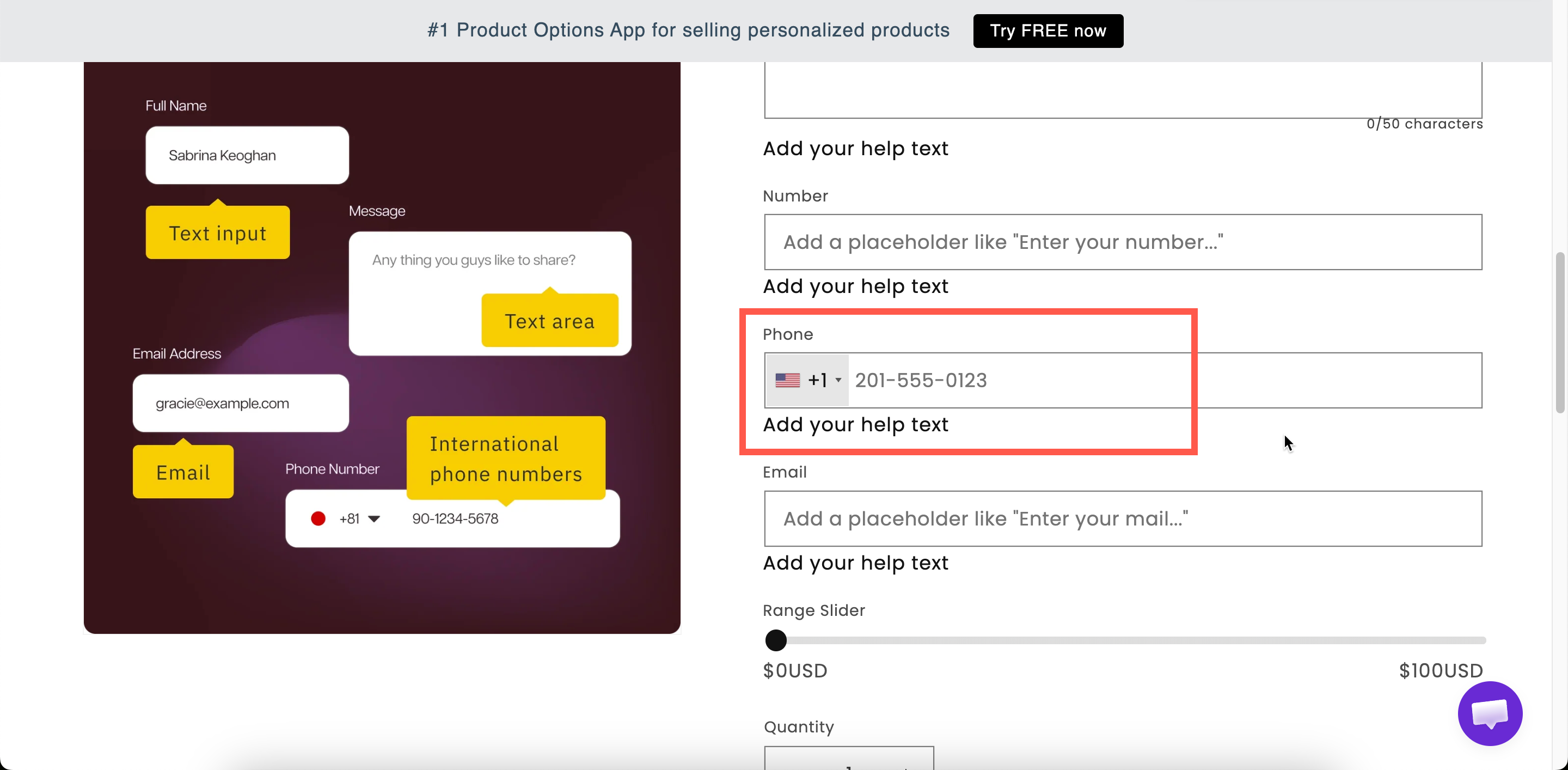
A field for a telephone number. By default it is a plain text field. When validation is enabled, it displays a country flag selector and a dialing code.

Use it for delivery contact numbers, appointment bookings, and other cases where you need to call the customer.

What customers see

A phone field with your label above it. When validation is enabled, a country flag and dialing code are displayed at the start of the field, and the customer can change the country.

A phone field on a storefront product page with a country flag and dialling code
With validation on, the field shows a country flag and dialling code.

Basic

Setting
What it does

Customer-facing text, and the name on the order.

Blocks add to cart until a number is entered.

Hides the label.

An example number — worth setting, since formats differ by country.

Guidance that stays visible.

Pre-fills the field.

Show or hide based on other choices.

Advanced

Setting
What it does

Validate international phone numbers

Turns the field into a country-aware phone input. Off by default. Reveals the two settings below.

Only used to display country flags and codes

Shows the flag and dialling code but does not reject numbers that look invalid. Use it when you want the visual help without turning away entries.

Select default country

Which country the field starts on. Choose from the full country list.

An icon or text at the start of the field.

Fixed text after the field.

Where the help text sits.

Styling hook and field width.

The validation settings work together as follows:

  • Validation off: a plain text field. Any entry is accepted.

  • Validation on: displays the flag and dialing code, and rejects numbers that are not valid for the selected country.

  • Validation on with Only used to display country flags and codes: displays the flag and dialing code, but accepts any entry.

The second option is the strictest. If customers report that valid numbers are rejected, use the third option.

Add-on pricing

Phone cannot carry an add-on price.

To charge for a related service, such as a phone consultation, add the price to a Switch and use conditional logic to display the phone field when the switch is on.

Personalizer

Not supported.

Examples

Delivery contact for a courier

Setting
Value

Label / Name

Delivery contact number

Required field

On

Validate international phone numbers

On

Select default country

Your main market

Help text

Our courier will text you before delivery.

A number for an optional callback

Validation on with Only used to display country flags and codes enabled, Required field off, displayed by a conditional rule when the customer requests a callback.

A local-only number

Validation on, the default country set to your own, and help text explaining that you deliver domestically only.

Notes

  • Available on paid plans. International validation is separately plan-gated — see Compare plans.

  • Works in Shopify POS.

  • Cannot carry an add-on price.

  • No Personalizer support.

  • The number is stored in the order as the customer entered it, including the dialing code when validation is on.

  • Ask for a phone number only when you need it, and state the reason in help text.

Last updated

Was this helpful?