> For the complete documentation index, see [llms.txt](https://docs.globo.io/llms.txt). Markdown versions of documentation pages are available by appending `.md` to page URLs; this page is available as [Markdown](https://docs.globo.io/options/option-types/input-types/phone.md).

# Phone

A phone number field with optional international validation, country flags, and a default country.

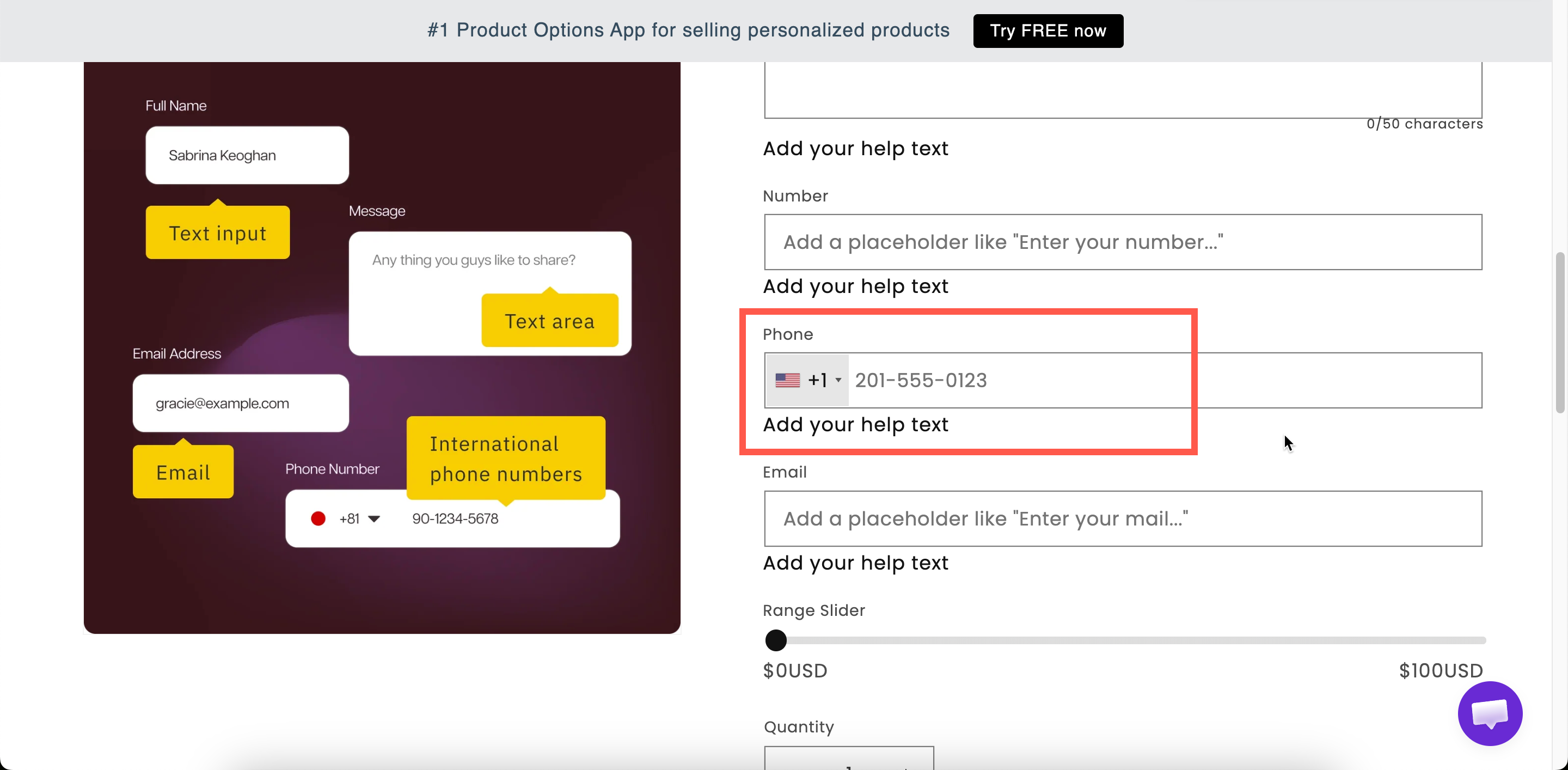
A field for a telephone number. By default it is a plain text field. When validation is enabled, it displays a country flag selector and a dialing code.

Use it for delivery contact numbers, appointment bookings, and other cases where you need to call the customer.

## What customers see

A phone field with your label above it. When validation is enabled, a country flag and dialing code are displayed at the start of the field, and the customer can change the country.

<figure><img src="https://3141646361-files.gitbook.io/~/files/v0/b/gitbook-x-prod.appspot.com/o/spaces%2FkMyxhAk2ZlJa4wZQGfBI%2Fuploads%2Fgit-blob-c0ca509a35ff78900d6fd004b08d5481a438f9e8%2F2026-09-03_15-49-30.png?alt=media" alt="A phone field on a storefront product page with a country flag and dialling code"><figcaption><p>With validation on, the field shows a country flag and dialling code.</p></figcaption></figure>

## Basic

<table><thead><tr><th width="250">Setting</th><th>What it does</th></tr></thead><tbody><tr><td><a href="/options/option-types/shared-settings/labels-and-visibility.md#label">Label</a> / <a href="/options/option-types/shared-settings/labels-and-visibility.md#name">Name</a></td><td>Customer-facing text, and the name on the order.</td></tr><tr><td><a href="/options/option-types/shared-settings/required-and-default-value.md#required-field">Required field</a></td><td>Blocks add to cart until a number is entered.</td></tr><tr><td><a href="/options/option-types/shared-settings/labels-and-visibility.md#hidden-label">Hidden label</a></td><td>Hides the label.</td></tr><tr><td><a href="/options/option-types/shared-settings/placeholder-and-help-text.md#placeholder">Placeholder</a></td><td>An example number — worth setting, since formats differ by country.</td></tr><tr><td><a href="/options/option-types/shared-settings/placeholder-and-help-text.md#help-text">Help text</a></td><td>Guidance that stays visible.</td></tr><tr><td><a href="/options/option-types/shared-settings/required-and-default-value.md#default-value">Default value</a></td><td>Pre-fills the field.</td></tr><tr><td><a href="/options/option-types/shared-settings/conditional-logic-and-add-on-fields.md#conditional-logic">Conditional logic</a></td><td>Show or hide based on other choices.</td></tr></tbody></table>

## Advanced

<table><thead><tr><th width="290">Setting</th><th>What it does</th></tr></thead><tbody><tr><td><strong>Validate international phone numbers</strong></td><td>Turns the field into a country-aware phone input. Off by default. Reveals the two settings below.</td></tr><tr><td><strong>Only used to display country flags and codes</strong></td><td>Shows the flag and dialling code but does <strong>not</strong> reject numbers that look invalid. Use it when you want the visual help without turning away entries.</td></tr><tr><td><strong>Select default country</strong></td><td>Which country the field starts on. Choose from the full country list.</td></tr><tr><td><a href="/options/option-types/shared-settings/prefix-suffix-and-icons.md#prefix">Prefix</a> / <a href="/options/option-types/shared-settings/prefix-suffix-and-icons.md#prefix">Prefix icon</a> / <a href="/options/option-types/shared-settings/prefix-suffix-and-icons.md#prefix">Prefix text</a></td><td>An icon or text at the start of the field.</td></tr><tr><td><a href="/options/option-types/shared-settings/prefix-suffix-and-icons.md#suffix">Suffix</a></td><td>Fixed text after the field.</td></tr><tr><td><a href="/options/option-types/shared-settings/placeholder-and-help-text.md#help-text-position">Help text position</a></td><td>Where the help text sits.</td></tr><tr><td><a href="/options/option-types/shared-settings/direction-width-and-css.md#html-class">HTML class</a> / <a href="/options/option-types/shared-settings/direction-width-and-css.md#column-width">Column width</a></td><td>Styling hook and field width.</td></tr></tbody></table>

{% hint style="info" %}
The validation settings work together as follows:

* **Validation off**: a plain text field. Any entry is accepted.
* **Validation on**: displays the flag and dialing code, and rejects numbers that are not valid for the selected country.
* **Validation on** with **Only used to display country flags and codes**: displays the flag and dialing code, but accepts any entry.

The second option is the strictest. If customers report that valid numbers are rejected, use the third option.
{% endhint %}

## Add-on pricing

Phone cannot carry an add-on price.

To charge for a related service, such as a phone consultation, add the price to a [Switch](/options/option-types/input-types/switch.md) and use [conditional logic](/options/conditional-logic/conditional-logic.md) to display the phone field when the switch is on.

## Personalizer

Not supported.

## Examples

**Delivery contact for a courier**

<table><thead><tr><th width="270">Setting</th><th>Value</th></tr></thead><tbody><tr><td>Label / Name</td><td><code>Delivery contact number</code></td></tr><tr><td>Required field</td><td>On</td></tr><tr><td>Validate international phone numbers</td><td>On</td></tr><tr><td>Select default country</td><td>Your main market</td></tr><tr><td>Help text</td><td><code>Our courier will text you before delivery.</code></td></tr></tbody></table>

**A number for an optional callback**

Validation on with **Only used to display country flags and codes** enabled, **Required field** off, displayed by a conditional rule when the customer requests a callback.

**A local-only number**

Validation on, the default country set to your own, and help text explaining that you deliver domestically only.

## Notes

* Available on paid plans. International validation is separately plan-gated — see [Compare plans](/options/plans-and-billing/compare-plans.md).
* Works in Shopify POS.
* Cannot carry an add-on price.
* No Personalizer support.
* The number is stored in the order as the customer entered it, including the dialing code when validation is on.
* Ask for a phone number only when you need it, and state the reason in help text.
