> For the complete documentation index, see [llms.txt](https://docs.globo.io/llms.txt). Markdown versions of documentation pages are available by appending `.md` to page URLs; this page is available as [Markdown](https://docs.globo.io/options/option-types/input-types/switch.md).

# Switch

A single on-or-off toggle with its own label, for offering one paid extra.

A toggle the customer turns on or off. It provides a single yes-or-no choice.

Use it for one optional extra, such as gift wrapping, express production, insurance, or an extended warranty.

## What customers see

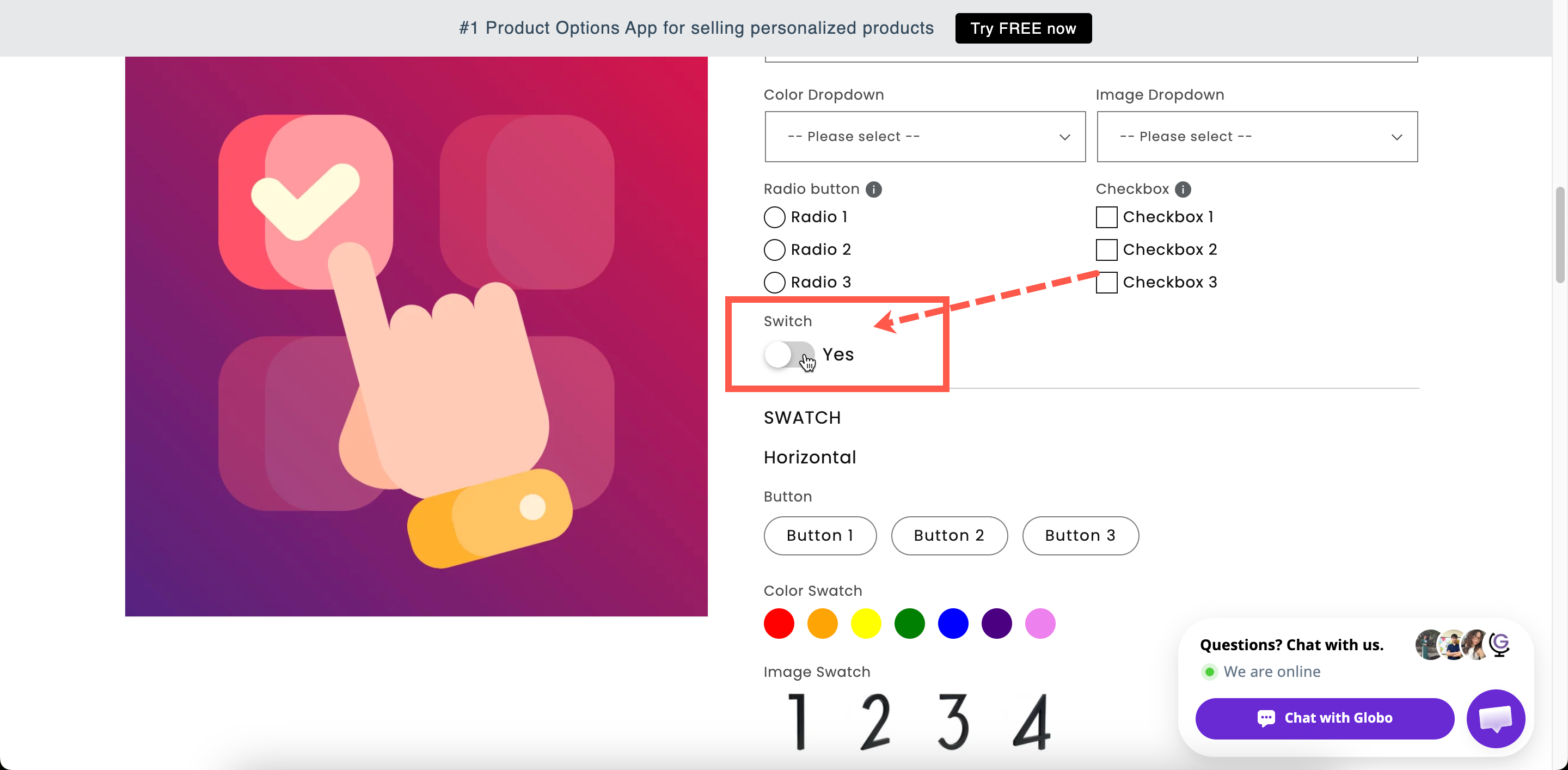
A toggle with your label above it and a short label beside the toggle. The switch label is `Yes` by default.

<figure><img src="https://3141646361-files.gitbook.io/~/files/v0/b/gitbook-x-prod.appspot.com/o/spaces%2FkMyxhAk2ZlJa4wZQGfBI%2Fuploads%2Fgit-blob-55532ff48844819850e8e167b82d61b7687563d1%2F2026-09-03_10-27-49.png?alt=media" alt="A switch option turned on, on a storefront product page, with its add-on price shown"><figcaption><p>A switch reads as a single decision, which suits one paid extra.</p></figcaption></figure>

## Basic

<table><thead><tr><th width="250">Setting</th><th>What it does</th></tr></thead><tbody><tr><td><a href="/options/option-types/shared-settings/labels-and-visibility.md#label">Label</a> / <a href="/options/option-types/shared-settings/labels-and-visibility.md#name">Name</a></td><td>Customer-facing text, and the name on the order.</td></tr><tr><td><a href="/options/option-types/shared-settings/required-and-default-value.md#required-field">Required field</a></td><td>Blocks add to cart unless the switch is <strong>on</strong>. Rarely what you want — see the note below.</td></tr><tr><td><a href="/options/option-types/shared-settings/labels-and-visibility.md#hidden-label">Hidden label</a></td><td>Hides the label above the switch. The switch label stays.</td></tr><tr><td><strong>Selected by default</strong></td><td>The switch starts in the on position. Off by default.</td></tr><tr><td><strong>Switch label</strong></td><td>The short text beside the toggle. Starts as <code>Yes</code>. Required.</td></tr><tr><td><a href="/options/option-types/shared-settings/placeholder-and-help-text.md#help-text">Help text</a></td><td>Guidance that stays visible.</td></tr><tr><td><a href="/options/option-types/shared-settings/conditional-logic-and-add-on-fields.md#price">Price</a></td><td>The add-on charge when the switch is on.</td></tr><tr><td><a href="/options/option-types/shared-settings/conditional-logic-and-add-on-fields.md#conditional-logic">Conditional logic</a></td><td>Show or hide based on other choices.</td></tr></tbody></table>

{% hint style="warning" %}
**Required field** on a Switch means the customer cannot add the product to the cart without turning it on. Use it only for mandatory confirmations, such as “I confirm the spelling is correct.” For optional extras, leave it off. Otherwise, every customer will have to accept and pay for the extra.
{% endhint %}

{% hint style="danger" %}
**Selected by default** combined with a price adds the charge as soon as the page loads, before the customer makes a choice. This can work for an upgrade that most customers choose, but it can also cause customers to wonder why the product costs more than the listed price.
{% endhint %}

## Advanced

<table><thead><tr><th width="250">Setting</th><th>What it does</th></tr></thead><tbody><tr><td><a href="/options/option-types/shared-settings/conditional-logic-and-add-on-fields.md#add-on-quantity">Add-on quantity</a> / <a href="/options/option-types/shared-settings/conditional-logic-and-add-on-fields.md#quantity">Quantity</a></td><td>How the add-on scales with quantity.</td></tr><tr><td><a href="/options/option-types/shared-settings/placeholder-and-help-text.md#help-text-position">Help text position</a></td><td>Where the help text sits.</td></tr><tr><td><a href="/options/option-types/shared-settings/direction-width-and-css.md#html-class">HTML class</a> / <a href="/options/option-types/shared-settings/direction-width-and-css.md#column-width">Column width</a></td><td>Styling hook and field width.</td></tr></tbody></table>

## Add-on pricing

The price applies to the whole option and is charged when the switch is on. All three modes are available:

<table><thead><tr><th width="290">Mode</th><th>Use for</th></tr></thead><tbody><tr><td><strong>Existing product</strong></td><td>Something you already sell and stock, such as a gift box.</td></tr><tr><td><strong>New product</strong></td><td>Something physical you want to count and stock without building a product by hand.</td></tr><tr><td><strong>Fixed amount</strong></td><td>A service with nothing to stock, such as express production. Not supported on POS.</td></tr></tbody></table>

The **Add-on quantity** mode is especially important on a Switch:

<table><thead><tr><th width="290">Mode</th><th>On an order of three products, with $5.00</th></tr></thead><tbody><tr><td><strong>Default</strong></td><td>$15.00 — one per product</td></tr><tr><td><strong>One time charge</strong></td><td>$5.00 — one for the whole order</td></tr><tr><td><strong>Fixed quantity</strong> with <strong>Quantity</strong> 2</td><td>$10.00 — always two</td></tr></tbody></table>

Use **One-time charge** for anything charged once per order rather than per item, such as gift wrapping a parcel or a delivery upgrade. See [Advanced add-on modes](/options/add-on-pricing/advanced-add-on-modes.md).

## Personalizer

Not supported.

## Switch or Checkbox?

<table><thead><tr><th width="230"></th><th width="250">Switch</th><th>Checkbox</th></tr></thead><tbody><tr><td>Number of choices</td><td>Exactly one</td><td>A list of any length</td></tr><tr><td>Price lives on</td><td>The option</td><td>Each value</td></tr><tr><td>Multiple selection</td><td>Not applicable</td><td>Built in</td></tr><tr><td>Swatch style</td><td>No</td><td>Yes</td></tr><tr><td>Reads as</td><td>A single yes-or-no decision</td><td>A menu of extras</td></tr></tbody></table>

Use a Switch for a single option. Use a [Checkbox](/options/option-types/selection-types/checkbox.md) when there are two or more.

## Examples

**Gift wrap, charged once per order**

<table><thead><tr><th width="290">Setting</th><th>Value</th></tr></thead><tbody><tr><td>Label / Name</td><td><code>Gift wrap</code></td></tr><tr><td>Switch label</td><td><code>Yes, wrap it</code></td></tr><tr><td>Selected by default</td><td>Off</td></tr><tr><td>Price</td><td><strong>New product</strong> $3.00</td></tr><tr><td>Add-on quantity</td><td><strong>One time charge</strong></td></tr></tbody></table>

**Express production**

Switch label `Yes, prioritize my order`, **New product** $10.00, **One time charge**, help text `Made and dispatched within 24 hours.` A once-per-order fee needs a product-backed mode; Fixed amount cannot be combined with **One time charge**.

**A confirmation the customer must give**

Label `Spelling check`, switch label `I confirm the spelling above is correct`, **Required field** on, no price. Use this together with an engraving field.

**An upgrade most people take**

Label `Premium gift box`, **Selected by default** on, a price attached, and help text stating the price clearly.

## Notes

* Available on all plans.
* Works in Shopify POS, provided the add-on is product-backed rather than **Fixed amount**.
* No Personalizer support.
* When the switch is on, the **Switch label** text is stored in the order. Use a switch label that reads clearly on an order line. `Yes, wrap it` is clearer than `Yes`.
* Conditional logic on a Switch offers two operators: **is enabled** and **is disabled**. See [Operators reference](/options/conditional-logic/operators-reference.md).
