For the complete documentation index, see llms.txt. This page is also available as Markdown.

Divider

A horizontal rule with adjustable color, line style, and thickness.

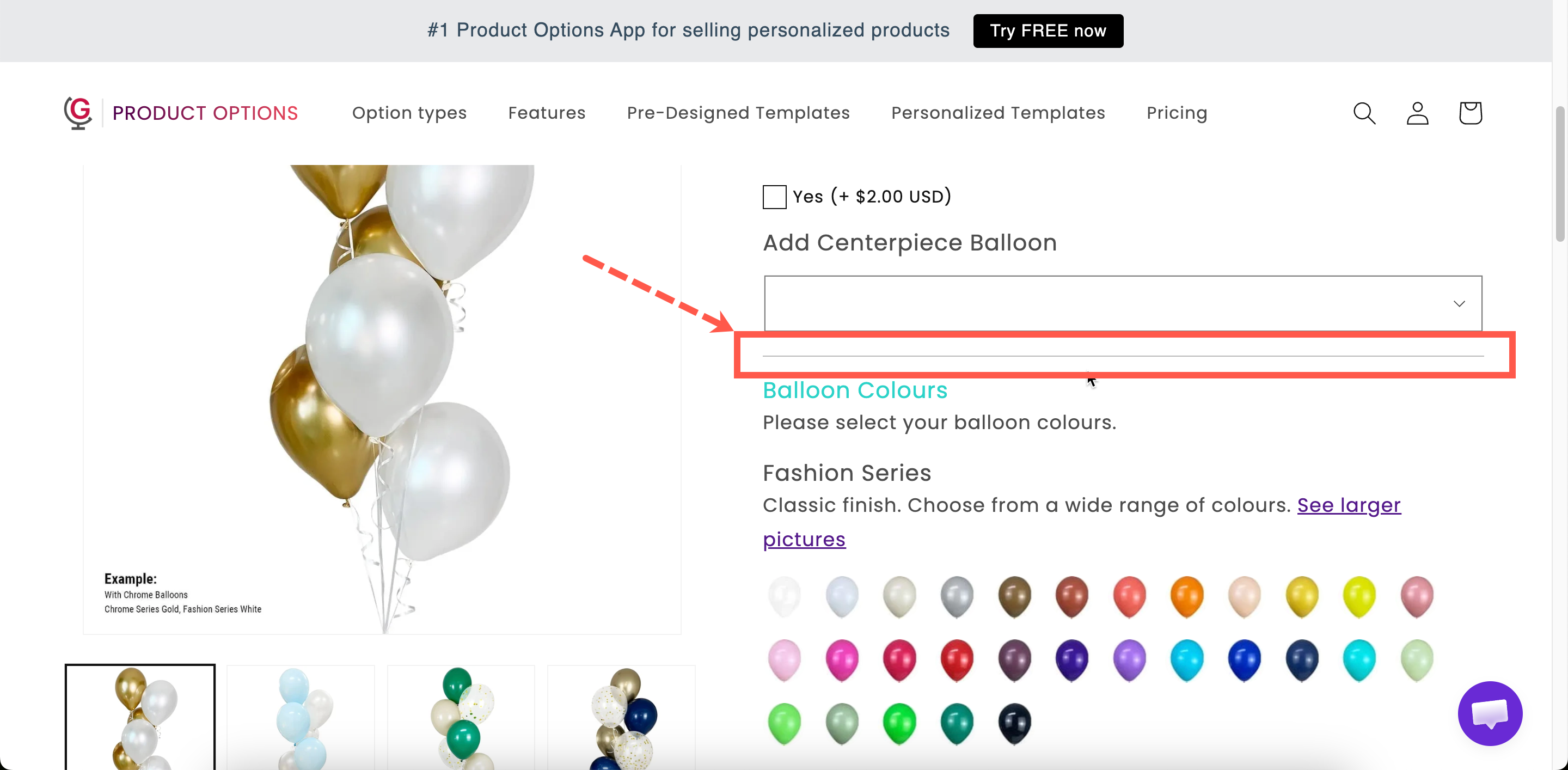
A horizontal line between options. It is the simplest way to separate two groups.

What customers see

A line across the widget, in the color, style, and thickness you set.

Two dividers of different styles separating groups of options on a storefront product page
A divider is structure without words.

Settings

Setting
What it does

Color

The line color. Starts at black.

Style

Solid, Double, Dashed, or Dotted. Starts on Solid.

Thickness

The line weight in pixels. Starts at 1.

Show or hide the divider.

Styling hook and width.

Choosing the settings

Setting
Advice

Color

A light gray almost always looks better than black. A divider should separate, not shout.

Thickness

1 for most cases. Anything above 2 starts to look like a design element rather than a separator.

Style

Solid for structure. Dashed or Dotted reads as lighter, useful for separating items within a group rather than between groups.

Set below 100% for a short centred rule rather than a full-width line.

Use dividers sparingly. A line after every option adds noise and makes the form look longer. If you are adding several, use Sections instead.

Divider or Spacing?

Divider
Spacing

A visible line

Invisible gap

Says "different thing"

Says "same thing, needs room"

Between groups

Around an important field

In many cases a Section is better than either, because it provides the separation along with a heading and optional collapsing.

Examples

Separating a paid group from a free one

A light gray solid divider at 1px, between the free options and the paid extras.

A soft break inside a group

A dashed divider between two related sub-groups inside one section.

A divider that only appears sometimes

Conditional logic so the divider is displayed only when the options below it are visible, otherwise the line appears with nothing under it.

Notes

  • Available on all plans.

  • Works in Shopify POS.

  • Horizontal only.

Last updated

Was this helpful?