For the complete documentation index, see llms.txt. This page is also available as Markdown.

Heading

A text heading in one of six sizes, with its own color.

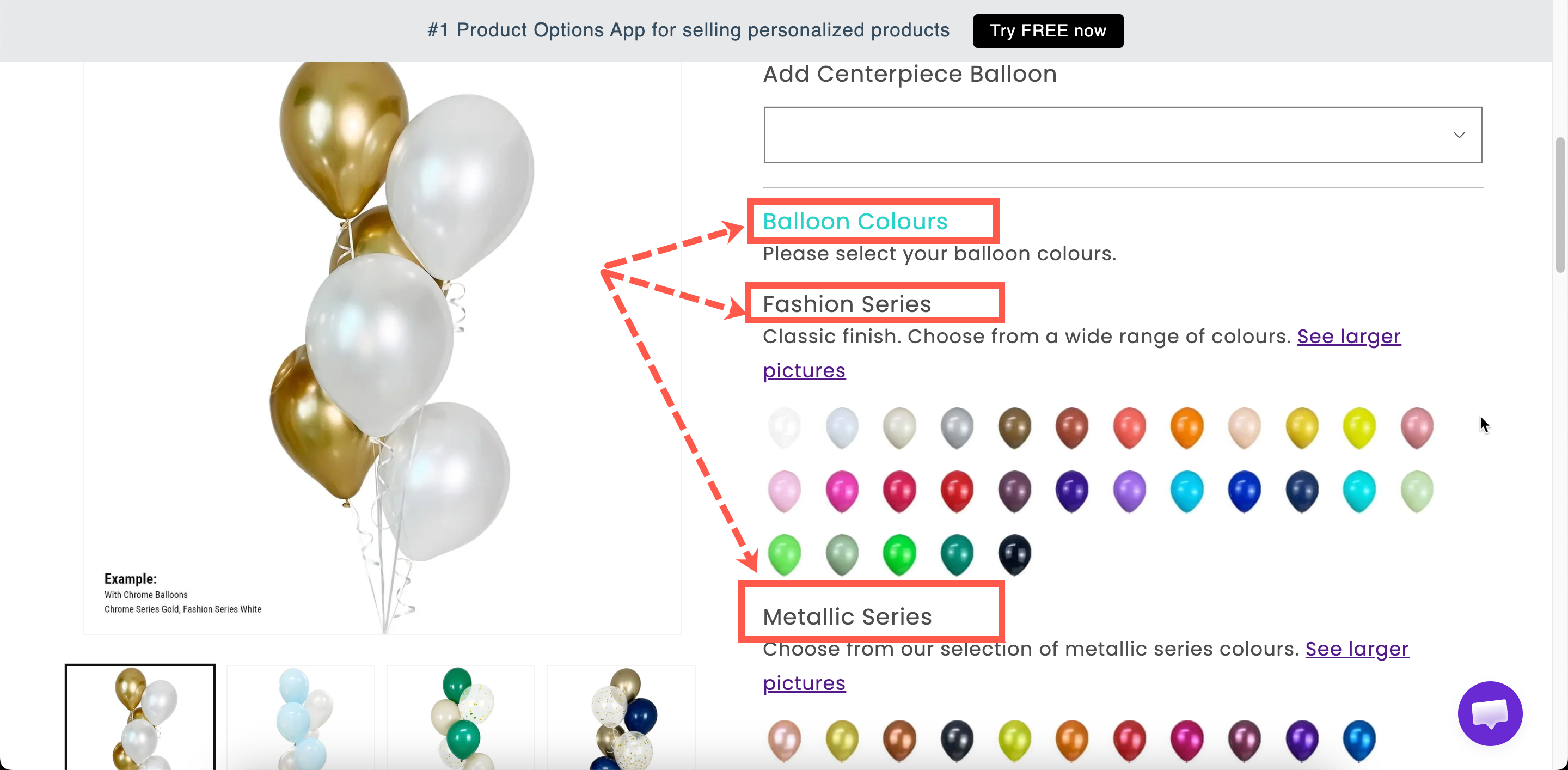
A heading placed between options. Use it to label a group of fields when you do not need the container that a Section provides.

What customers see

A line of heading text, at the size and color you set.

Two headings of different sizes separating groups of options on a storefront product page
Headings give a form structure without adding a container.

Settings

Setting
What it does

Content

The heading text. Starts as Heading.

Color

The text color. Starts at black.

Style

Heading 1 to Heading 6. Starts at Heading 3.

Show or hide the heading.

Styling hook and width.

Heading has no Label, Name, help text, add-on, or Personalizer settings.

Choosing a style

The six styles are heading levels, so they set the structure as well as the size.

Style
Use for

Heading 1, Heading 2

Rarely. Your theme already uses these for the product title, and repeating them competes with it.

Heading 3

The main groups in your form. This is the default and the right choice most of the time.

Heading 4, Heading 5

Sub-groups inside a larger group.

Heading 6

A small label above a couple of related fields.

Select one heading level for your main groups and use it consistently. A form where every heading is a different size looks unstructured.

Heading or Section?

Heading
Section

Groups options together

No — it is just text

Yes

Collapsible

No

Yes

One rule hides the whole group

No

Yes

Sizes and colors

Yes

Uses your design settings

Use a Section when you want the options grouped and optionally collapsible. Use a Heading when you only want a labeled break in the form, for example a sub-heading inside a section.

Examples

A sub-heading inside a section

A Section labeled Personalize your bracelet, containing a Heading 5 reading Front engraving, then those fields, then another Heading 5 reading Back engraving.

A warning heading in your brand color

Content Please check your spelling, with Color set to your warning color and Style set to Heading 5, placed directly above an engraving field.

A heading shown only when relevant

Content Gift options, with conditional logic so it is displayed only when the customer is sending the item as a gift.

Notes

  • Available on all plans.

  • Works in Shopify POS.

  • The font comes from your typography settings. Only the color can be set here. See Borders and typography.

  • Plain text only. Use a Paragraph for bold, links, or lists.

Last updated

Was this helpful?