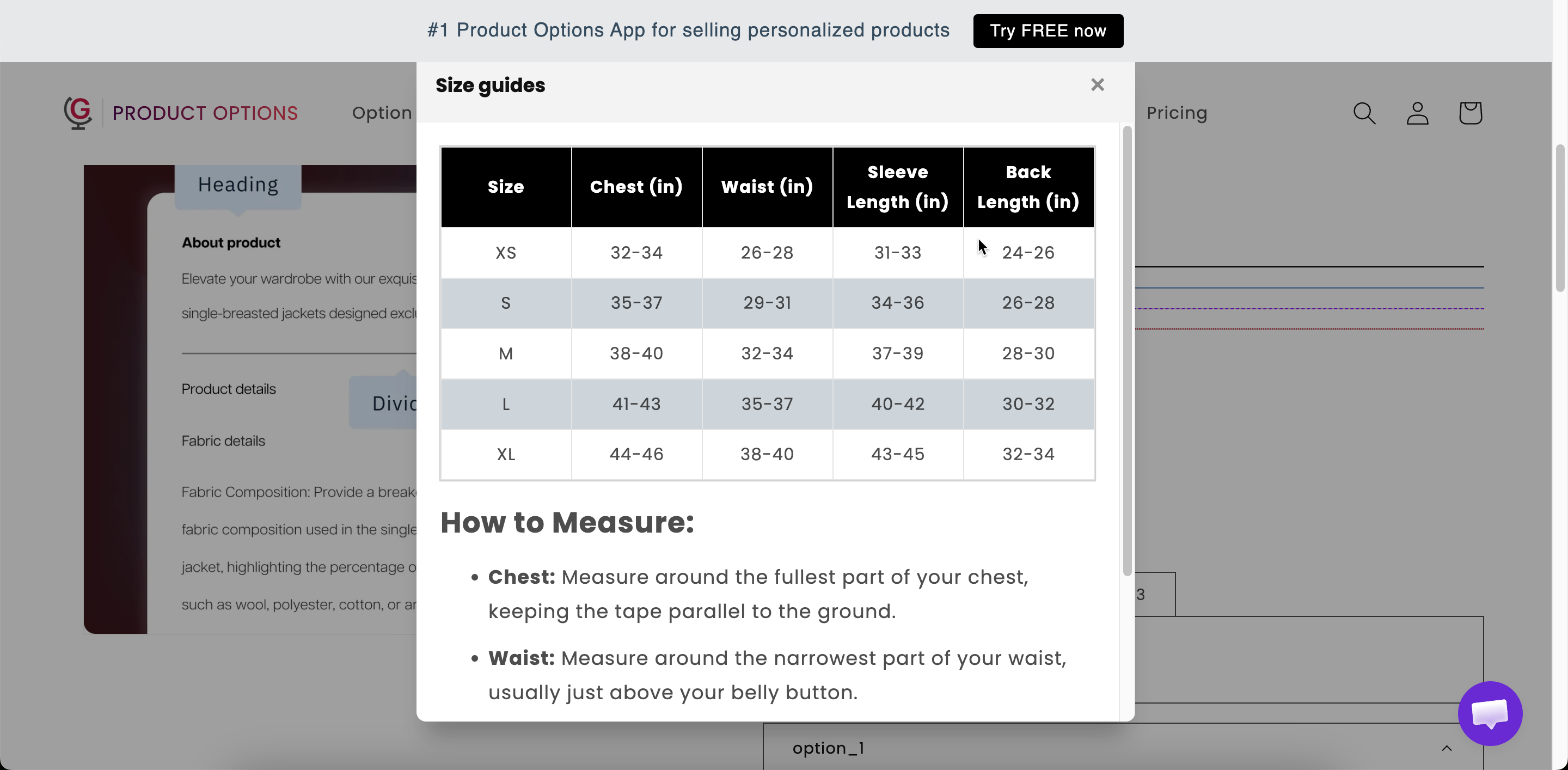
Size chart
A size table built from one of thirteen presets or from scratch, opened from a link on the product page.
A size table. Start with one of thirteen presets for common garment types, or build your own. It opens from a link on the product page, so it takes no space in the main form.
If you sell clothing, shoes, or other wearable products, a size chart helps customers choose the right fit and reduces size-related returns.
What customers see
A link with your chart header. Selecting it opens the table at the width you set.

Basic
Chart title
The heading inside the chart. Starts as Size chart.
Chart header
The link text on the product page. Starts as Size guides.
Chart content
The table itself. Pick a preset or build your own — see below.
Show or hide the link.
Advanced
Chart icon
An icon beside the link, from the app's icon picker. A ruler is the obvious choice.
Chart width
The width of the opened chart in pixels. Starts at 600.
Styling hook and the width of the link, not the chart.
The presets
Selecting a preset fills the table with a standard set of measurements for that garment type, which you then replace with your own sizing.
Blank
Men's Bottoms
Bra
Jacket
Women's Bottoms
Bikini
Men's Tops
Men's Shoes
Pet Clothing
Women's Tops
Women's Shoes
Pet Collar
Dress
Blank gives you an empty table to build yourself.
Where to place it
Place it directly beside the size option rather than at the bottom of the form. A customer deciding between M and L needs the chart at that point, and will not scroll to find it.
Two arrangements work well:
The size option, then the size chart link immediately below it.
A collapsed Section labeled
Size guideright after the size option.
Examples
A garment with your own sizing
Chart header
Size guide
Chart title
Measurements in cm
Chart content
From the Women's Tops preset, edited to your sizing
Chart icon
A ruler
Chart width
700
Two charts on one product
One Size chart for clothing measurements and a second for shoe sizes, each displayed by conditional logic based on the product type the customer selected.
A pet product
Built from the Pet Collar preset, with your own neck measurements and a note on how to measure.
Notes
Available on the Advanced plan.
Works in Shopify POS.
The content can be translated for each storefront language. See Translate option content.
Each Size chart option holds one table. For several tables, add several options and display them with conditional logic.
Last updated
Was this helpful?