> For the complete documentation index, see [llms.txt](https://docs.globo.io/llms.txt). Markdown versions of documentation pages are available by appending `.md` to page URLs; this page is available as [Markdown](https://docs.globo.io/options/settings/settings.md).

# Overview

The store-wide settings, and which page each one lives on.

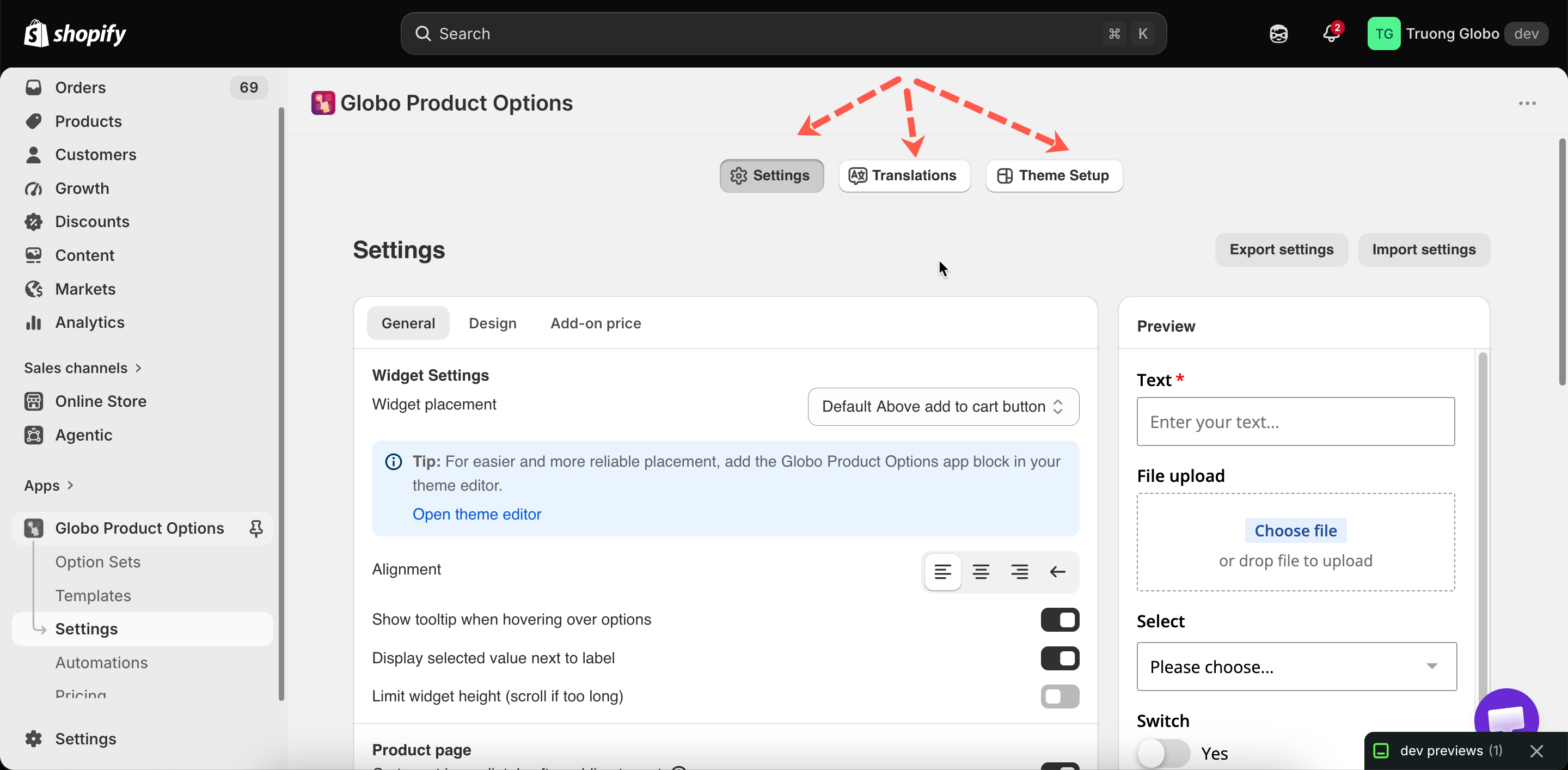
**Settings** in the app menu contains everything that applies to your whole store rather than to one option set. It has three tabs.

<table><thead><tr><th width="230">Tab</th><th>Contains</th></tr></thead><tbody><tr><td><strong>Settings</strong></td><td>Three sections: <strong>General</strong>, <strong>Design</strong>, and <strong>Add-on price</strong></td></tr><tr><td><strong>Translations</strong></td><td>The widget's fixed text and every validation message, per language</td></tr><tr><td><strong>Theme Setup</strong></td><td>Choosing a theme and turning the app embed on or off</td></tr></tbody></table>

<figure><img src="https://3141646361-files.gitbook.io/~/files/v0/b/gitbook-x-prod.appspot.com/o/spaces%2FkMyxhAk2ZlJa4wZQGfBI%2Fuploads%2Fgit-blob-04fd045992b76c59aac38a175b0779dbad2770cb%2F2026-09-07_11-44-16.png?alt=media" alt="The settings page with its three tabs and the three sections inside Settings"><figcaption><p>Three tabs, and three sections inside the first one.</p></figcaption></figure>

## Finding a setting

<table><thead><tr><th width="330">Setting</th><th>Page</th></tr></thead><tbody><tr><td>Where the widget appears, tooltips, height limits, quickview, cart behavior, custom fonts</td><td><a href="/options/settings/general-settings.md">General settings</a></td></tr><tr><td>Colors, borders, typography, custom CSS, match theme style</td><td><a href="/options/settings/design-settings.md">Design settings</a></td></tr><tr><td>How add-on prices are displayed, and cart merging</td><td><a href="/options/settings/add-on-price-settings.md">Add-on price settings</a></td></tr><tr><td>Widget text and validation messages</td><td><a href="/options/translations-and-languages/translate-widget-text.md">Translate widget text</a></td></tr><tr><td>The app embed and which theme it applies to</td><td><a href="/options/settings/theme-setup.md">Theme setup</a></td></tr><tr><td>Uploading your own fonts</td><td><a href="/options/settings/custom-fonts.md">Custom fonts</a></td></tr><tr><td>Backing up or copying your settings</td><td><a href="/options/settings/import-export-settings.md">Import and export settings</a></td></tr></tbody></table>

## Everything here is store-wide

None of these settings can be set per option set. Every option set uses the same widget position, color scheme, and messages.

This is intentional, so that option forms look the same across your store. To style one option set differently, add an [HTML class](/options/option-types/shared-settings/direction-width-and-css.md#html-class) to the option and target it with [custom CSS](/options/storefront-display-and-design/custom-css.md).

## Saving

You have to save your changes. The app warns you if you leave the page with unsaved changes, and offers to discard them.
