> For the complete documentation index, see [llms.txt](https://docs.globo.io/llms.txt). Markdown versions of documentation pages are available by appending `.md` to page URLs; this page is available as [Markdown](https://docs.globo.io/options/option-types/selection-types/button.md).

# Button

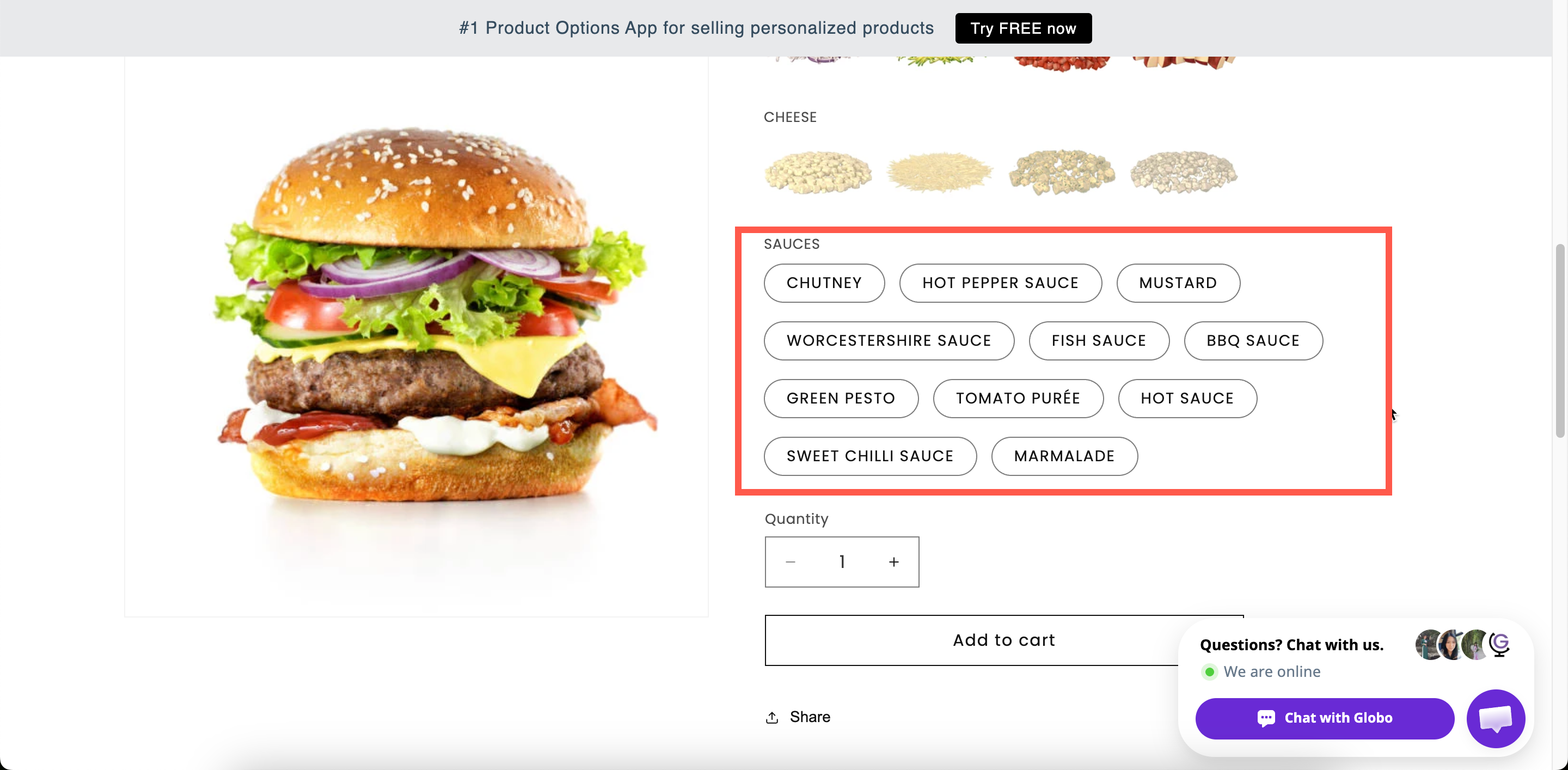
A row of tappable buttons, the most compact way to display short choices such as sizes, with slider support for long lists.

A row of tappable buttons, with one button per value. Every choice is visible and selectable in one tap, making it ideal for short lists such as sizes.

It’s a familiar pattern for Shopify customers and works especially well on mobile. For longer lists, slider support keeps the options compact.

## What customers see

A row of buttons that wrap onto more rows as needed, or a slider if you configure one. With **Swatch style** set to **Image**, each button shows a picture instead of text.

<figure><img src="https://3141646361-files.gitbook.io/~/files/v0/b/gitbook-x-prod.appspot.com/o/spaces%2FkMyxhAk2ZlJa4wZQGfBI%2Fuploads%2Fgit-blob-bd99aa119629aa1352b2da69f5665adc315e7b2c%2F2026-09-03_11-47-32.png?alt=media" alt="A row of size buttons on a storefront product page with one selected and one struck through"><figcaption><p>Short values as buttons — one tap, no opening or scrolling.</p></figcaption></figure>

## Basic

<table><thead><tr><th width="250">Setting</th><th>What it does</th></tr></thead><tbody><tr><td><a href="/options/option-types/shared-settings/labels-and-visibility.md#label">Label</a> / <a href="/options/option-types/shared-settings/labels-and-visibility.md#name">Name</a></td><td>Customer-facing text, and the name on the order.</td></tr><tr><td><a href="/options/option-types/shared-settings/required-and-default-value.md#required-field">Required field</a></td><td>Blocks add to cart until one is chosen.</td></tr><tr><td><a href="/options/option-types/shared-settings/labels-and-visibility.md#hidden-label">Hidden label</a></td><td>Hides the label.</td></tr><tr><td><a href="/options/option-types/shared-settings/swatch-style-and-previews.md#swatch-style">Swatch style</a></td><td><strong>Default</strong> or <strong>Image</strong>.</td></tr><tr><td><strong>Option values</strong></td><td>The choices, with prices and their own help text. See <a href="/options/option-sets/option-values.md">Working with option values</a>.</td></tr><tr><td><a href="/options/option-types/shared-settings/selection-behaviour.md#allow-multiple">Allow multiple</a></td><td>Lets the customer choose several. Reveals the two limits below.</td></tr><tr><td><a href="/options/option-types/shared-settings/limits.md#min-and-max-selections">Min selections</a> / <a href="/options/option-types/shared-settings/limits.md#min-and-max-selections">Max selections</a></td><td>How many they must and may choose.</td></tr><tr><td><a href="/options/option-types/shared-settings/placeholder-and-help-text.md#help-text">Help text</a></td><td>Guidance for the whole option.</td></tr><tr><td><a href="/options/option-types/shared-settings/required-and-default-value.md#default-value">Default value</a></td><td>Preselects one or more values.</td></tr><tr><td><a href="/options/option-types/shared-settings/conditional-logic-and-add-on-fields.md#conditional-logic">Conditional logic</a></td><td>Show or hide based on other choices.</td></tr></tbody></table>

## Advanced

<table><thead><tr><th width="250">Setting</th><th>What it does</th></tr></thead><tbody><tr><td><a href="/options/option-types/shared-settings/conditional-logic-and-add-on-fields.md#add-on-quantity">Add-on quantity</a> / <a href="/options/option-types/shared-settings/conditional-logic-and-add-on-fields.md#quantity">Quantity</a></td><td>How add-ons scale — including <strong>Mixed quantity</strong> when multiple is on.</td></tr><tr><td><a href="/options/option-types/shared-settings/collapsible-layouts-and-sliders.md#enable-custom-layout">Enable custom layout</a></td><td>Unlocks the layouts below.</td></tr><tr><td><a href="/options/option-types/shared-settings/collapsible-layouts-and-sliders.md#layout-type">Layout type</a></td><td><strong>Expand</strong>, <strong>Collapse</strong>, or <strong>Slider</strong>.</td></tr><tr><td><a href="/options/option-types/shared-settings/collapsible-layouts-and-sliders.md#scroll-type">Scroll type</a>, <strong>Scroll height</strong>, <strong>Number of option values</strong></td><td>Scroll area, for the Expand and Collapse layouts.</td></tr><tr><td><a href="/options/option-types/shared-settings/collapsible-layouts-and-sliders.md#slider-settings">Number of rows</a>, <strong>Swatches per row</strong>, <strong>Show navigation arrows</strong>, <strong>Show indicators</strong>, <strong>Slider style</strong></td><td>Slider layout settings.</td></tr><tr><td><a href="/options/option-types/shared-settings/selection-behaviour.md#not-allow-deselect">Not allow deselect</a></td><td>Stops the customer clearing their choice. Single-select only.</td></tr><tr><td><a href="/options/option-types/shared-settings/direction-width-and-css.md#direction-style">Direction style</a></td><td><strong>Vertical</strong> or <strong>Horizontal</strong>.</td></tr><tr><td><a href="/options/option-types/shared-settings/out-of-stock-options.md">Out of stock options</a></td><td>How sold-out values look.</td></tr><tr><td><a href="/options/option-types/shared-settings/placeholder-and-help-text.md#help-text-position">Help text position</a></td><td>Where the option-level help text sits.</td></tr><tr><td><a href="/options/option-types/shared-settings/direction-width-and-css.md#html-class">HTML class</a> / <a href="/options/option-types/shared-settings/direction-width-and-css.md#column-width">Column width</a></td><td>Styling hook and field width.</td></tr></tbody></table>

Button is one of only three types with a **Slider** layout, alongside [Color swatch](/options/option-types/selection-types/color-swatch.md) and [Image swatch](/options/option-types/selection-types/image-swatch.md).

## Personalizer

Supported as an **image element**. Each value can draw an image onto the product photo when it is selected. The settings are image shape, background mode, size, position, rotation, print area, and what customers can change. See [Shape and fill](/options/product-personalizer/layer-settings/image-layers.md).

## Add-on pricing

Prices are set on each value. With **Allow multiple** off, one charge applies. With it on, every selected value is charged, and **Mixed quantity** becomes available.

See [Add-on pricing](/options/add-on-pricing/add-on-pricing.md).

## Keep values short

Buttons are sized to fit their text. Short values produce a compact row, and long values produce a stack of full-width blocks, which reads better as a [Radio button](/options/option-types/selection-types/radio-button.md) list.

<table><thead><tr><th width="290">Works well as buttons</th><th>Better as radio buttons</th></tr></thead><tbody><tr><td><code>S</code> <code>M</code> <code>L</code> <code>XL</code></td><td><code>Standard delivery, 3–5 working days</code></td></tr><tr><td><code>10cm</code> <code>15cm</code> <code>20cm</code></td><td><code>Gift wrapped in recycled paper with a ribbon</code></td></tr><tr><td><code>Matt</code> <code>Gloss</code> <code>Satin</code></td><td><code>Premium service including insurance</code></td></tr><tr><td><code>1</code> <code>2</code> <code>3</code> <code>4</code></td><td>Anything needing its own help text</td></tr></tbody></table>

## Examples

**Sizes**

<table><thead><tr><th width="290">Setting</th><th>Value</th></tr></thead><tbody><tr><td>Label / Name</td><td><code>Size</code></td></tr><tr><td>Option values</td><td><code>S</code>, <code>M</code>, <code>L</code>, <code>XL</code>, each linked to an add-on product for stock</td></tr><tr><td>Required field</td><td>On</td></tr><tr><td>Not allow deselect</td><td>On</td></tr><tr><td>Out of stock options</td><td><strong>Strike-through</strong></td></tr><tr><td>Direction style</td><td><strong>Horizontal</strong></td></tr></tbody></table>

**Many sizes, as a slider**

Twenty sizes, with **Enable custom layout** on, **Layout type** set to **Slider**, **Number of rows** `2`, **Swatches per row** `5.5`, and **Show navigation arrows** set to **Show**.

**Quantity bands with prices**

Values `1 pack`, `3 pack`, and `5 pack`, priced through **Existing product** so each one maps to a real SKU.

**Several finishes at once**

**Allow multiple** on, **Max selections** `2`, and **Add-on quantity** set to **Mixed quantity**.

## Notes

* Available on all plans.
* Works in Shopify POS.
* The slider layout may not be available on all plans. See [Compare plans](/options/plans-and-billing/compare-plans.md).
* Per-value help text is supported, but there is little space for it inside a button. Radio button displays it better.
* **Not allow deselect** is hidden when **Allow multiple** is on.
* Values follow the order of the values table. For sizes, order them by size rather than alphabetically.
