
Monster Cart
Using product options with the Monster Cart drawer, and why merging add-ons is no longer required.
Monster Cart Upsell+ Free Gift is recognized automatically. There is nothing to connect and no selector to enter.
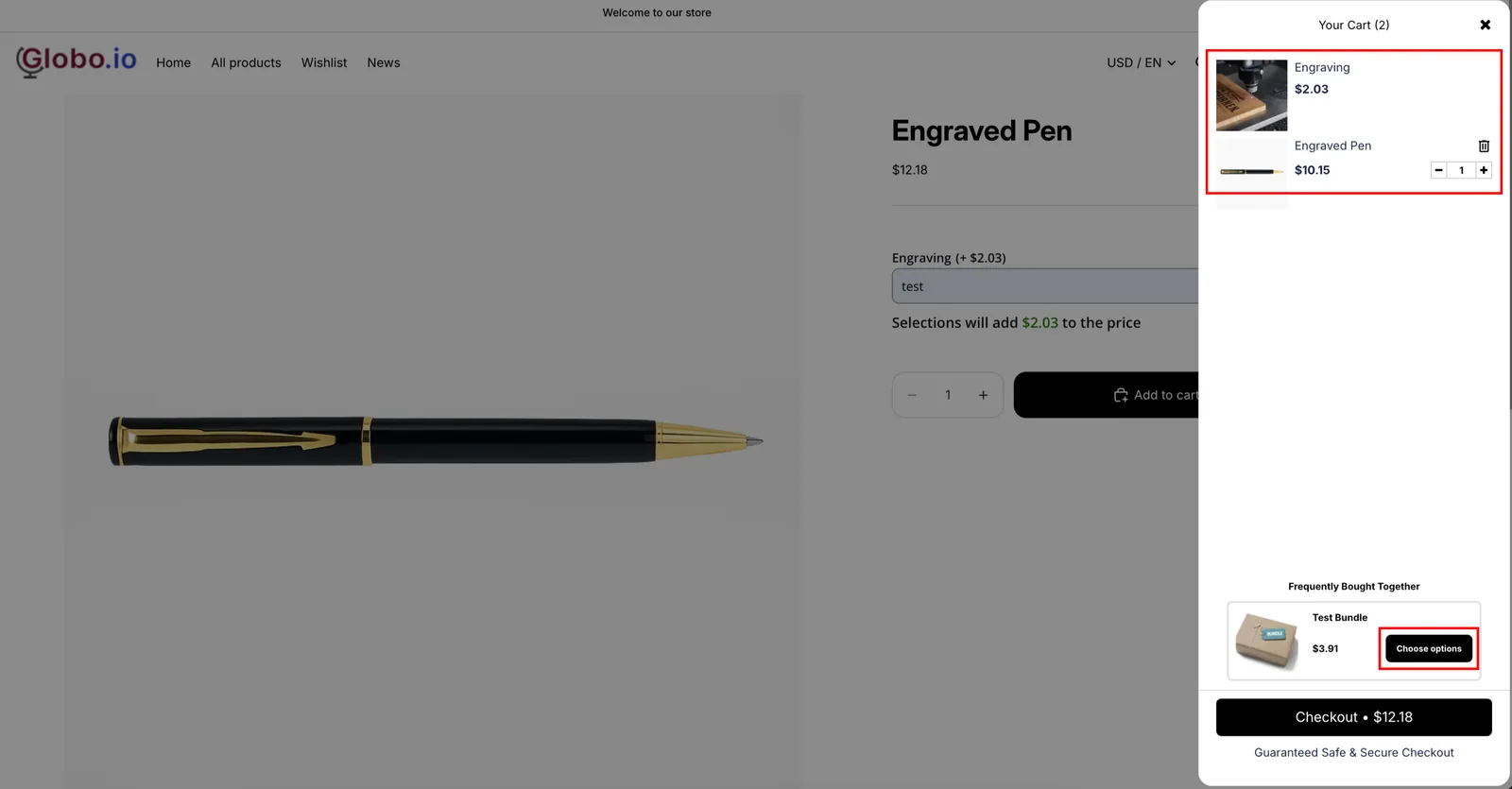
Merging add-ons is no longer required
The Monster Cart drawer used to open only when Merge Main product & Add-on products was on, because it could not handle several linked lines being added at once. That restriction is gone.
Adding to cart now adds every add-on product and opens the drawer, with the add-on lines displayed separately — each priced on its own, and each without a quantity box or a Remove button.
Merging is now a presentation choice like any other:
| Merge setting | In the Monster Cart drawer |
|---|---|
| Off (default on new stores) | The main item and one line per add-on product, each with its own price |
| On | One combined item, with the add-ons presented as part of it |
Both work. The setting is in Settings > Settings > Add-on price. See Merge main product and add-ons.
Frequently Bought Together
Monster Cart’s upsells are shown as Frequently Bought Together in the drawer. They behave like any drawer upsell: one click adds the product to the cart, which skips your option form.
The app leaves your generated add-on products out of that list on its own. For products that do have options, turn on Send cart drawer app upsells to the product page. See Upsells in the drawer skip your option form.
Next steps
- Set up — the two settings, with screenshots
- What a drawer cannot do — Edit Options, design previews, and the other limits
- Merge main product and add-ons — now optional rather than required
- UpCart, Kaching Cart, Qikify Slide Cart, Unicorn Cart Drawer, and Essent Cart Drawer — the other recognized cart drawer apps
Was this helpful?
Thanks for your feedback! Tell us what was missing
Report an issue