
View search analytics
See how shoppers use your search widget — visitors, click-through rate, no-result rate, top search terms, and which searches find nothing.
What this does
Shows exactly how shoppers use your search widget — not just how many people search, but which terms they type, whether those terms return results, and whether shoppers click through to a product afterward. For example, a term showing up repeatedly in Top searches with no results could mean shoppers want a product you don’t carry, are misspelling something you could fix with a synonym, or need a redirect to the right page.
Steps
- In the app, go to Analytics.
- Select the Search analytics tab.
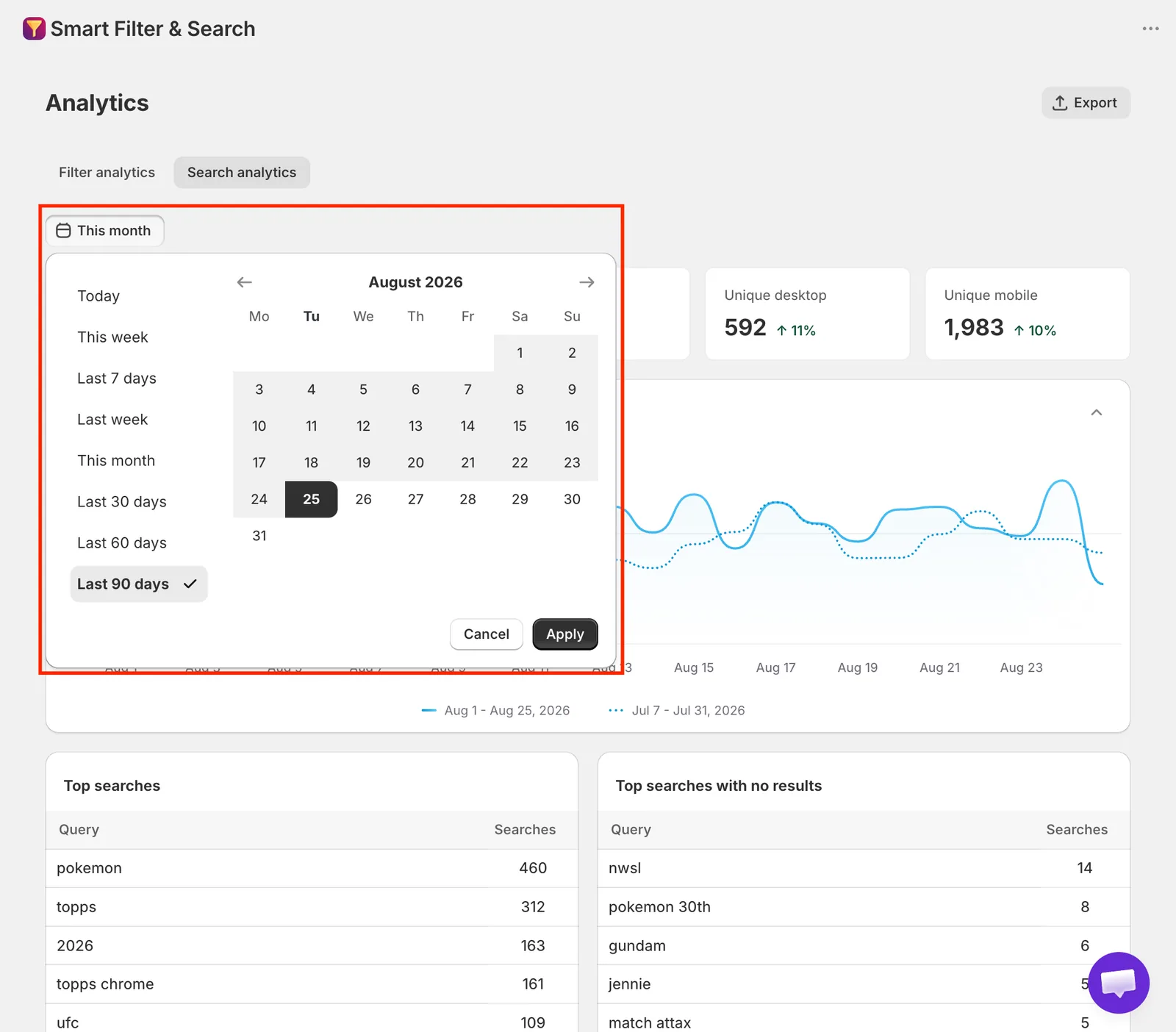
- Choose a date range: a preset (Today, This week, Last 7 days, Last week, This month, Last 30/60/90 days) or a custom range, up to 91 days back.
If your instant search widget is turned off, a banner reminds you that no search data is being tracked.
What you’ll see
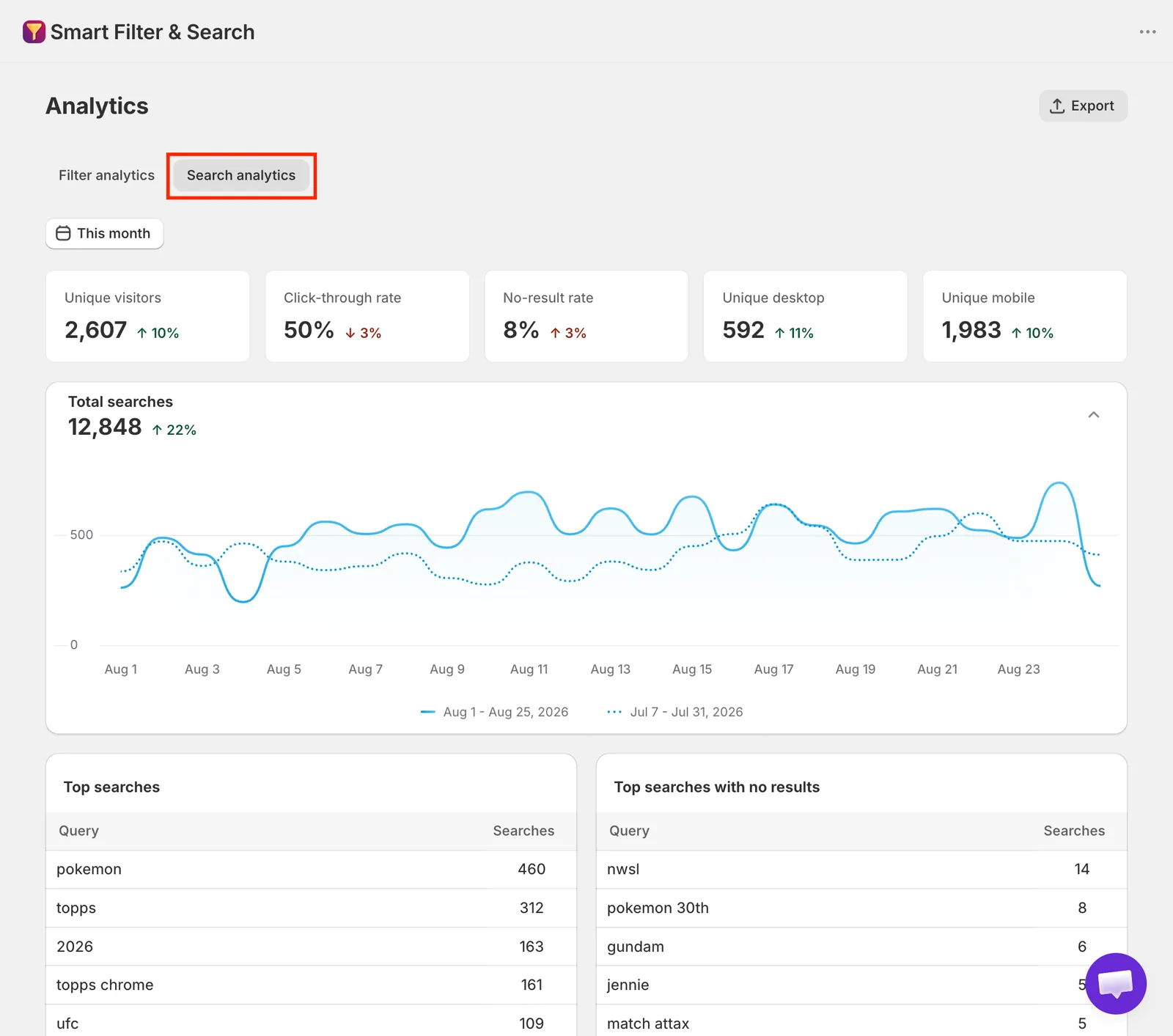
- Summary cards: Unique visitors, Click-through rate, No-result rate, Unique desktop visitors, Unique mobile visitors — each compared against the previous period.
- Total searches chart — searches over time, current period plotted against the previous one.
- Top searches — the most frequent search terms and how many times each was searched.
- Top searches with no results — search terms that returned nothing, useful for spotting missing products, synonyms to add, or redirects to set up.
- Top clicked products from search — which products shoppers click on most from search results; click through to open the product in Shopify admin.
- Most visited products — a shared table (also shown on the Filter analytics tab) of your most-visited products in the selected period.
Analytics data is processed asynchronously, so very recent activity may take a short while to appear.
Related pages
Was this helpful?
Thanks for your feedback! Tell us what was missing
Report an issue