
Configure search redirect
Send shoppers straight to a specific page instead of a search results page for chosen search terms — for example, redirecting a search for 'shoes' to your...
What this does
Normally, every search a shopper runs lands on a search results page listing matching products. A redirect intercepts specific search terms before that happens and sends the shopper straight to a page you choose instead — for example, a shopper who searches “shoes” never sees a results page at all; they land directly on your Shoes collection page.
This is useful for steering high-volume or ambiguous searches to the page that actually serves them best — a collection, a landing page, or a specific product — rather than relying on search ranking to surface it.
Steps
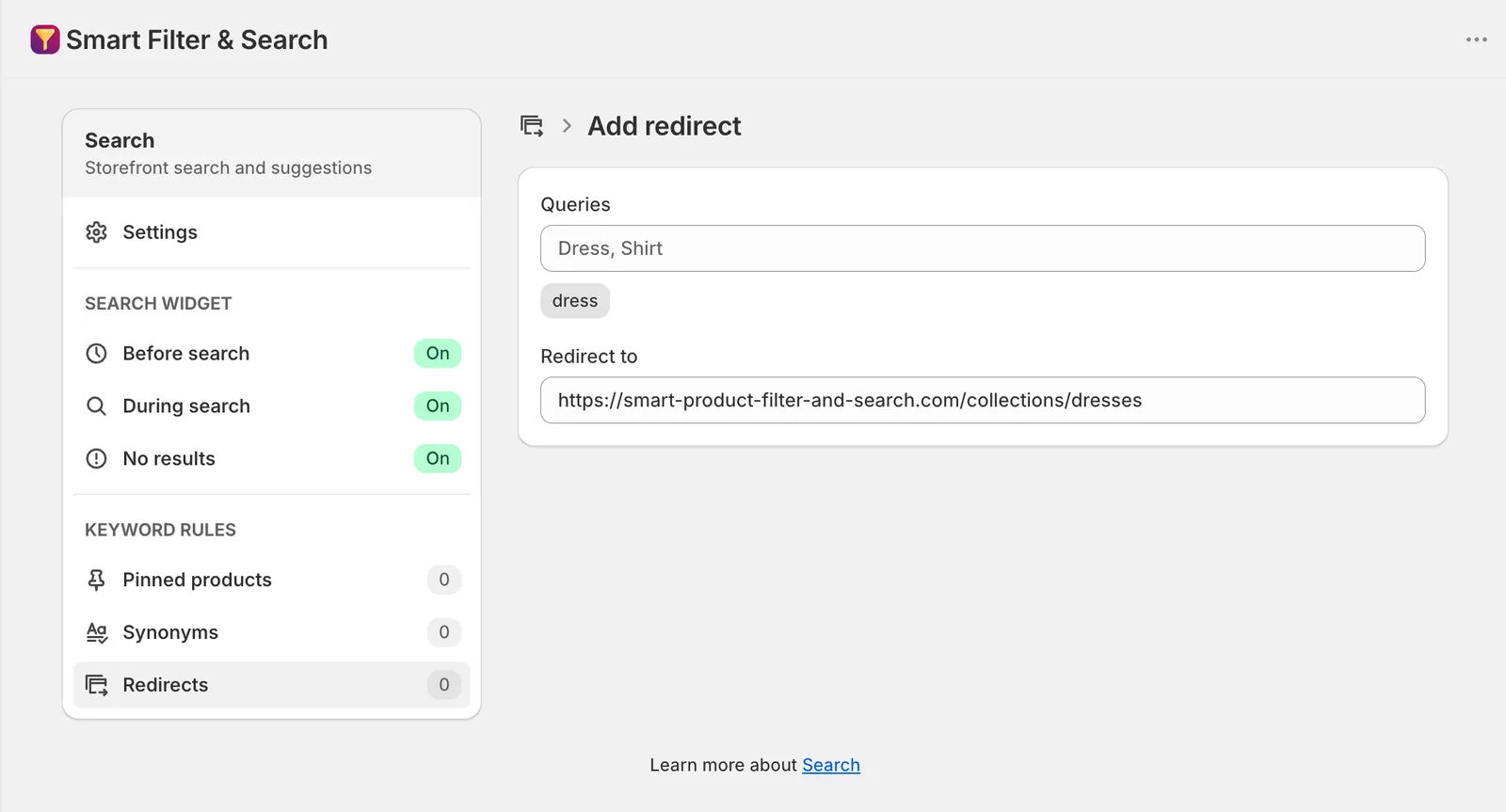
- In the app, go to Search > Redirects.
- Click Add search redirect.
- Under Queries, enter the search term(s) this applies to.
- Under Redirect to, enter the destination URL.
- Click Save in the bar at the top of the page.
Bulk import/export via CSV
Use Import / Export on the Search redirects page to manage a large number of redirects at once.
Related pages
Was this helpful?
Thanks for your feedback! Tell us what was missing
Report an issue