
Add recommendation widgets
Add product recommendation widgets to your storefront to increase average order value — related products, best sellers, recently viewed, and more.
What this does
Adds product recommendation widgets across your storefront — on product, home, collection, and cart pages — that surface additional products a shopper is likely to want, nudging them toward adding more to their order. For example, a shopper viewing a phone case’s product page can see a Frequently bought together widget suggesting a matching screen protector, or a shopper on the cart page can see Best sellers, prompting one more add before checkout.
Some widgets work entirely automatically from store data (like Best sellers or New products), while others let you choose the exact products shown (like Hand-picked products). Each widget is turned on independently and placed only on the pages that make sense for it.
Widget types
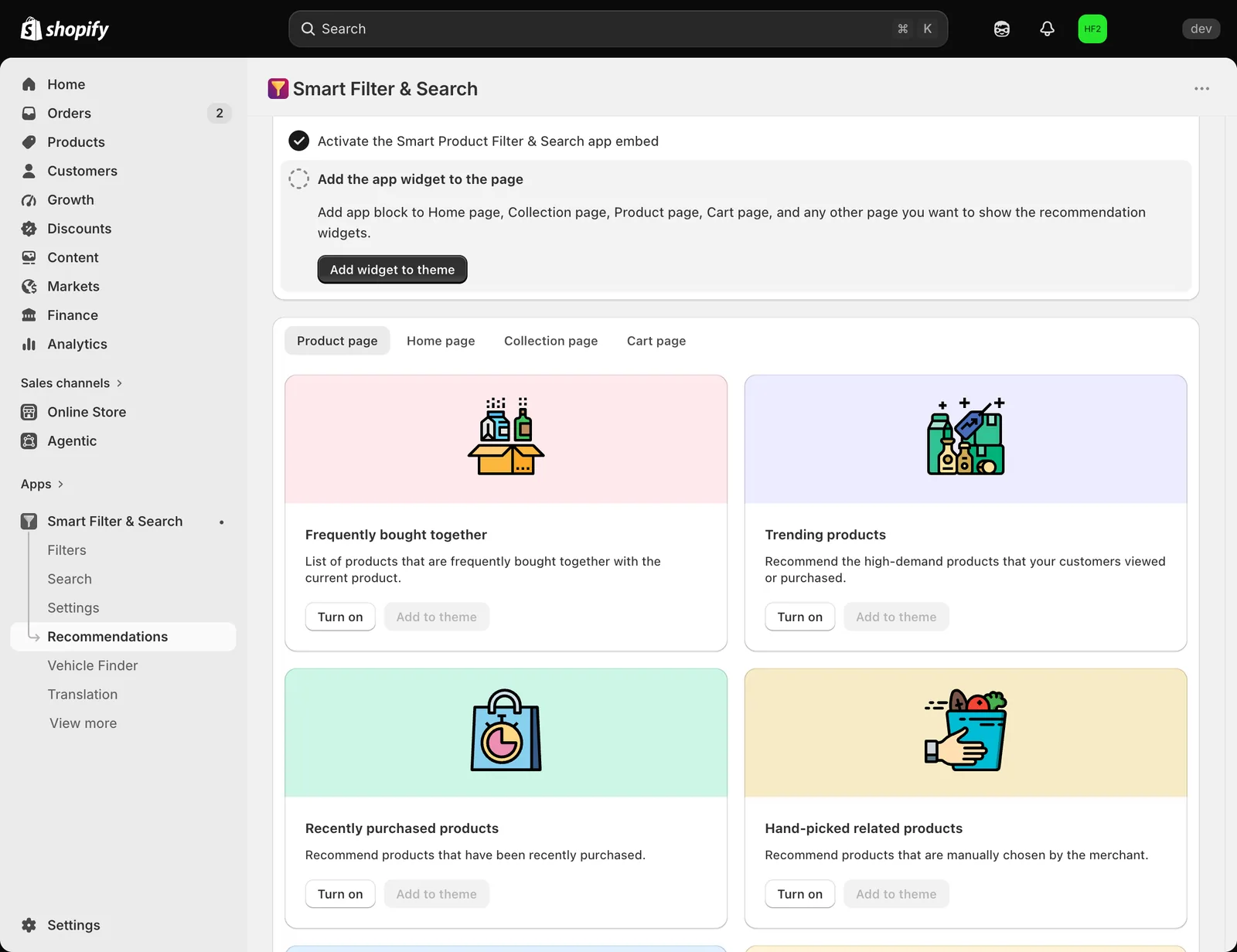
Go to the app’s Recommendations page. Widgets are grouped into tabs by where they can appear: Product page, Home page, Collection page, Cart page.
| Widget | Available on |
|---|---|
| Frequently bought together | Product |
| Trending products | Home, Collection, Product, Cart |
| Recently purchased products | Home, Collection, Product, Cart |
| Hand-picked related products | Product |
| Hand-picked products | Home, Collection, Cart |
| Most added products | Home, Collection, Product, Cart |
| Best sellers | Home, Collection, Product, Cart |
| Recently viewed products | Home, Collection, Product, Cart |
| Most viewed products | Home, Collection, Product, Cart |
| New products | Home, Collection, Product, Cart |
Frequently bought together, Trending products, and Recently purchased products need access to your store’s order history — if it hasn’t been granted yet, a banner on the Recommendations page explains this and offers an Allow permission action.
Hand-picked related products pulls from Shopify’s native product recommendations, which you can override per-product — see Hand-pick product recommendations. Hand-picked products is a separate widget where you choose a fixed product list directly in the theme editor block.
Turn on a widget and add it to your theme
- On the Recommendations page, select the tab for where you want the widget to appear.
- Click Turn on on the widget you want to use.
- Click Add to theme — this opens the Shopify theme editor with the widget block already added to the page.
- Adjust the widget’s appearance in the theme editor — see Customize recommendation widget appearance.
Related pages
- Configure recommendation settings
- Customize recommendation widget appearance
- Hand-pick product recommendations
Was this helpful?
Thanks for your feedback! Tell us what was missing
Report an issue