
Before search
Show recent searches, trending searches, categories, brands, and featured products the moment a shopper opens search — before they've typed anything.
What this does
Normally, the search box is empty until a shopper starts typing, showing nothing to guide them. Before search shows helpful starting points — recent searches, trending searches, categories, brands, or featured products — the instant a shopper opens search, before a single character is typed. This gives shoppers who don’t have a specific query in mind somewhere to go, instead of a blank box.
Steps
- In the app, go to Search > Before search.
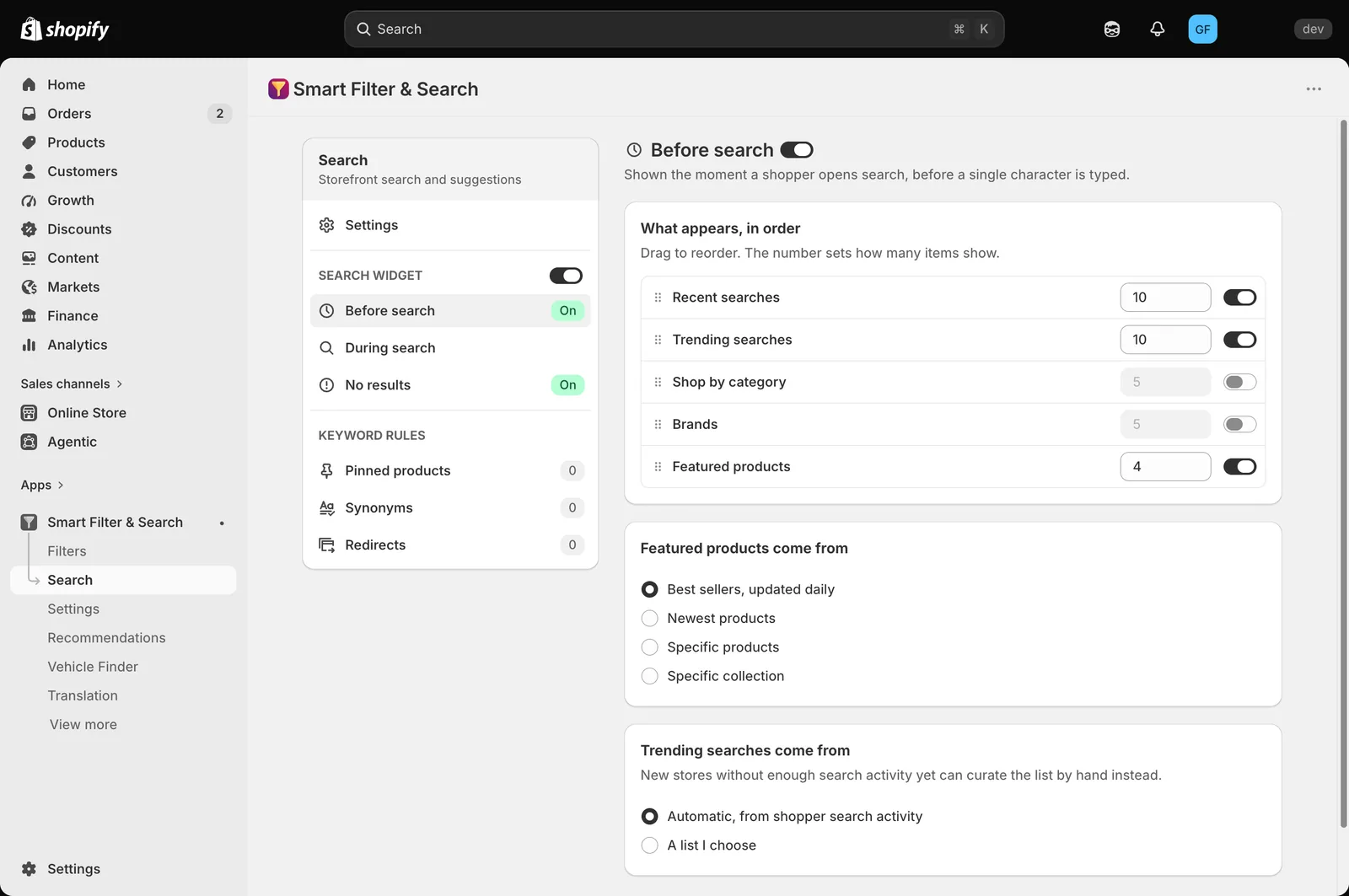
- Turn on whichever sections you want to show, and set how many items each one displays. Drag rows under What appears, in order to change the order they appear in:
- Recent searches — the shopper’s own past searches (per-device).
- Trending searches — popular search terms.
- Shop by category — your store’s product categories.
- Brands — vendors from your catalog.
- Featured products — a curated product list.
- If Featured products is on, choose where those products come from, under Featured products come from: Best sellers, updated daily, Newest products, Specific products, or Specific collection.
- If Trending searches is on, choose where that list comes from, under Trending searches come from: Automatic, from shopper search activity, or A list I choose — pick the manual option if your store doesn’t have enough search history yet.
- Use the top-right switch to turn Before search on or off entirely.
Related pages
Was this helpful?
Thanks for your feedback! Tell us what was missing
Report an issue