
Search products on collection page
Let shoppers search within the products of the collection page they're currently browsing, not just from the main search widget.
What this does
Adds a search box directly on collection pages, so a shopper browsing, say, your “Shoes” collection can type a term (e.g. “leather”) and instantly narrow that collection down to matching products — without leaving the collection page or opening the main search widget. Combined with any filters already applied, the search narrows within the current filtered/collection results rather than searching your whole catalog.
Steps
- In the app, go to Settings > General.
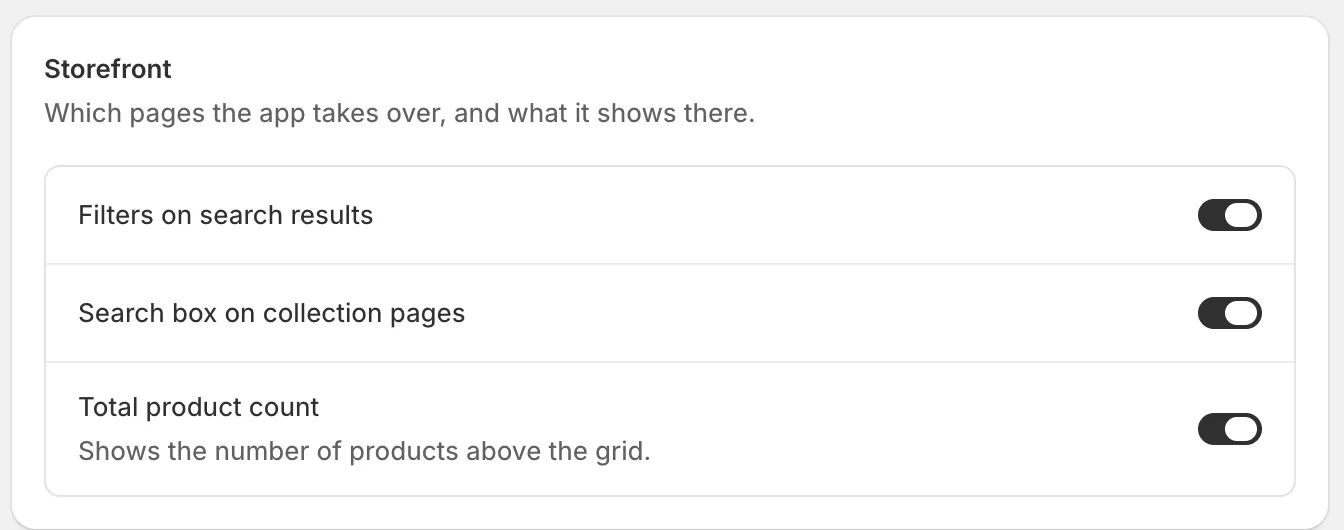
- In the Storefront card, turn on Search box on collection pages.
- Click Save in the bar at the top of the page.
Related pages
Was this helpful?
Thanks for your feedback! Tell us what was missing
Report an issue