
在装箱单中显示选项
通过 Order Printer 或 Shopify 自带的装箱单模板,将选项详情添加到您的装箱单中。
有两种方法可以实现。请根据您打印装箱单的方式选择。
使用 Shopify Order Printer
我们的 Product Options 应用可与 Shopify 的 Order Printer 应用配合使用,让您直接在装箱单上包含自定义选项详情。
-
在 Shopify 后台 中点击 应用
-
从应用列表中选择 Order Printer
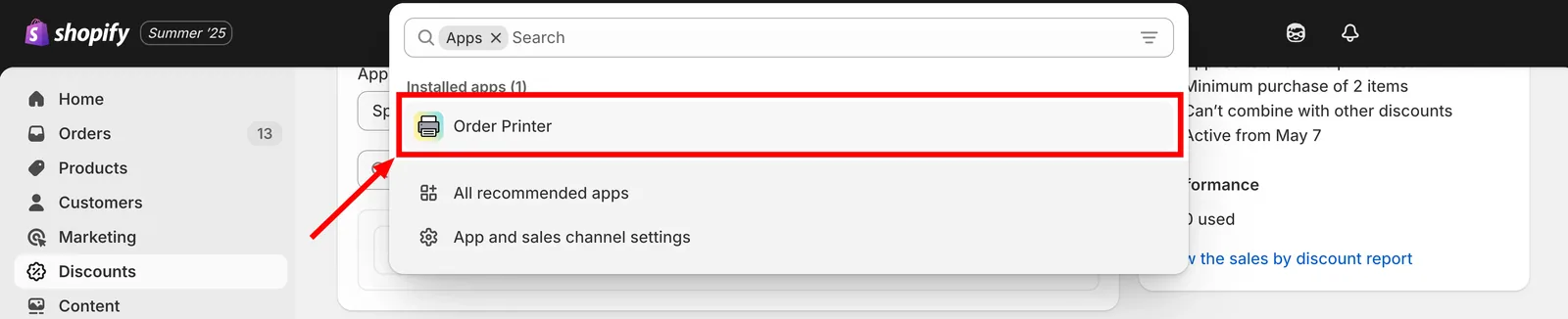
从应用列表中打开 Order Printer。
-
点击 管理模板 > 装箱单
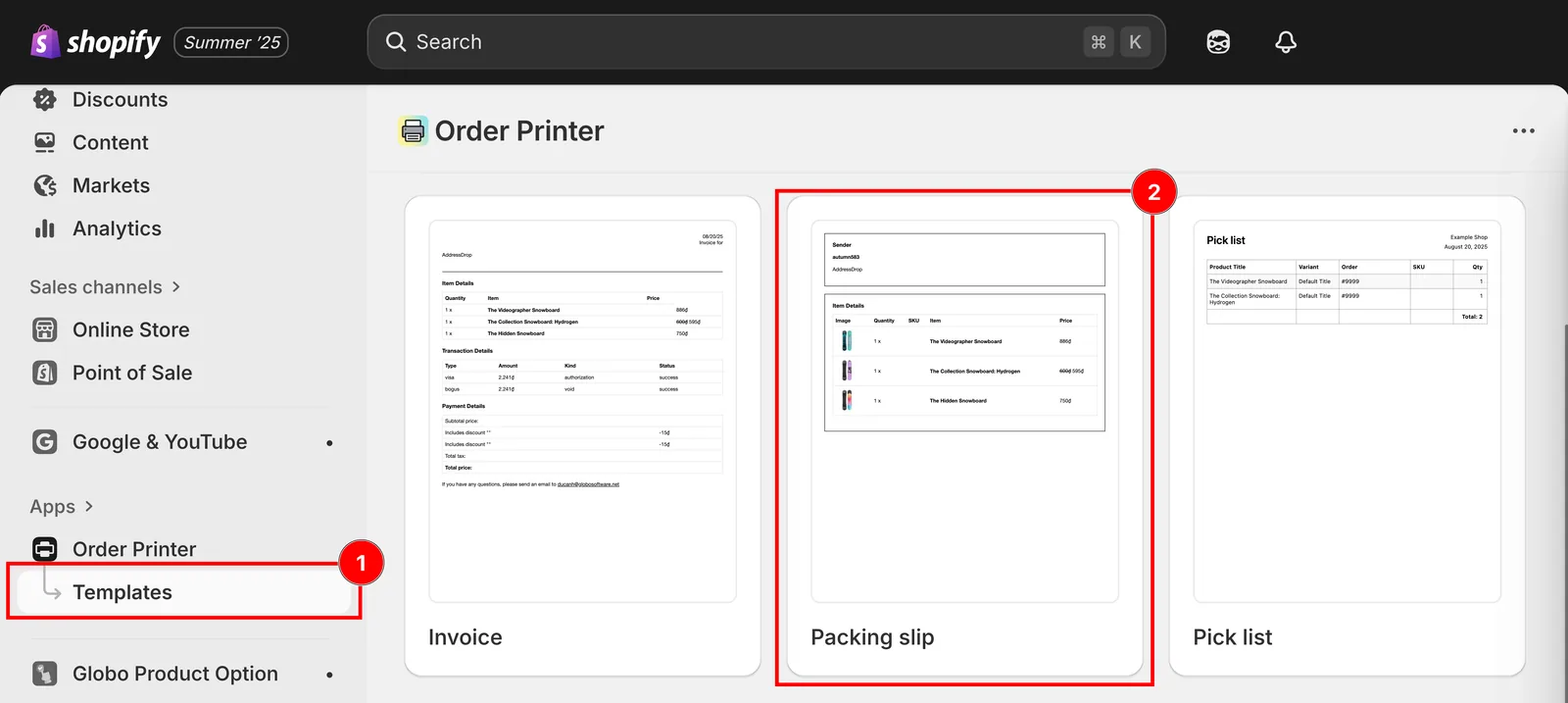
管理模板,然后打开装箱单模板。
-
下载装箱单模板
-
复制代码 并 粘贴到“模板详情” 部分
<div class="gpo-properties">{% assign property_size = line_item.properties | size %}{% if property_size > 0 %}{% for p in line_item.properties %}<div class="gpo-property">{% assign first_character_in_key = p.first | truncate: 1, '' %}{% unless p.last == blank or first_character_in_key == '_' %}<span>{{ p.first }}: </span>{%- if p.last contains '/uploads/' -%}<a href="{{ p.last }}">{{ p.last | split: '/' | last }}</a>{%- else -%}<span>{{ p.last }}</span>{%- endif -%}{% endunless %}</div>{% endfor %}{% endif %}</div>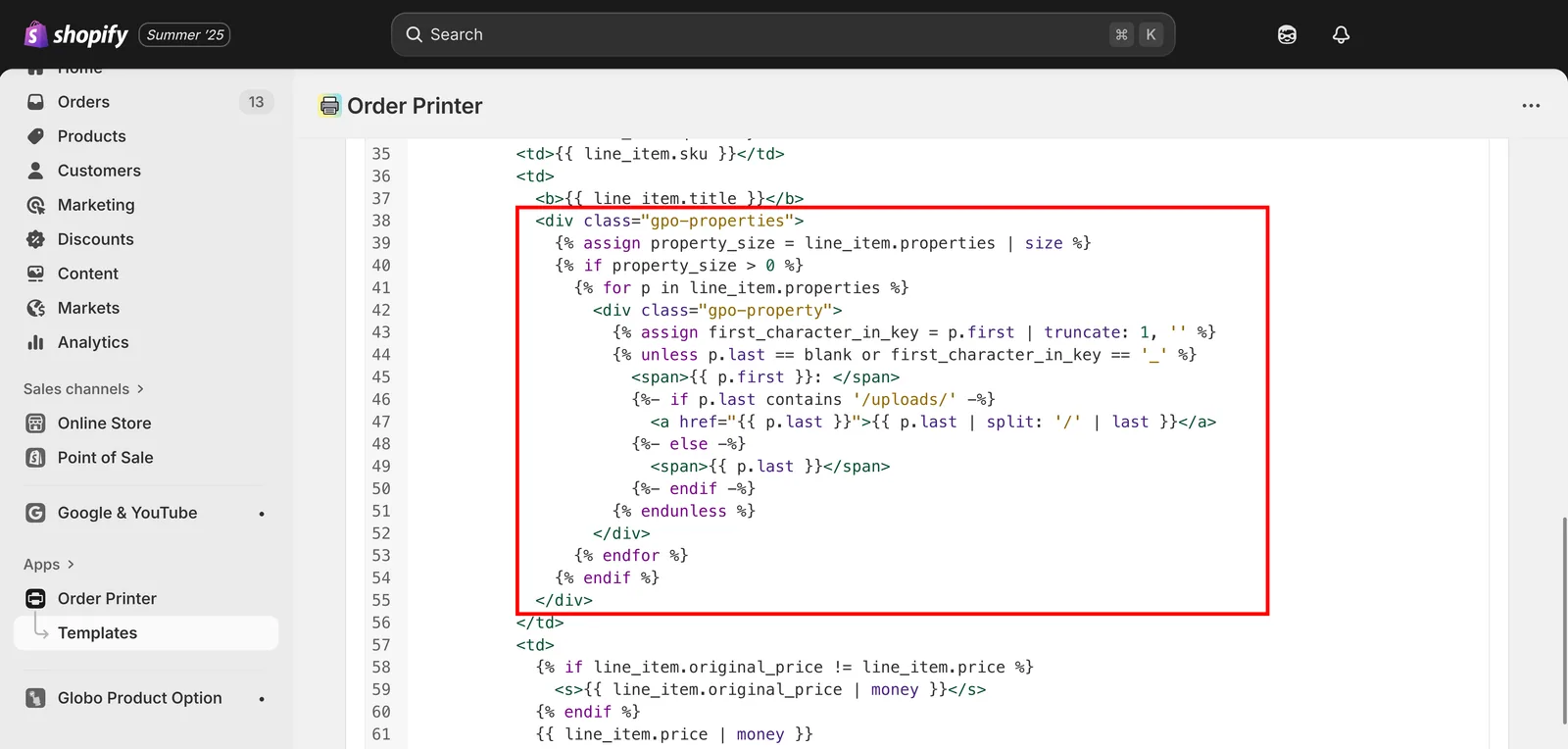
将代码片段粘贴到“模板详情”部分。
-
保存更改
通过 Shopify 设置
此方法让您可以直接在商店设置中更新 Shopify 内置的装箱单模板。
-
在 Shopify 后台 中点击 设置
-
前往 发货和配送
-
向下滚动到 装箱单模板 部分
点击装箱单模板旁边的 编辑。
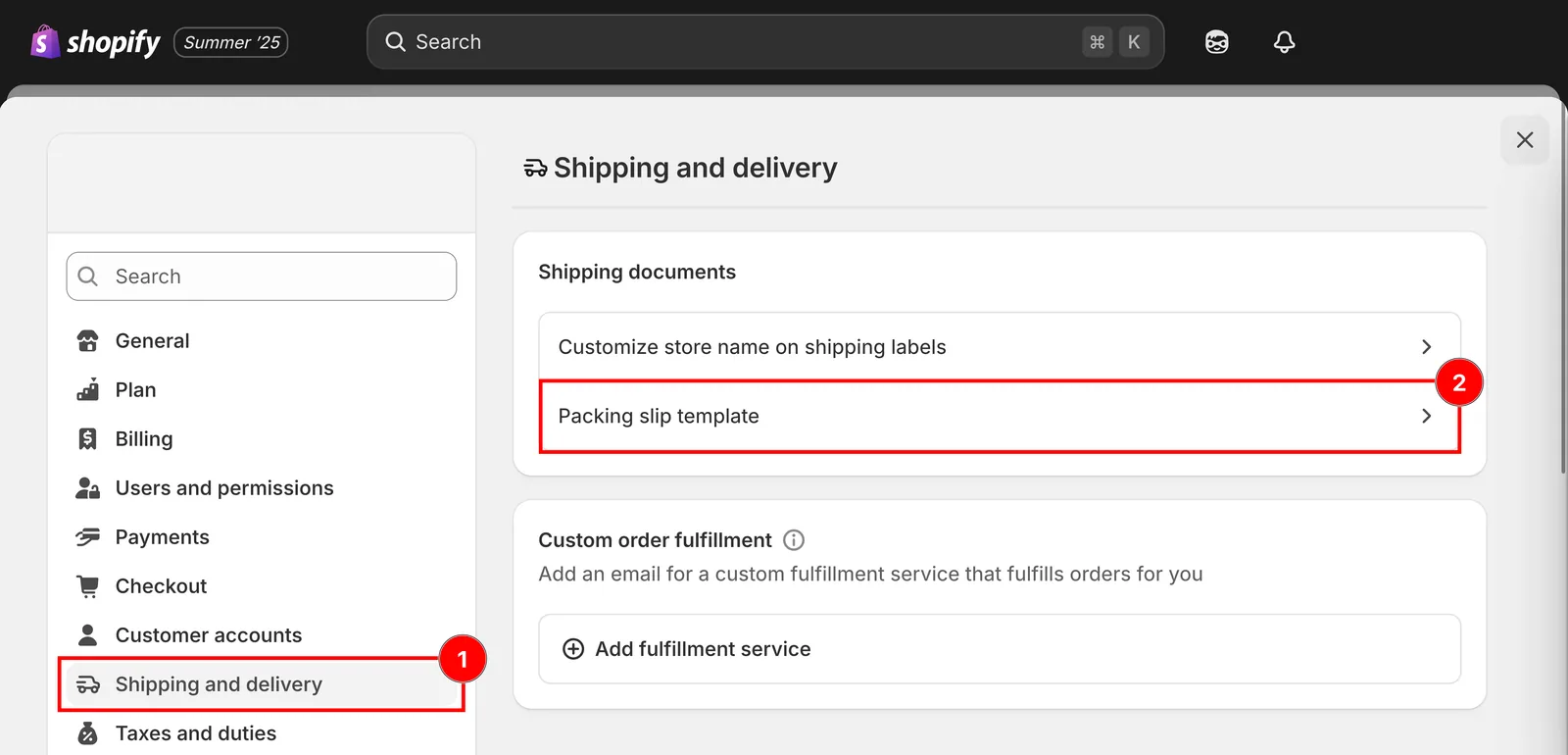
发货和配送,然后选择装箱单模板。
-
下载装箱单模板
-
复制代码 并粘贴到 编辑装箱单模板 字段
<div class="gpo-properties">{% assign property_size = line_item.properties | size %}{% if property_size > 0 %}{% for p in line_item.properties %}<div class="gpo-property">{% assign first_character_in_key = p.first | truncate: 1, '' %}{% unless p.last == blank or first_character_in_key == '_' %}<span>{{ p.first }}: </span>{%- if p.last contains '/uploads/' -%}<a href="{{ p.last }}">{{ p.last | split: '/' | last }}</a>{%- else -%}{{ p.last }}{%- endif -%}{% endunless %}</div>{% endfor %}{% endif %}</div>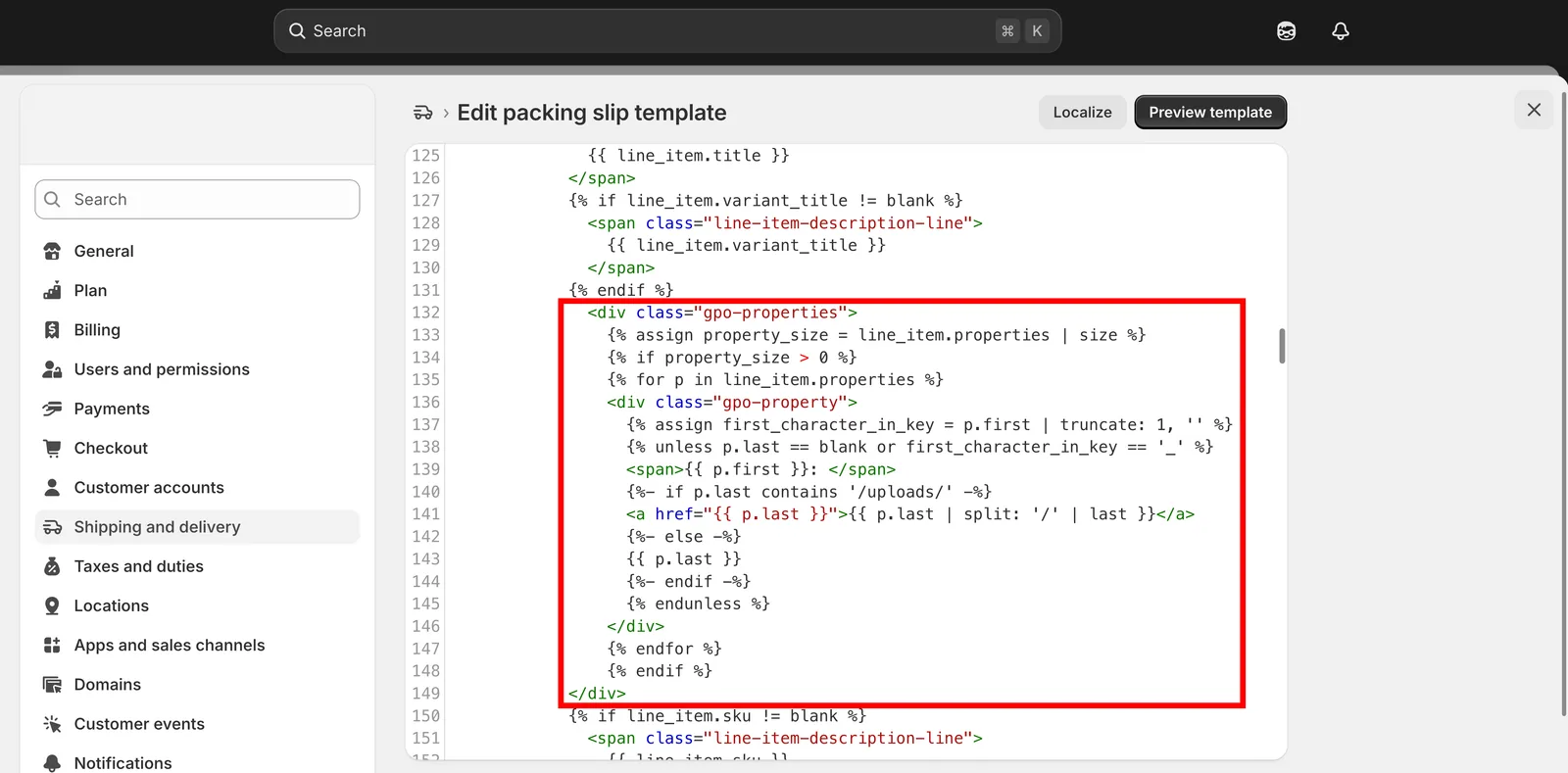
将代码片段粘贴到“编辑装箱单模板”字段中。
-
保存
此页面对您有帮助吗?
感谢您的反馈! 告诉我们缺少了什么
报告问题