
在確認電子郵件中顯示選項
將選項詳細資料加入顧客收到的訂單確認電子郵件。
這是顧客下單後立即收到的電子郵件。根據預設,Shopify 的訂單確認電子郵件不包含自訂選項的詳細資料,但您可以改變這一點!
📌 請依照以下步驟操作
-
在 Shopify 管理介面中點選 設定,然後選取 通知
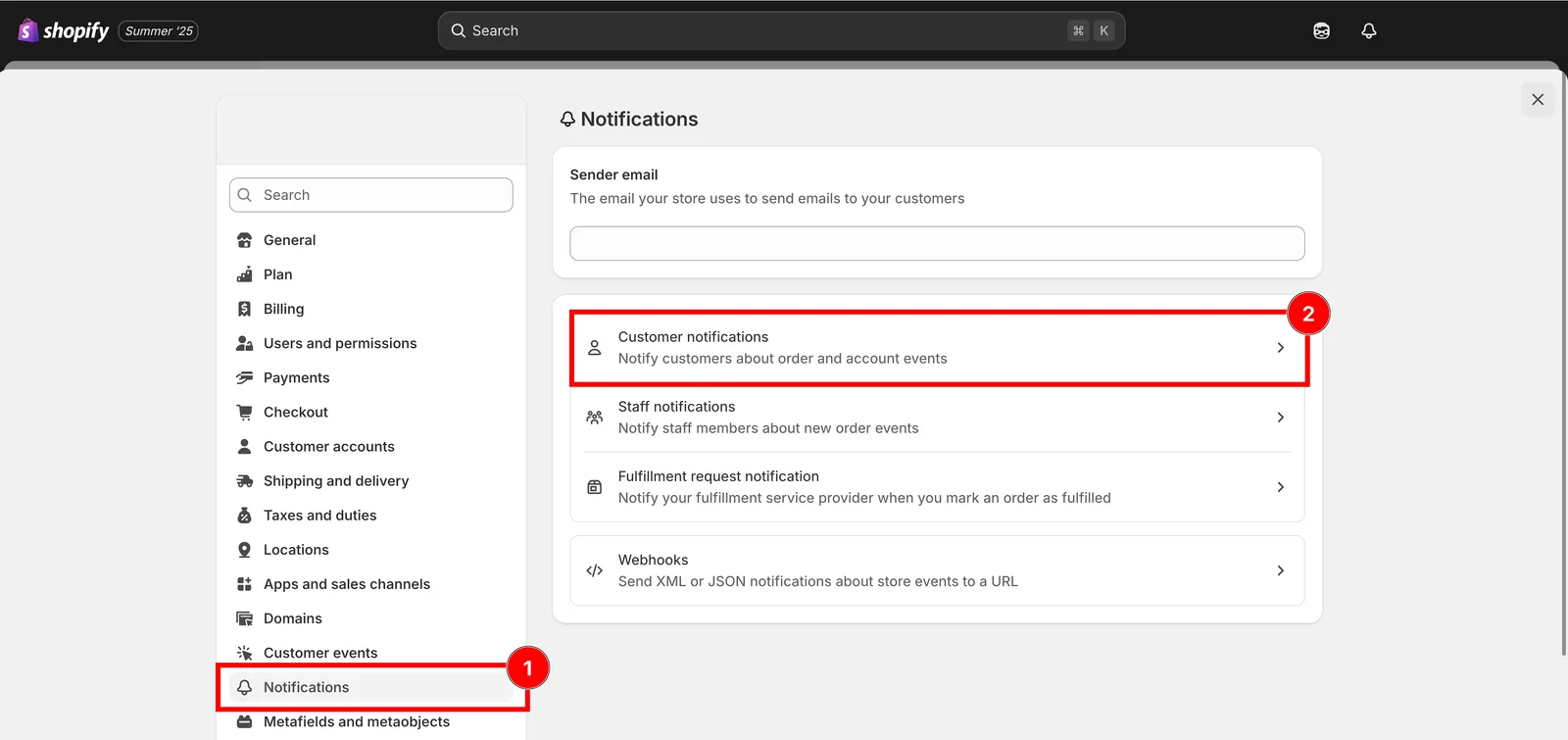
設定,然後是通知。
-
在 顧客通知 下方點選 訂單確認
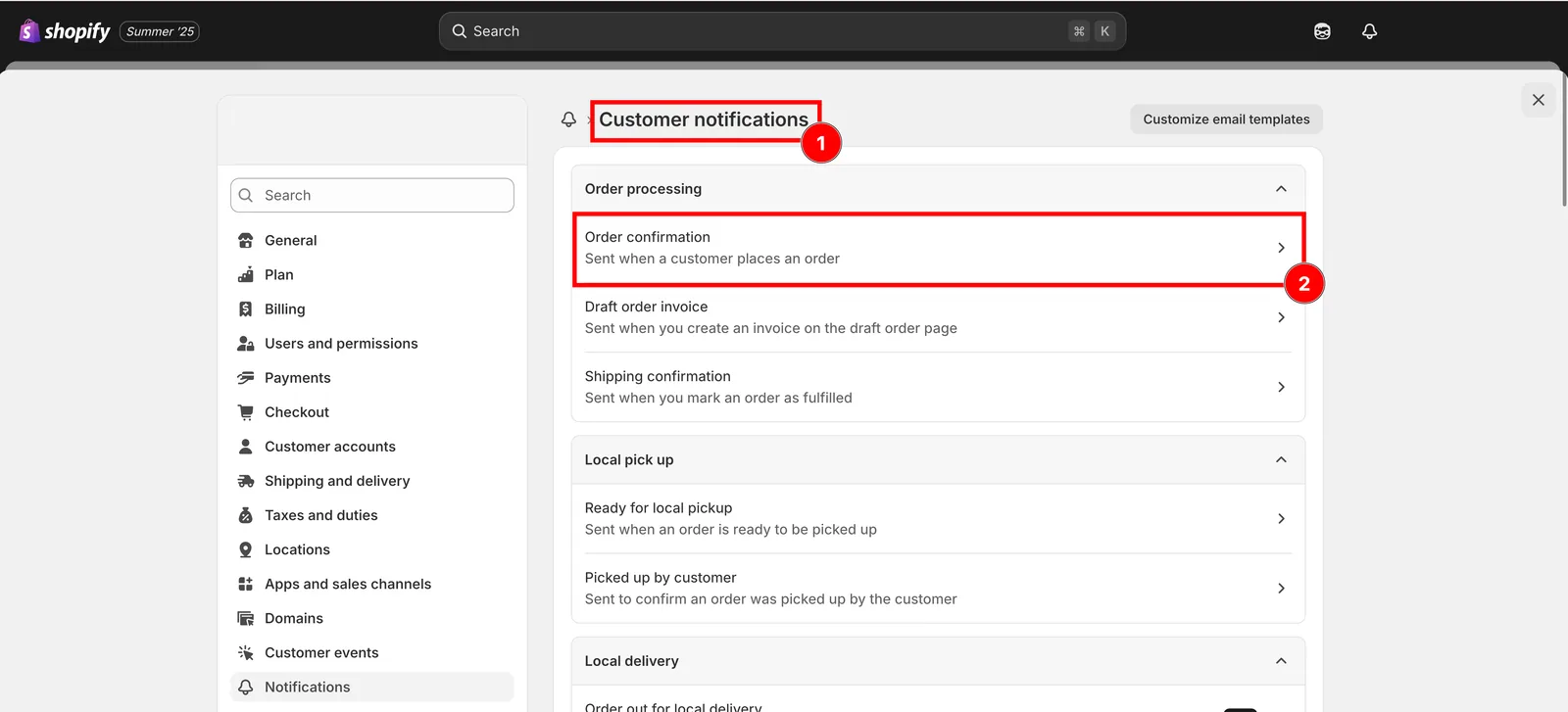
顧客通知,然後是訂單確認。
-
下載訂單確認範本
-
複製程式碼,並貼到 電子郵件內文 (HTML) 方塊
<div class="order-list__item-properties">{% assign property_size = line.properties | size %}{% if property_size > 0 %}{% for p in line.properties %}<div class="order-list__item-property">{% assign first_character_in_key = p.first | truncate: 1, '' %}{% unless p.last == blank or first_character_in_key == '_' %}<span>{{ p.first }}: </span>{%- if p.last contains '/uploads/' -%}<a href="{{ p.last }}">{{ p.last | split: '/' | last }}</a>{%- else -%}{{ p.last }}{%- endif -%}{% endunless %}</div>{% endfor %}{% endif %}</div>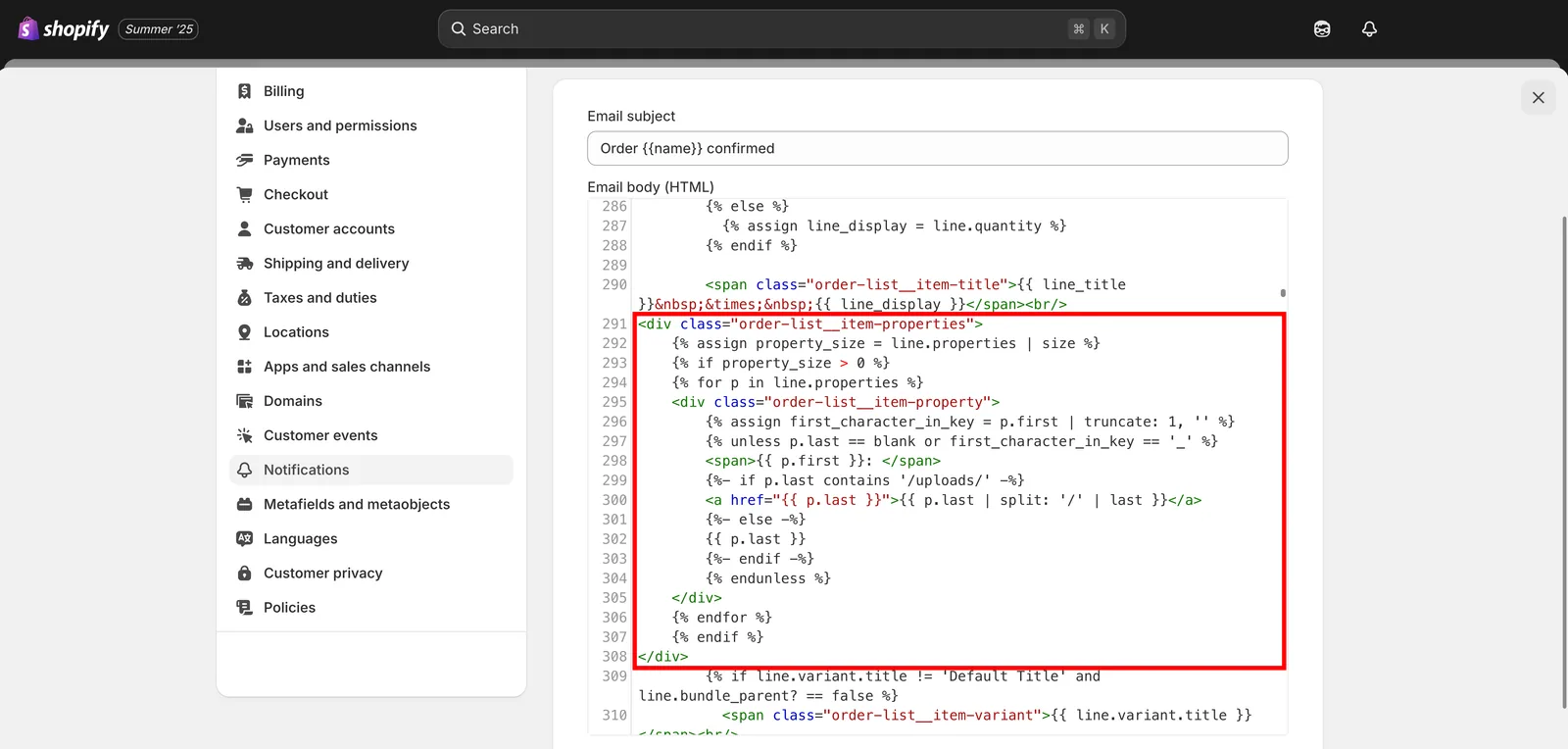
將程式碼貼到電子郵件內文 (HTML) 方塊中。
-
儲存
這個頁面有幫助嗎?
感謝您的意見回饋! 告訴我們缺少了什麼
回報問題