
注文の請求書にオプションを表示する
ShopifyのOrder Printerアプリで印刷する請求書に、オプションの詳細を追加します。
Shopify Order Printerでの注文の請求書
Product OptionsアプリはShopifyのOrder Printerと連携しており、印刷する請求書にオプションの詳細を表示できます。
設定手順
-
Shopify管理画面のダッシュボードからアプリを開く
-
インストール済みのアプリから Order Printer を見つけて選択する
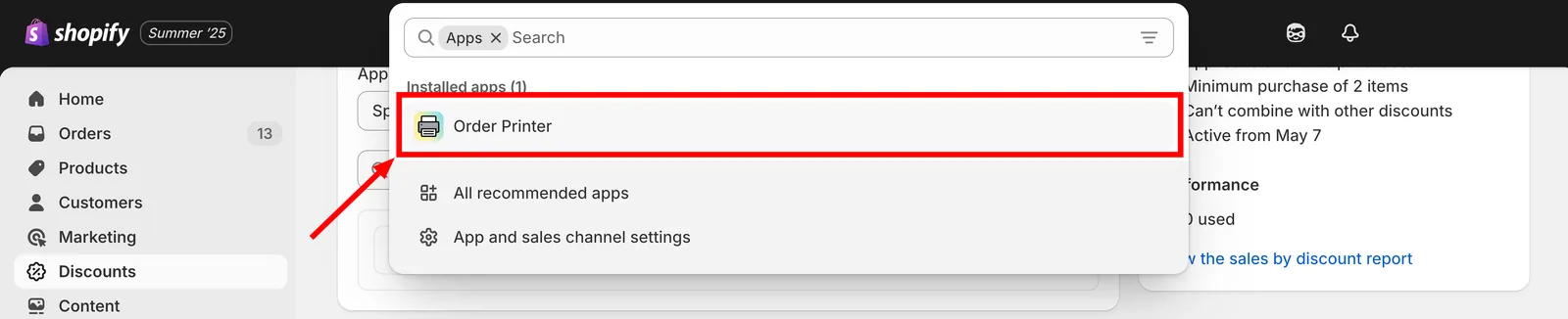
インストール済みのアプリの一覧からOrder Printerを開きます。
-
テンプレートを管理に移動し、請求書を選択する
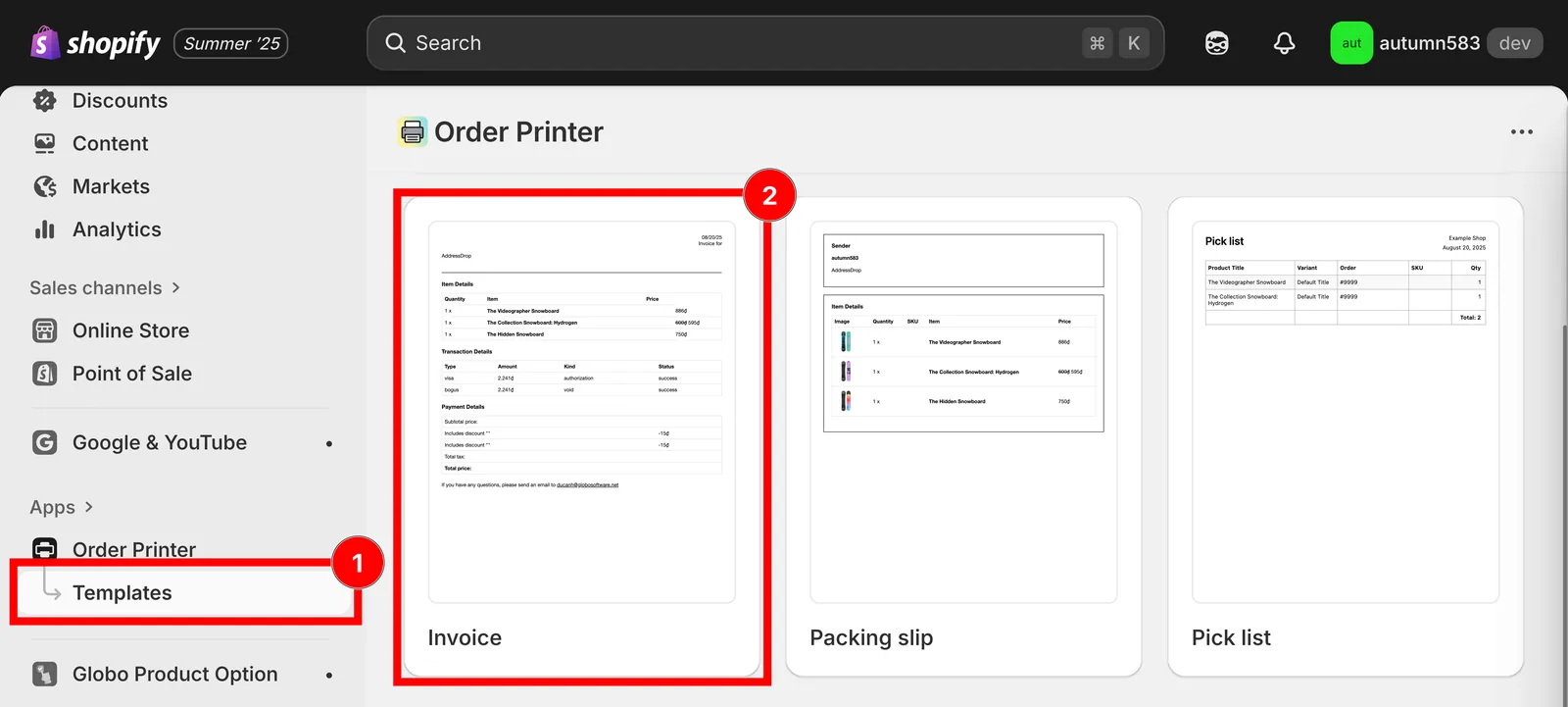
テンプレートを管理を開き、請求書テンプレートを開きます。
-
提供されているGitHubリポジトリから請求書テンプレートをダウンロードする
-
このコードスニペットをテンプレートの詳細セクションにコピーする
<div class="gpo-properties">{% assign property_size = line_item.properties | size %}{% if property_size > 0 %}{% for p in line_item.properties %}<div class="gpo-property">{% assign first_character_in_key = p.first | truncate: 1, '' %}{% unless p.last == blank or first_character_in_key == '_' %}<span>{{ p.first }}: </span>{%- if p.last contains '/uploads/' -%}<a href="{{ p.last }}">{{ p.last | split: '/' | last }}</a>{%- else -%}{{ p.last }}{%- endif -%}{% endunless %}</div>{% endfor %}{% endif %}</div>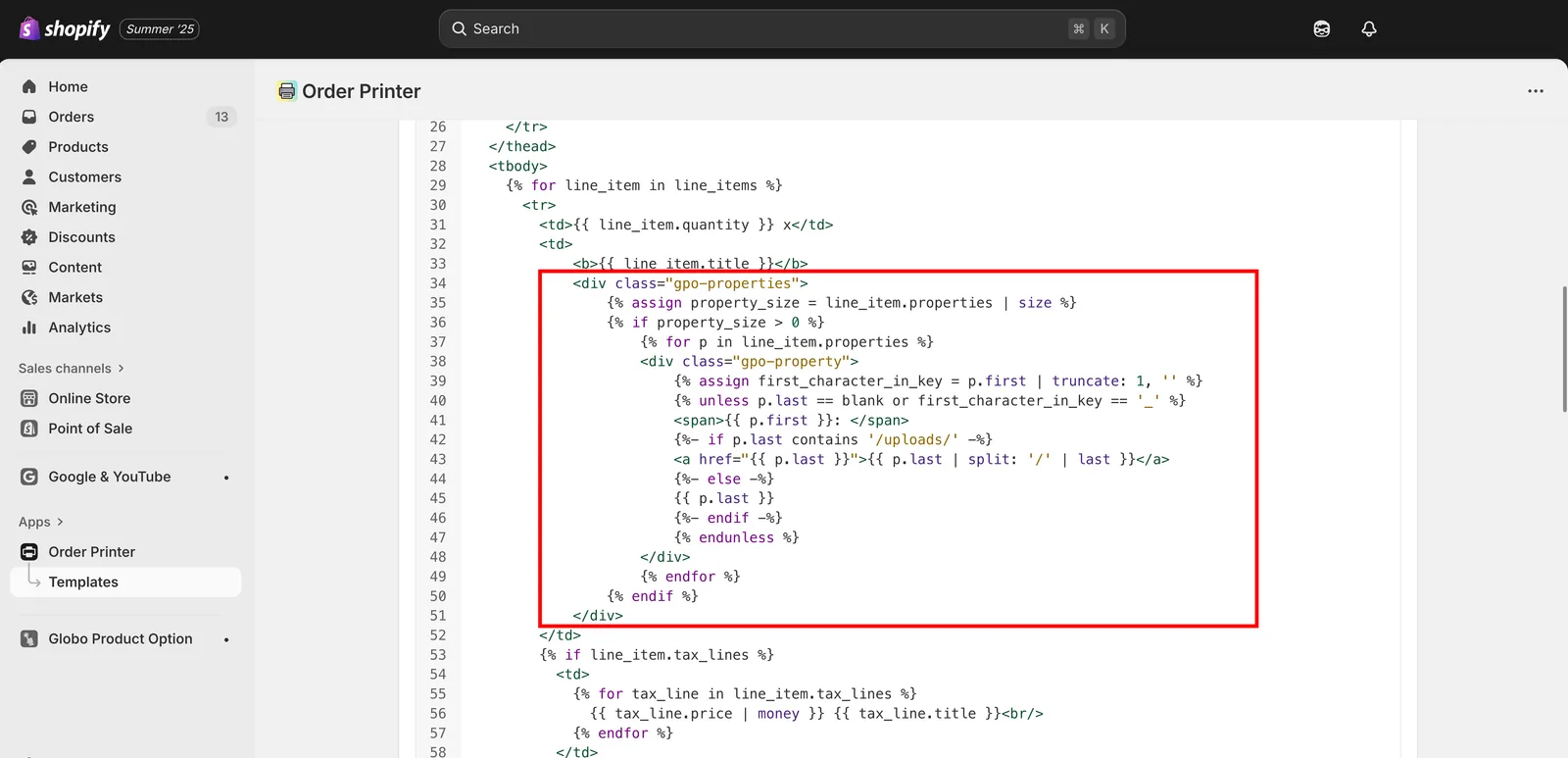
スニペットをテンプレートの詳細セクションに貼り付けます。
-
保存をクリックして変更を確定する
サポート
このページは役に立ちましたか?
フィードバックありがとうございます。 足りなかった情報を教える
問題を報告